

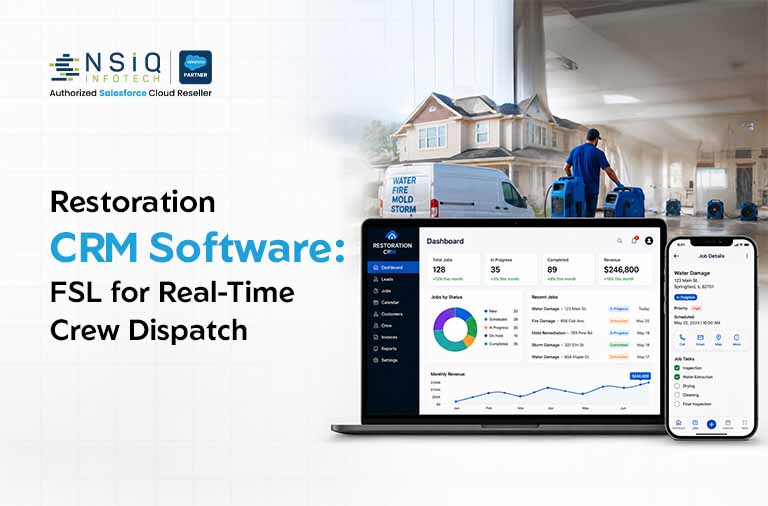
Salesforce Field Service Lightning for Restoration Crews: Real-Time Job Dispatch, Scheduling & On-Site Documentation
If you’re running a restoration company, you already know the drill. A pipe bursts at 2 a.m., a homeowner is panicking, and you’ve got maybe an hour to get a technician on-site before water damage turns into mold damage. Multiply that by ten or twenty jobs a week, spread across a team of 5 to 25 technicians, and you start to understand why so many operations managers feel like they’re constantly putting out fires, literally and figuratively.
This is exactly why more restoration companies are moving away from spreadsheets, whiteboards, and generic CRMs and toward purpose-built restoration CRM software like Salesforce Field Service Lightning (FSL). It’s not just about looking modern. It’s about dispatching the right technician to the right job, documenting everything an insurance adjuster will ask for, and keeping your whole crew connected without a single phone tag session.
In this guide, we’ll walk through exactly how Field Service Lightning works for restoration crews, what problems it actually solves, and how to know if it’s the right fit for your operation.
Why Restoration Companies Outgrow Generic CRMs
Most restoration companies start with something simple: a shared calendar, a group text thread, maybe a basic CRM built for sales teams. It works fine when you have three technicians and a handful of jobs a month.
Then you grow. Suddenly you’re managing:
- Multiple simultaneous jobs across different neighborhoods
- Technicians with different certifications (water mitigation vs. mold remediation vs. fire damage)
- Insurance documentation requirements that vary by carrier
- Equipment tracking (dehumidifiers, air movers, moisture meters) that needs to move between job sites
- Customers who expect real-time updates on when a technician will arrive
A generic CRM for contractors wasn’t built with any of this in mind. It tracks contacts and deals, not moisture readings and equipment checkouts. That mismatch is where things start to break down: missed appointments, technicians showing up without the right equipment, and insurance claims getting delayed because documentation is scattered across text messages and paper forms.
This is the gap that Field Service Lightning was purpose-built to close.
How Field Service Lightning Solves the Restoration Scheduling Problem
At its core, Field Service Lightning is Salesforce’s field service management platform, and it plugs directly into the broader Salesforce ecosystem your sales and customer service teams may already be using. For restoration crews specifically, three capabilities matter most.
1. Skill-Based, Real-Time Dispatch
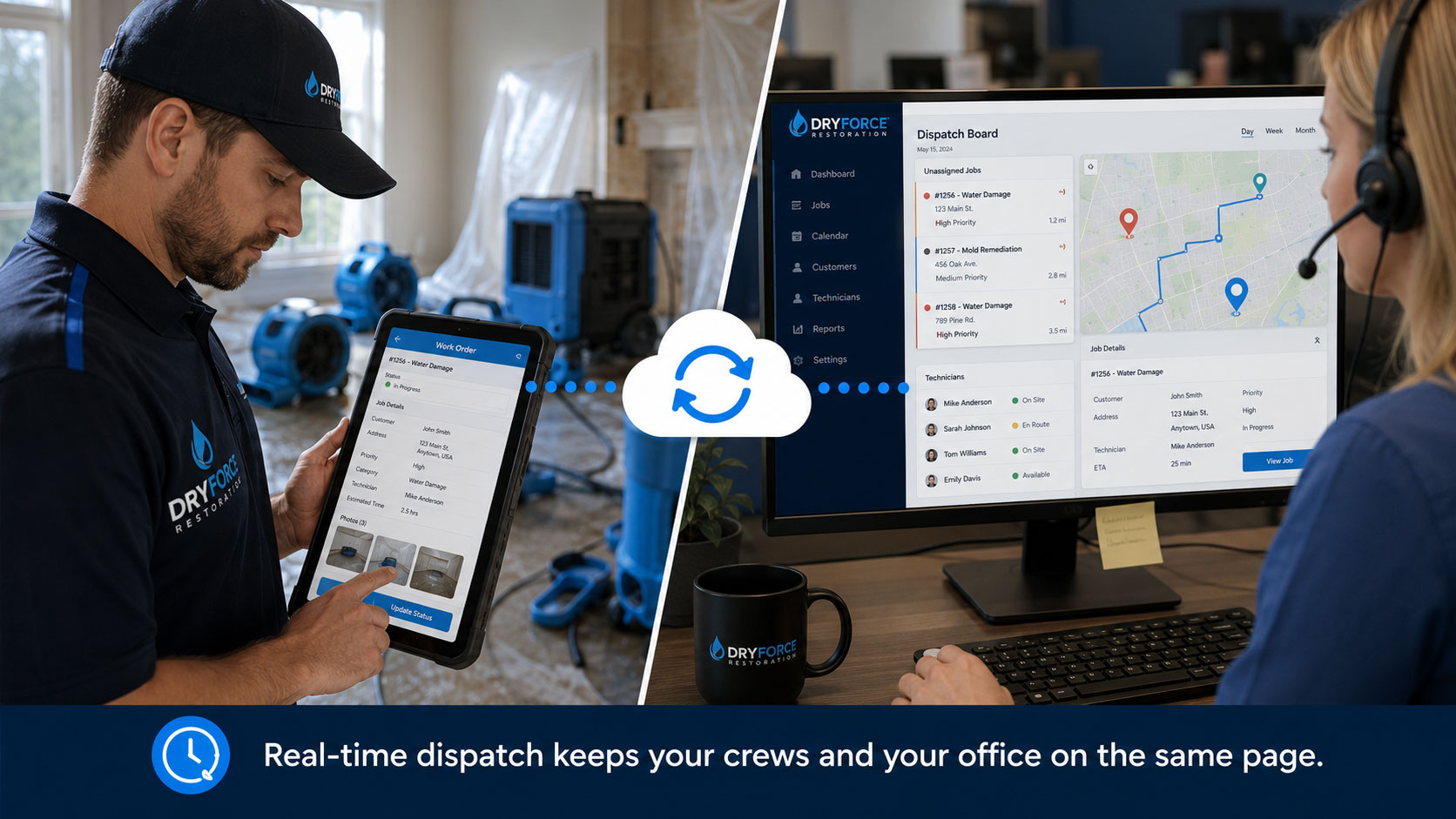
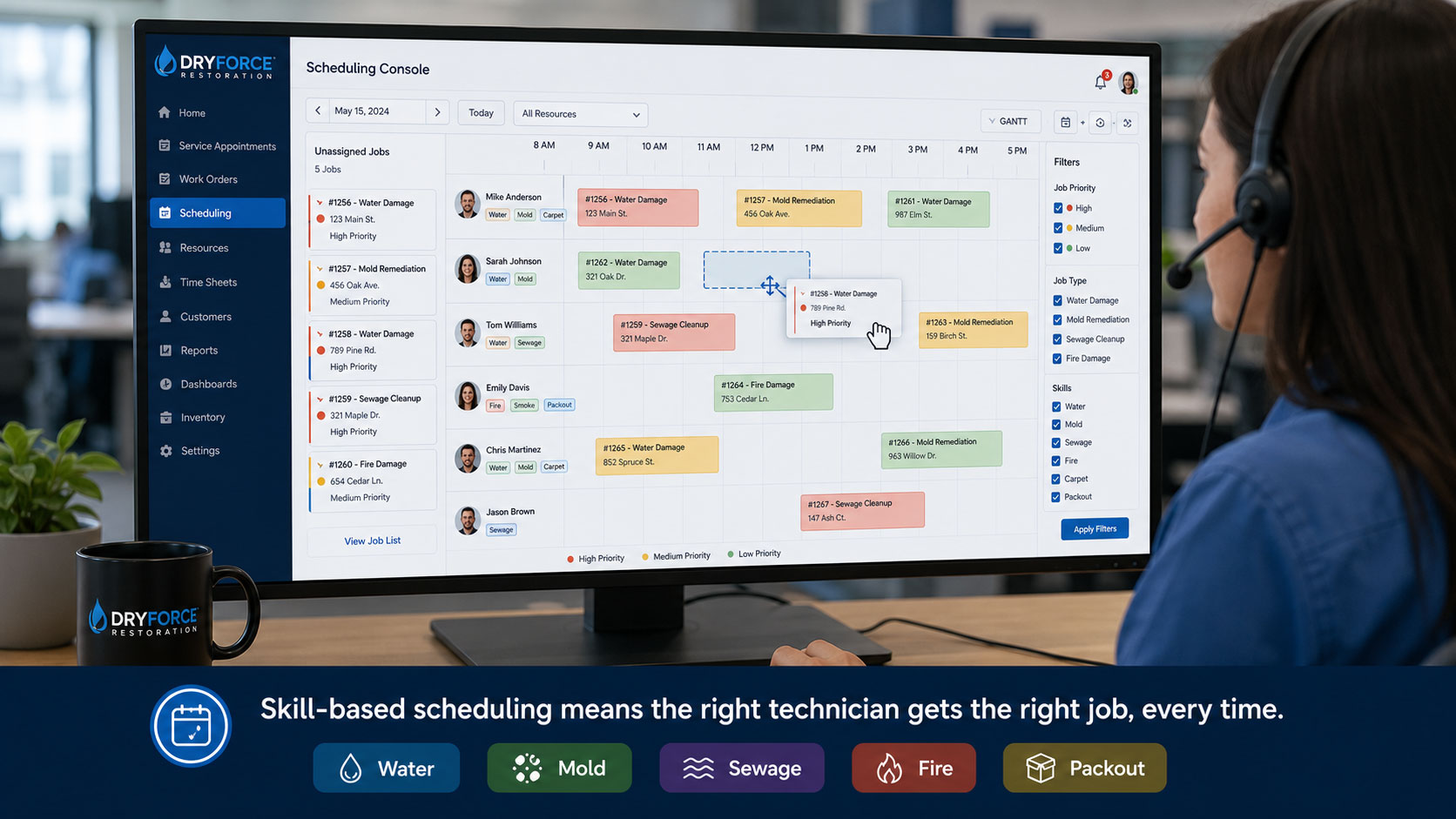
Instead of manually figuring out who’s free and who’s qualified, FSL’s scheduling engine looks at technician certifications, current location, equipment availability, and job urgency, then recommends (or automatically assigns) the best match. If a water damage emergency comes in and your closest certified technician is finishing another job, the system adjusts the schedule in real time, no dispatcher scrambling required.
Why this matters: Emergency response time is often the single biggest factor in customer satisfaction and insurance approval speed in restoration work. Shaving even 20-30 minutes off dispatch decisions can be the difference between a five-star review and a claim dispute over secondary damage.
2. Mobile Scheduling Visibility for the Whole Crew
Every technician gets a mobile app view of their day: job details, customer notes, site access instructions, and equipment checklists, updated live. If a job runs long or a new emergency comes in, the whole schedule shifts automatically and every technician sees the update instantly, even if they’re mid-job with muddy hands and no time to call the office.
3. Optimized Routing
FSL factors in drive time and traffic to sequence jobs efficiently, which matters a lot when your technicians are covering a metro area with unpredictable rush-hour patterns. Less windshield time means more billable hours per technician per day.
On-Site Documentation That Holds Up in Insurance Claims
Here’s where a lot of restoration companies get burned, not on the job itself, but on the paperwork afterward. Insurance carriers want timestamped photos, moisture readings, equipment logs, and signed authorization forms. If that documentation is incomplete, inconsistent, or hard to find, claims get delayed or denied, and that delay lands squarely on your cash flow.
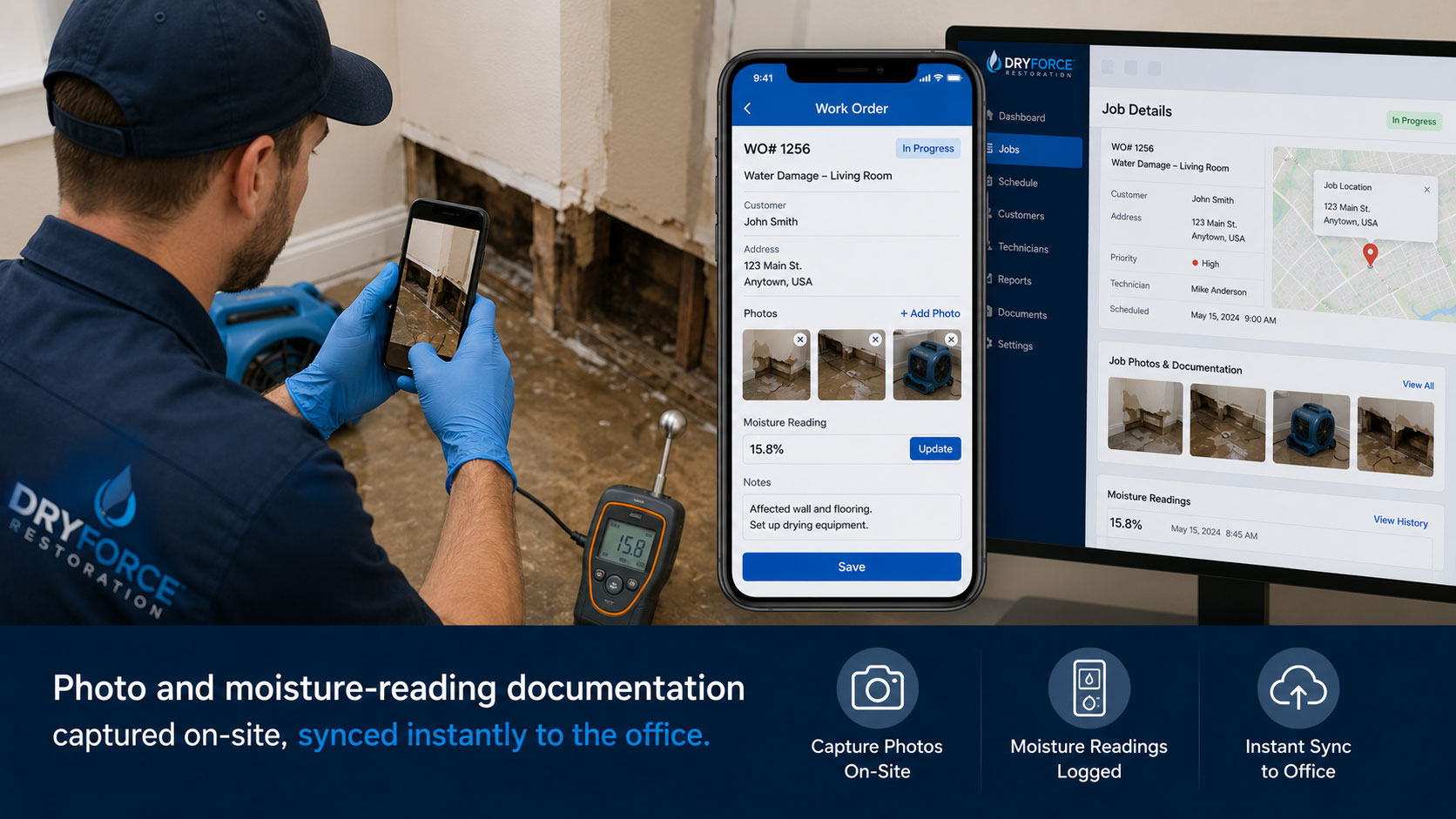
Field Service Lightning turns every technician’s phone or tablet into a documentation tool:
- Photos and videos attach directly to the work order, timestamped and geotagged automatically
- Moisture readings and equipment logs get captured in structured fields, not scribbled on a clipboard
- Customer signatures for work authorization and completion happen digitally, on-site
- Notes sync to the office in real time, so your admin team can start the claims paperwork before the technician even leaves the driveway
Mini scenario: Picture a mid-sized restoration company handling water damage jobs across a metro area. Before implementing a structured field service system, their average time from job completion to insurance documentation being submitted was around 4-5 days, mostly because photos and notes were scattered across technician phones and had to be manually collected. After moving to a system with real-time mobile documentation, that submission window typically drops to same-day or next-day, which speeds up claim approval and gets invoices out faster. The common thread across companies that make this shift isn’t better technicians; it’s a system that captures the right data automatically instead of relying on someone remembering to write it down later.
The Business Case: What the Data Says
It’s worth grounding this in some real numbers, because the shift toward digital field service management isn’t a trend; it’s already the majority behavior in the industry.
Mobile workforce optimization delivers productivity gains of 20% to 30%, according to MSI Data, which for a restoration crew translates directly into more completed jobs per technician per week without adding headcount. That’s a meaningful number when your biggest operating cost is skilled labor and your biggest constraint is how many jobs your existing crew can physically get to.
On the customer side, Salesforce research found that 74% of mobile workers say customer expectations are higher than they used to be, and 73% say customers now expect a more personal touch than in the past. For restoration companies, that plays out as customers expecting live arrival-time updates, digital documentation of the work performed, and clear communication throughout what is often a stressful, high-stakes home emergency.
And the broader market is backing this up with dollars: the global field service management market was valued at roughly $5.37 billion in 2025 and is projected to keep growing at double-digit rates through the next decade, according to Fortune Business Insights, with organizations across utilities, telecom, and property services all moving in the same direction: connected, mobile-first field operations instead of manual coordination.
For an operations manager weighing whether this kind of investment is worth it, the pattern across industries is consistent: companies that digitize dispatch and documentation see faster job cycles, fewer scheduling errors, and better customer retention.
Infographic-Friendly Summary: The Restoration Job Lifecycle in Field Service Lightning
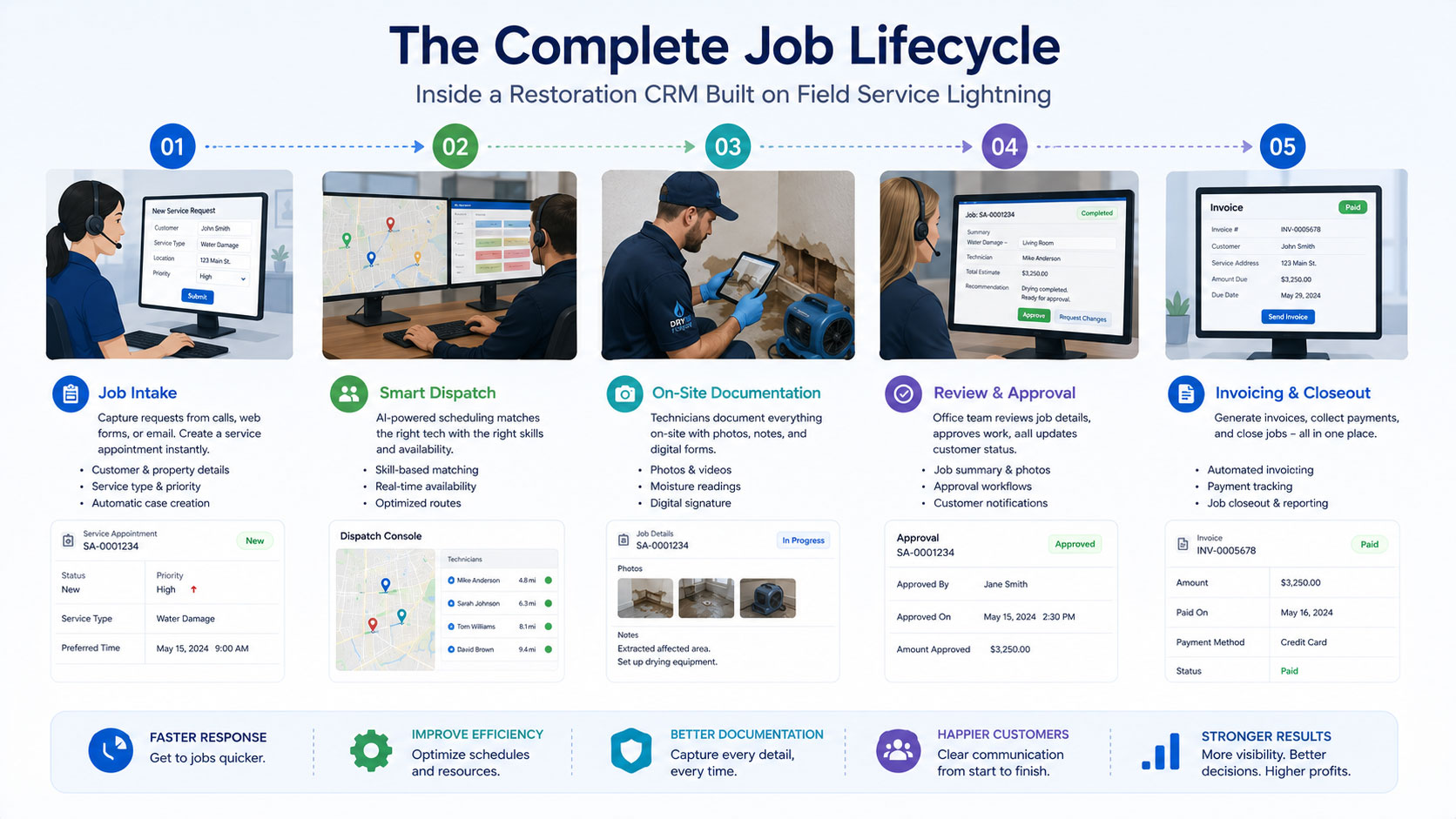
Here’s how a single job typically flows through the system, start to finish:
- Job Intake: Customer call or emergency request logged, urgency flagged
- Smart Dispatch: System matches the nearest certified technician with available equipment
- Route Optimization: Technician gets the fastest route factoring in traffic and job sequence
- On-Site Documentation: Photos, moisture readings, and signatures captured on mobile in real time
- Office Sync: Admin team sees job status and documentation instantly, starts insurance paperwork
- Approval & Invoicing: Job closes out, invoice generates, insurance claim submits with complete documentation attached
Each step reduces a point of friction that traditionally caused delays: waiting on phone calls, hunting for paperwork, or re-entering data manually.
Restoration CRM Software: Manual Process vs. Field Service Lightning
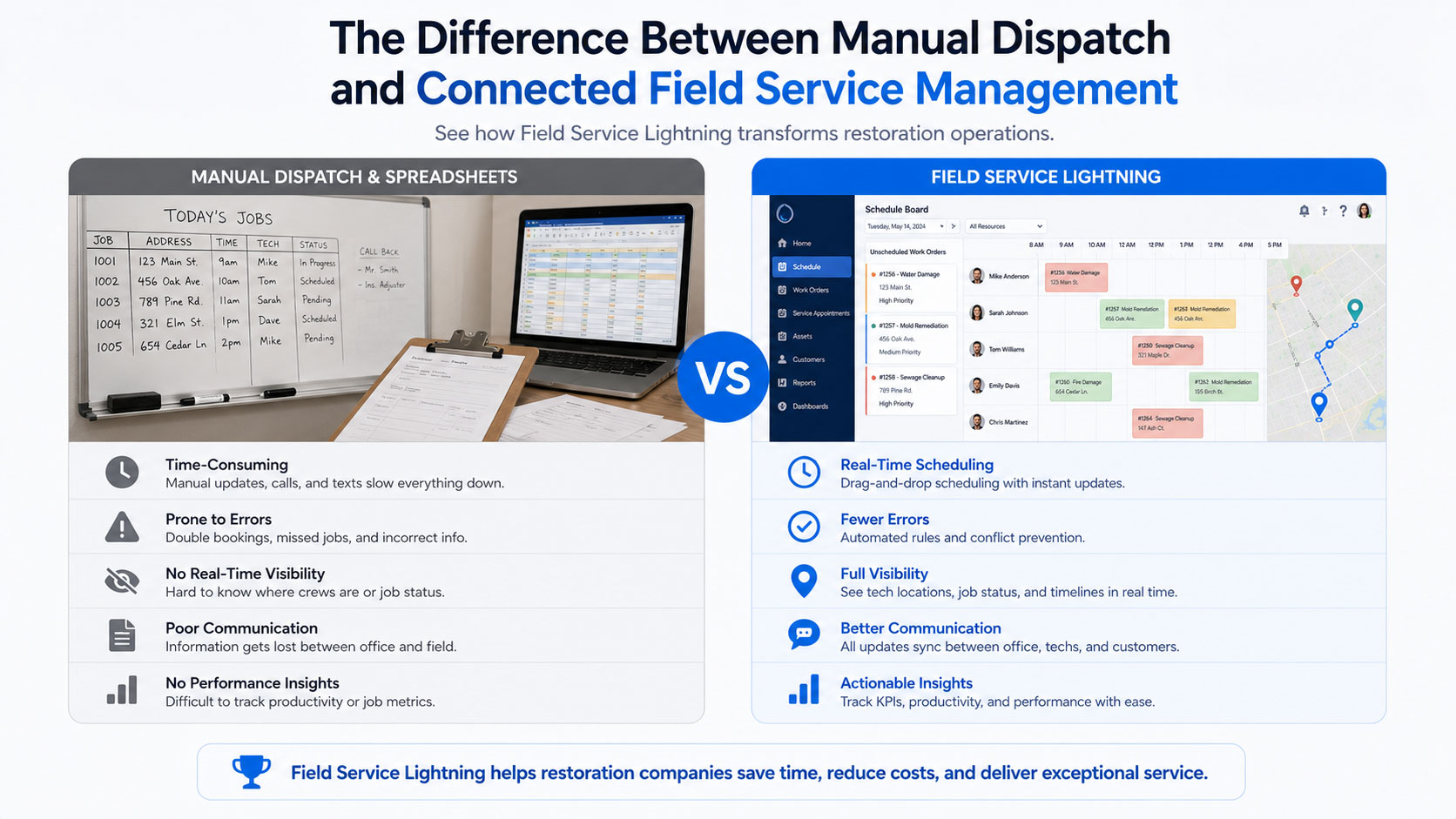
| Task | Manual / Spreadsheet Process | Field Service Lightning |
| Technician dispatch | Phone calls, guesswork on availability | Automated, skill and location-based matching |
| Schedule updates | Group texts, missed messages | Real-time sync across all devices |
| Job documentation | Paper forms, phone photos scattered | Structured, timestamped, synced instantly |
| Equipment tracking | Verbal handoffs, lost equipment | Logged and tracked per job |
| Insurance claim prep | Days of gathering documentation | Same-day, ready-to-submit records |
| Route planning | Technician’s own judgment | Traffic-aware optimized routing |
This kind of side-by-side comparison is exactly what many operations managers need when they’re building the case internally for why a contractor CRM software upgrade is worth the investment.
Common Mistakes Restoration Companies Make When Choosing a CRM
Before you commit to a platform, it’s worth knowing where other companies have stumbled:
- Picking a CRM built for sales, not field operations. Many popular CRMs handle leads and pipelines well but have no real concept of technician scheduling, equipment tracking, or mobile documentation.
- Underestimating mobile usability. If the mobile app is clunky, technicians will find workarounds, usually reverting to texting the office, which defeats the entire purpose.
- Skipping the integration check. If your CRM doesn’t talk to your invoicing, insurance documentation, or accounting tools, you’ve just created a new data silo instead of solving the old one.
- Not planning for growth. A system that works for 5 technicians can fall apart at 25 if it wasn’t built to scale. This is one area where Salesforce’s platform architecture has a real advantage: it’s designed to expand alongside your business.
How to Know If Field Service Lightning Is the Right Fit
Field Service Lightning tends to be the strongest fit when a restoration company:
- Manages 5 or more technicians across multiple simultaneous jobs
- Handles insurance claims regularly and needs airtight documentation
- Wants scheduling and customer communication connected to the same platform
- Is already using, or plans to use, other Salesforce tools like Sales Cloud or Service Cloud
- Needs the system to scale as the crew grows
If your operation is smaller and mostly handles straightforward, single-technician jobs, a lighter-weight tool might suffice for now. But for operations managers juggling multiple crews, multiple job types, and insurance-heavy workflows, the gap between a generic tool and a purpose-built restoration CRM becomes obvious fast.
Where Expert Implementation Makes the Difference
Here’s the honest truth: Field Service Lightning is a powerful platform, but its value depends heavily on how it’s set up. A generic, out-of-the-box configuration won’t automatically understand restoration-specific workflows like moisture reading fields, equipment checkout logs, or insurance documentation templates.
This is where working with a team that specializes in Salesforce implementation for field service operations makes a real difference. At NSIQ INFOTECH, we work with restoration and contracting companies to configure Field Service Lightning around the actual way their crews operate, not a generic template. That means building custom fields for the documentation your insurance partners actually require, setting up dispatch rules that reflect your technicians’ real certifications and territories, and connecting the platform to your existing invoicing and accounting systems so nothing falls through the cracks.
The goal isn’t just to hand you a tool. It’s to make sure your dispatchers, technicians, and office staff are all working from the same real-time system on day one, with minimal disruption to your ongoing jobs during rollout.
Conclusion
Running a restoration crew means operating in constant, high-stakes motion: emergencies don’t wait for a convenient time, and neither do insurance deadlines. The companies that scale smoothly aren’t necessarily the ones with the most technicians; they’re the ones with systems that keep dispatch, scheduling, and documentation moving in real time, without relying on someone’s memory or a missed text message.
Salesforce Field Service Lightning gives restoration companies exactly that kind of connected system: smart dispatch, mobile-first documentation, and a platform built to scale as your crew grows. The real value, though, comes from how it’s configured around your specific workflows, not a generic setup.
FAQs
1. What is restoration CRM software?
Restoration CRM software is a customer and job management system built specifically for restoration companies. It handles scheduling, technician dispatch, on-site documentation, and customer communication in one connected platform, rather than relying on separate spreadsheets, texts, and paper forms.
2. Is Salesforce Field Service Lightning the same as a regular CRM?
No. Field Service Lightning is a field service management extension built on the Salesforce platform. It includes scheduling, dispatch, mobile technician tools, and route optimization that a standard sales-focused CRM typically doesn’t offer.
3. How is restoration CRM different from general contractor CRM software?
Restoration-specific configurations account for emergency response timing, insurance documentation requirements, equipment tracking, and technician certifications (like water mitigation or mold remediation), details that general contractor CRM software often doesn’t address out of the box.
4. Can Field Service Lightning work for a small restoration crew?
Yes, though it delivers the most value once you’re managing 5 or more technicians across multiple job types. Smaller crews may start with basic configurations and scale up as they grow.
5. Does Field Service Lightning help with insurance claim documentation?
Yes. Technicians can capture photos, moisture readings, and signatures directly on mobile devices, with everything timestamped and synced to the office in real time, which speeds up claims submission significantly.
6. What’s the best CRM for restoration companies with growing teams?
For companies managing multiple crews and complex scheduling needs, Salesforce Field Service Lightning is one of the strongest options because of its scalability and its ability to integrate with sales and customer service tools as the business grows.
7. How long does it take to implement Field Service Lightning for a restoration company?
Implementation timelines vary based on team size and how much customization is needed, but most restoration companies can expect a phased rollout over several weeks, starting with core scheduling and documentation features.
8. Will my technicians need extensive training to use it?
Most technicians adapt quickly since the mobile interface is designed to be simple: job details, checklists, and documentation forms are laid out clearly. A good implementation partner will also provide hands-on training during rollout.
9. Can this CRM integrate with our existing invoicing and accounting software?
Yes, Salesforce Field Service Lightning can be integrated with most common invoicing and accounting platforms, which eliminates duplicate data entry between job completion and billing.
10. Does real-time dispatch actually reduce response times?
Yes. By automatically matching the nearest qualified technician to a job based on location, skills, and equipment availability, dispatch decisions happen in seconds rather than through manual phone coordination.
11. What happens if a technician loses signal on a job site?
The mobile app supports offline functionality in many configurations, allowing technicians to continue documenting work and sync automatically once connectivity returns.
12. Is restoration CRM software worth the cost for a mid-sized company?
For companies managing multiple simultaneous jobs and regular insurance claims, the time saved on dispatch, documentation, and claims processing typically offsets the software investment within the first several months of use.
13. Can equipment like dehumidifiers and air movers be tracked in the system?
Yes. Equipment checkout and location tracking can be built into the platform so your team always knows what equipment is deployed where, reducing loss and improving utilization.
14. How does route optimization actually save money?
By reducing unnecessary drive time between jobs, technicians spend more of their day on billable work instead of sitting in traffic, which directly improves job throughput per technician.
15. Do we need to already use Salesforce for other things to benefit from this?
No, but if your sales or customer service teams already use Salesforce, Field Service Lightning integrates seamlessly, giving you a single connected view of the customer from first call to job completion.
Ready to Modernize Your Restoration Operations?
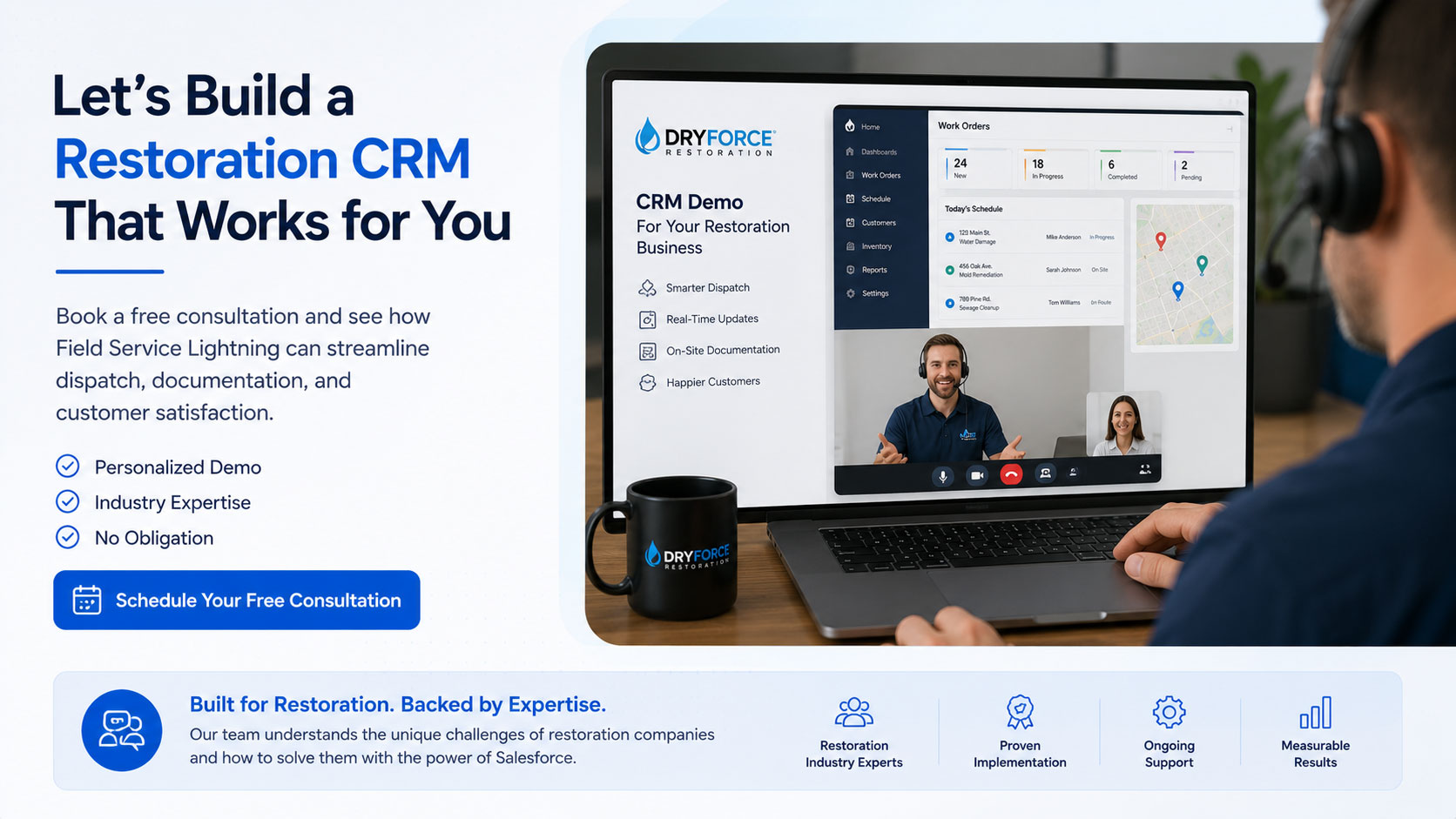
If scheduling headaches, scattered documentation, or slow insurance claims are holding your team back, it might be time to see what a properly configured restoration CRM can do for your operation. Talk to the team at NSIQ INFOTECH for a consultation on implementing Salesforce Field Service Lightning built around how your crews actually work.