
OneVaultForce 
Multi-Cloud Workspace.
Manage every file across every connected cloud service through a single dashboard—securely, efficiently, and without switching platforms.
Fast Integration · Zero Complexity

Enterprise-Grade Security

Multi-Cloud Access

Real-Time File Synchronization

Built For Salesforce Ecosystem
What is OneVaultForce?
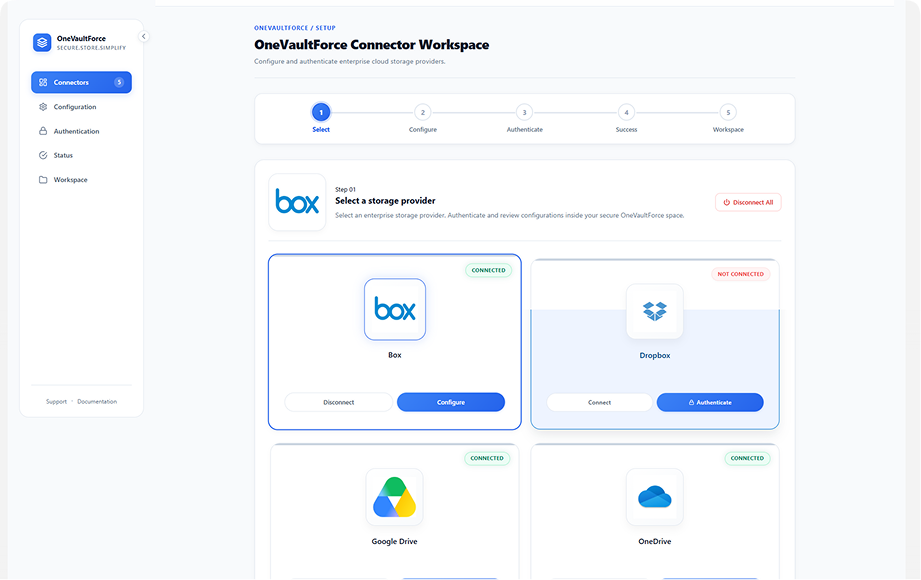
OneVaultForce is an enterprise-grade multi-cloud connector platform designed to integrate multiple storage providers into one centralized workspace. Instead of switching between different cloud applications, users can manage all their storage accounts from one dashboard
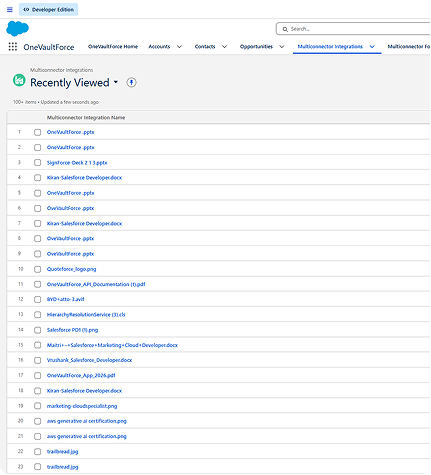
OneVaultForce solves this challenge through a unified multi connector architecture built directly on Salesforce. The application acts as a centralized hub where users can connect multiple storage providers, authenticate securely, browse cloud files, upload documents, create folders, and sync files with Salesforce records — all from a single interface.
 Why Choose
Why OneVaultForce Matters in 2026?
By 2026, enterprises operate in highly distributed digital ecosystems where teams use multiple storage providers simultaneously. The future is no longer about using a single storage platform —it is about interoperability, centralized governance, and seamless collaboration
Organizations demand unified cloud management platforms
Manage multiple cloud storage services from one centralized platform. Simplify operations, improve productivity, and reduce app switching.
Hybrid cloud storage environments are becoming standard
Modern businesses rely on both public and private cloud storage. A unified solution ensures seamless access across all environments.
Security and compliance require centralized authentication management
Centralized authentication strengthens security and simplifies access control.
AI-powered document workflows depend on connected storage systems
AI delivers better results when documents are unified across cloud platforms. Connected storage enables smarter automation and intelligent workflows.
Users expect one-click access to all cloud providers
Users want instant access to every connected storage account. A single interface eliminates complexity and speeds up daily workflows.
Salesforce-centered document ecosystems are rapidly growing
Businesses need files to stay connected with Salesforce records. Integrated storage improves collaboration and document accessibility.
 Challenges
 The Challenges Of Multi-Cloud Document Management
Managing files across multiple cloud storage platforms can slow down teams, create security risks, and make collaboration more difficult. Without a centralized solution, businesses spend valuable time navigating disconnected systems instead of getting work done.
 Integrations
Seamless Integrations with OneVaultForce
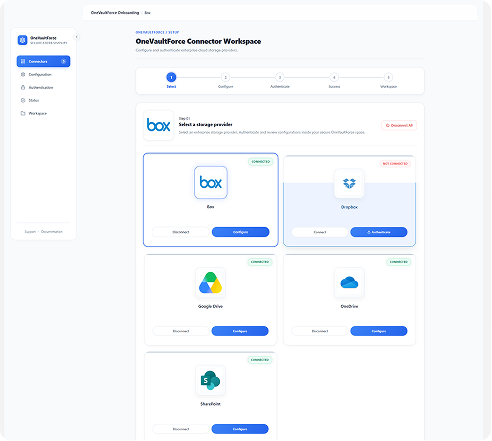
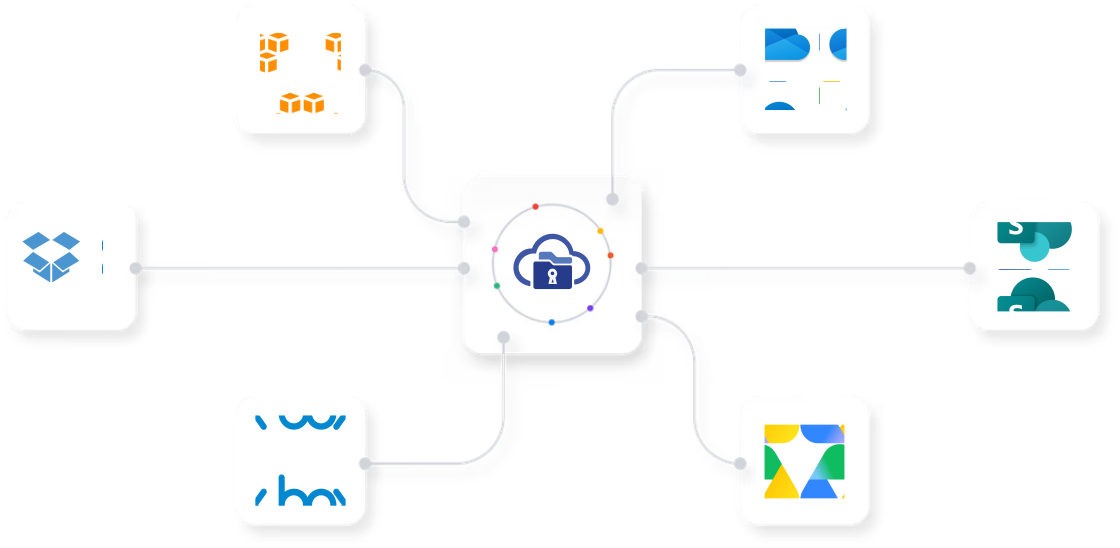
OneVaultForce seamlessly integrates with leading cloud storage platforms and Salesforce, giving your team a single workspace to access, organize, and manage files securely.
 How it works
Get Started With OneVaultForce In Five Steps
From connecting your cloud providers to managing documents across platforms, OneVaultForce simplifies multi-cloud storage with a fast and secure workflow.
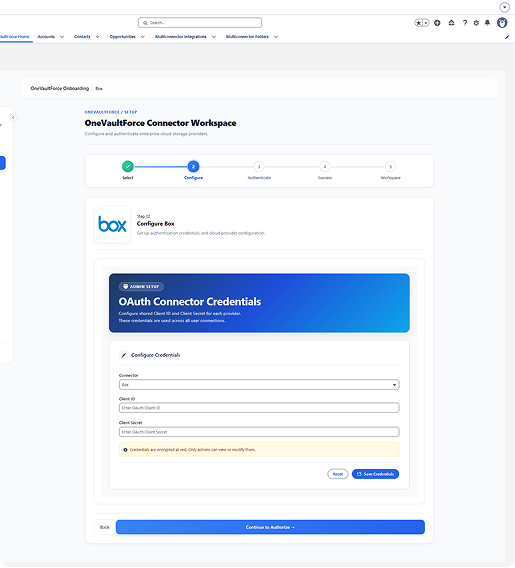
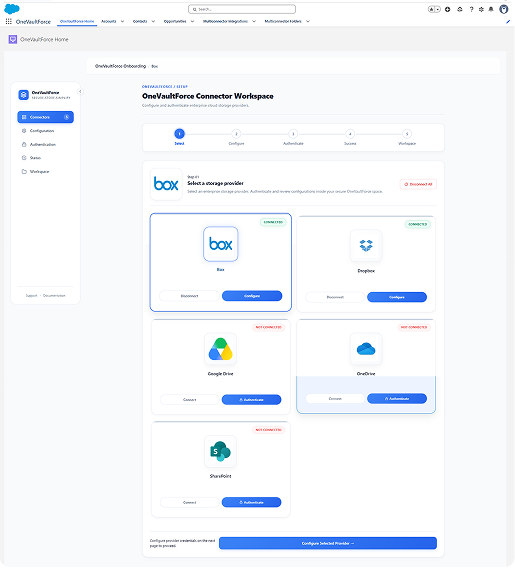
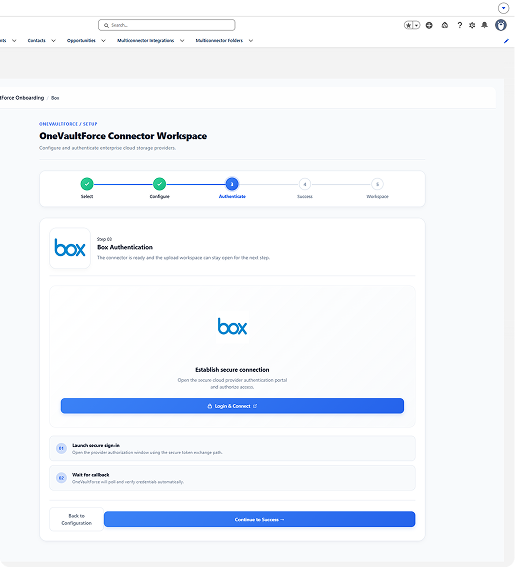
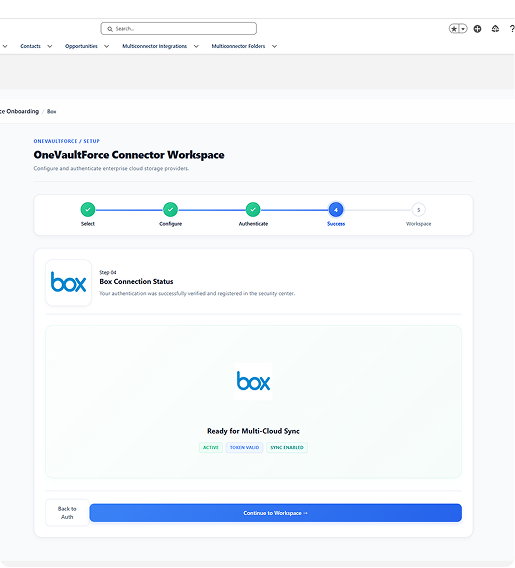
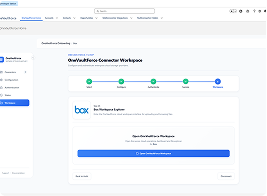
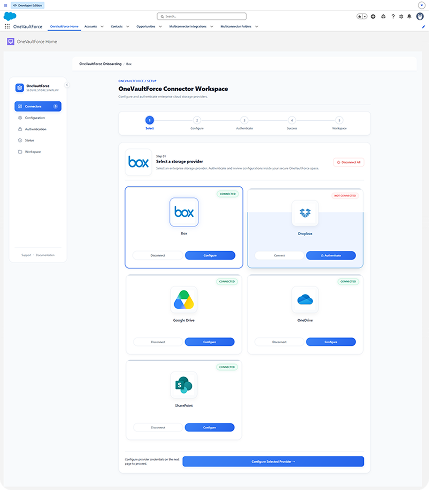
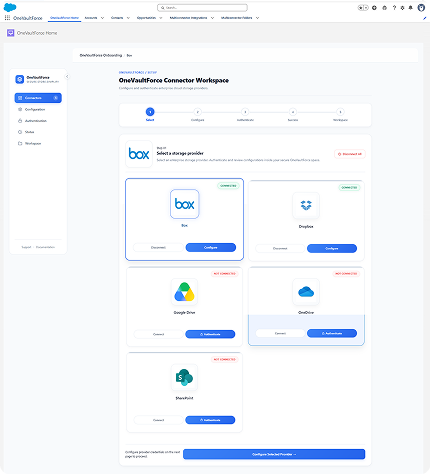
Choose your preferred cloud storage provider and securely connect your account with a single click to begin managing files from Salesforce.
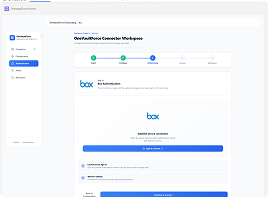
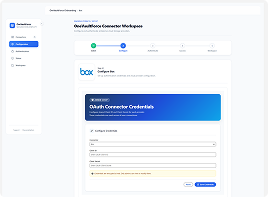
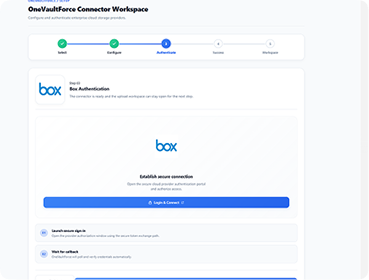
Authenticate using OAuth 2.0 for a secure, permission-based connection without storing your login credentials.
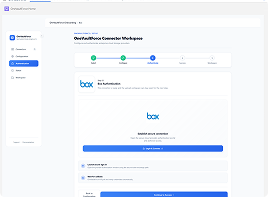
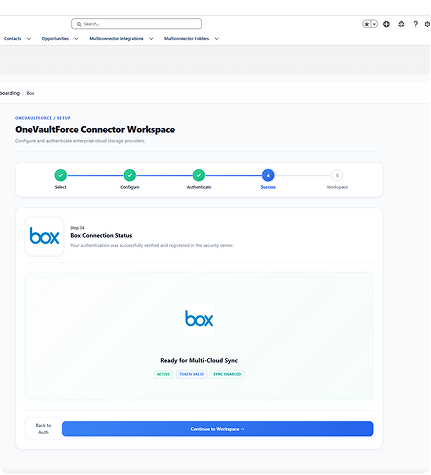
Verify the connection and grant the required access permissions to enable seamless file and folder operations.
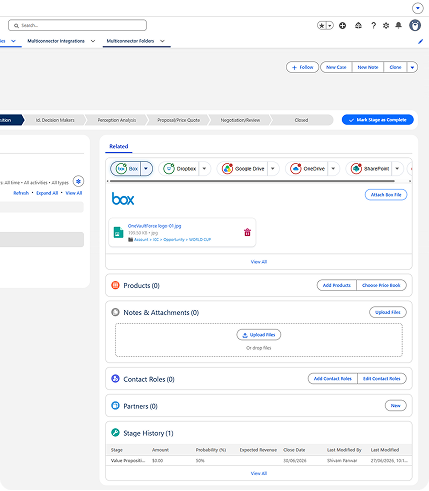
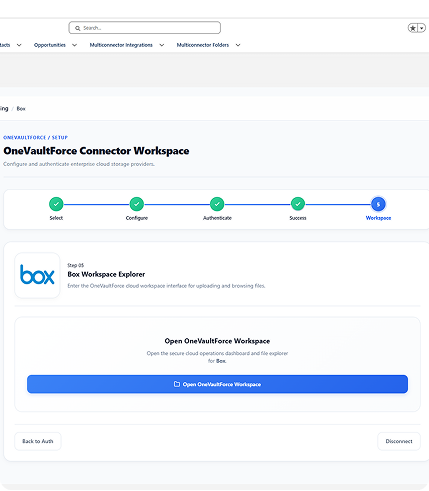
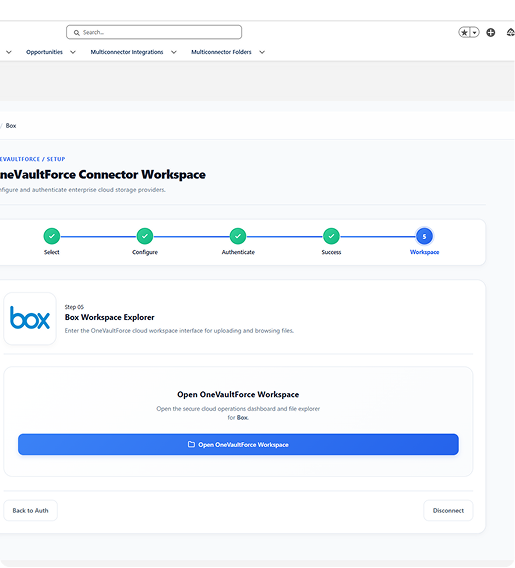
Upload, search, organize, create folders, delete files, and associate documents with Salesforce records from one unified workspace.
Your cloud storage is now fully integrated with Salesforce, allowing secure, centralized, and efficient document management.
Core FeaturesKey Features Of OneVaultForce
Powerful tools to simplify multi-cloud storage management from one secure workspace.

Multi-Cloud Authentication
Securely connect multiple cloud storage providers from a single platform. Access all your cloud accounts without switching between different applications.

OAuth 2.0 Secure Authorization
Protect your data with industry-standard OAuth 2.0 authentication. Ensure secure, permission-based access to every connected cloud service.

File Uploads
Upload files directly to your preferred cloud storage in just a few clicks. Manage content efficiently without leaving the platform.

Reusable Apex Service Architecture
Built on a scalable Apex service architecture for better performance and maintainability. Easily extend and customize integrations as your business grows.

Connector-Specific Workspaces
Manage each cloud provider in its own dedicated workspace. Enjoy a clean, organized experience tailored to every connected service.

Search Within Folders
Quickly locate files with powerful folder-level search. Save time by finding documents instantly across your connected storage.

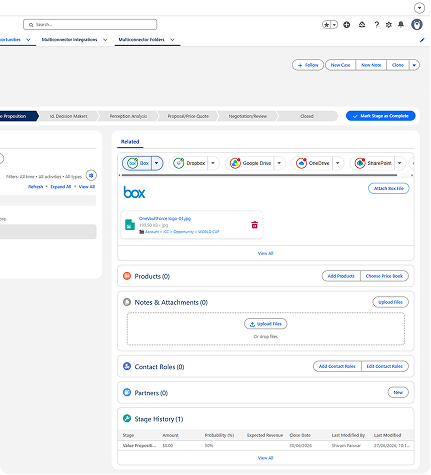
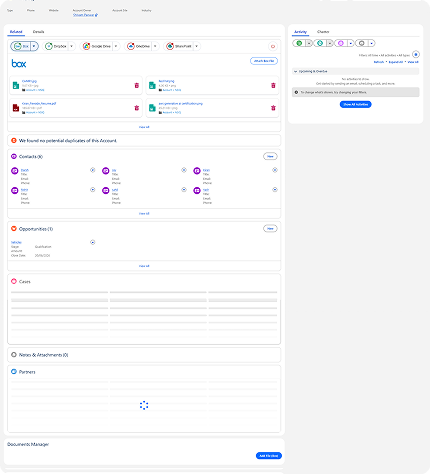
Salesforce File Association
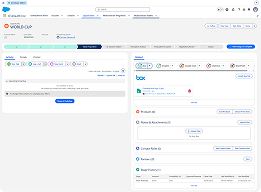
Associate cloud files directly with Salesforce records. Keep business documents connected to the right customers, opportunities, and cases.

LWC-Based Responsive UI
Experience a seamless interface built on Lightning Web Components — optimized for speed, consistency, and smooth performance on any screen size.

Real-Time Connection Monitoring
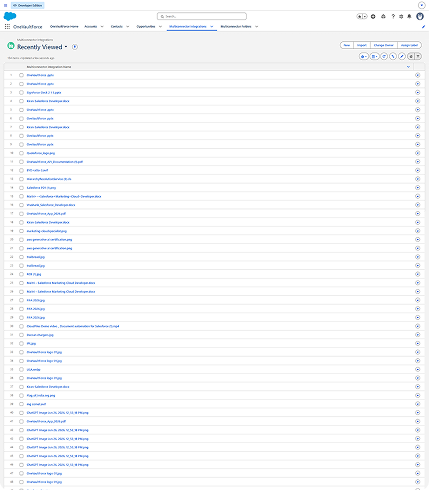
Track the health and status of all cloud connections in real time. Stay informed and resolve connection issues before they impact productivity.
Everything You Need to Work Smarter with OneVaultForce
Connect multiple cloud providers, streamline document workflows, and manage files from one unified workspace without leaving Salesforce.
You have signed successfully
Security You Can Trust.
Compliance You Can Rely On.
Manage documents confidently with enterprise-level protection, secure cloud connectivity, detailed audit logs, and compliance-ready architecture that keeps your data safe at every step.
OAuth 2.0
Secure authentication is the foundation of OneVaultForce. Using the industry-standard OAuth 2.0 protocol, users can safely connect cloud storage accounts without sharing or storing passwords. Token-based authorization ensures only verified users and applications can access your data, providing a secure and seamless login experience.
Encrypted Data Transfer
Every file upload, download, and synchronization is protected with enterprise-grade encryption. Whether data is moving between Salesforce and cloud storage providers or across integrated services, encryption keeps sensitive information secure from unauthorized access throughout the transfer process.
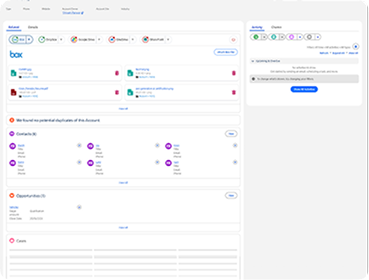
Secure API Connections
OneVaultForce integrates with multiple cloud storage providers through secure, authenticated APIs. Every API request is verified to ensure trusted communication, reliable performance, and protected data exchange while maintaining the highest security standards.
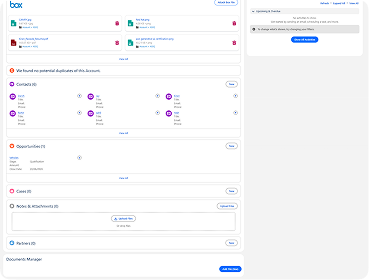
Role-Based Access Control
Control who can view, upload, edit, or manage files with flexible role-based permissions. Administrators can assign access based on user roles and responsibilities, ensuring sensitive documents remain available only to authorized team members.
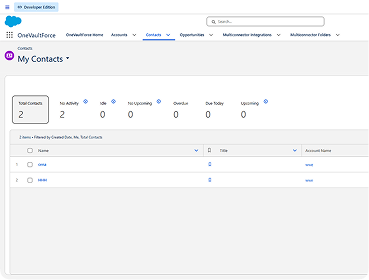
Audit Logs
Track every important file activity with comprehensive audit logs. OneVaultForce records user actions, document changes, and access history, giving administrators complete visibility for monitoring, troubleshooting, and compliance reporting.
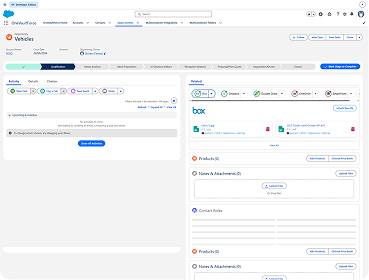
Enterprise Compliance
OneVaultForce is designed with enterprise security best practices to help organizations meet regulatory and compliance requirements. From secure authentication to detailed audit trails and protected data handling, the platform supports a trusted and compliant document management environment.


Leading Companies Trust NSIQ To Implement Salesforce

Mr. JJAYY RAMCHANDANI
CEO - MICROSET INSTRUMENTATION & CONTROL
"Excellent work and professionalism by Mr. Malhar, Ms. Krisha, and the entire NSIQ Infotech team. The custom Salesforce solution they developed for our quotation management is impressive, with outstanding customization and attention to detail. We are very satisfied with their work and highly recommend NSIQ Infotech to any business looking for a reliable Salesforce CRM partner."

Hiren Shah
CEO (B2B Matrix)
“NSIQ INFOTECH PVT. LTD. successfully delivered the project. The team worked closely with the client to establish goals and kept them informed about any challenges or risks. Their resources were committed to the project and proactive in mitigating issues. Their technical skills were also impressive.”

Joshua Poletti
Technical Director of Salesforce Services (Banjaxed Solutions)
“NSIQ INFOTECH PVT. LTD. has consistently delivered their tasks, much to the client's delight. The team is highly proactive and responsive, and internal stakeholders are particularly impressed with the vendor's professionalism and personable approach.”

Leslie Lupton
Digital Operations Consultant (Essence)
“The NSIQ team was great to work with throughout the entire process. Scope of work was clearly defined, milestones were established and met, and daily communication and meetings throughout ensured that the tight deadline was met. The team was extremely knowledgeable and able to determine how best to migrate the data, resolving any questions or issues within hours. The time difference worked in our favor as the team was able to complete work during our overnight hours and we were able to review the next morning. We welcome the opportunity to be able to work with NSIQ again.”

Penny Lane
Owner (Quick Dry Restoration)
"NSIQ INFOTECH PVT. LTD.’s work has been met with positive acclaim. The team completes deliverables on time and responds quickly to the client's questions. In addition, they regularly communicate via email, virtual meetings, and a messaging app, resulting in a smooth collaboration with the client."

Reach Out to Us Today
Feel free to get in touch with our Salesforce experts today and explore how our team at NSIQ can make the ultimate difference in your operations and boost up your productivity.
Looking for an expert
Salesforce Consultant?
Let's discuss your requirements!
Here is contact us for your
Salesforce Solutions
Experience Next-Gen Technological Growth with our Salesforce Consulting Services.
 +91 83205 38768
 +1 (945) 407 7878
10th Floor, Heritage Chamber, Near Azad Society,Nehru Nagar, Ambawadi, Ahmedabad, Gujarat 380015.
5900 Balcones Drive, Ste 100, Austin, Texas, 78731, USA.

Frequently Asked Questions
Let's dive deep to know more about our Salesforce Implementation Services
Still have questions? We're here to help.
If you manage high transaction volumes or require custom integrations, our team can tailor NSIQ to your specific needs.
Contact Us