
Introduction
For the owner of a mid-size restoration company, every job starts the same way: a stressed-out call, often after hours, from someone who needs help right now. Whoever responds first and follows through most reliably usually wins the work.
But answering the phone fast isn’t enough anymore. Homeowners expect clear updates. Insurance adjusters expect clean documentation. And the business itself needs the job to move smoothly from that first call all the way to a paid invoice, without anything getting lost along the way.
That’s the exact gap restoration management software built on Salesforce is designed to close not by replacing your team, but by giving every lead, technician, and job file a single home instead of a dozen scattered ones.
This guide breaks down:
- Why disconnected tools quietly cost restoration companies real money
- What a Salesforce-based restoration workflow actually looks like
- How field service scheduling changes day-to-day operations
- Whether the switch is worth it for a company your size
Let’s start with the problem most owners already feel, even if they haven’t named it yet.
What Is Restoration Management Software, really?
Restoration management software is a system that manages the entire job lifecycle for a restoration business lead intake, scheduling, field documentation, and invoicing inside one connected platform, rather than across separate tools that don’t talk to each other.
For Salesforce specifically, that means combining two core products:
- Sales Cloud, which manages leads, referral sources, and the sales pipeline from first contact to signed authorization
- Field Service, which manages technician scheduling, mobile documentation, equipment tracking, and job completion in the field
Together, they turn a restoration job into one continuous record, rather than a story pieced together from phone calls, texts, and paper forms.
The Real Cost of Running Jobs on Disconnected Tools
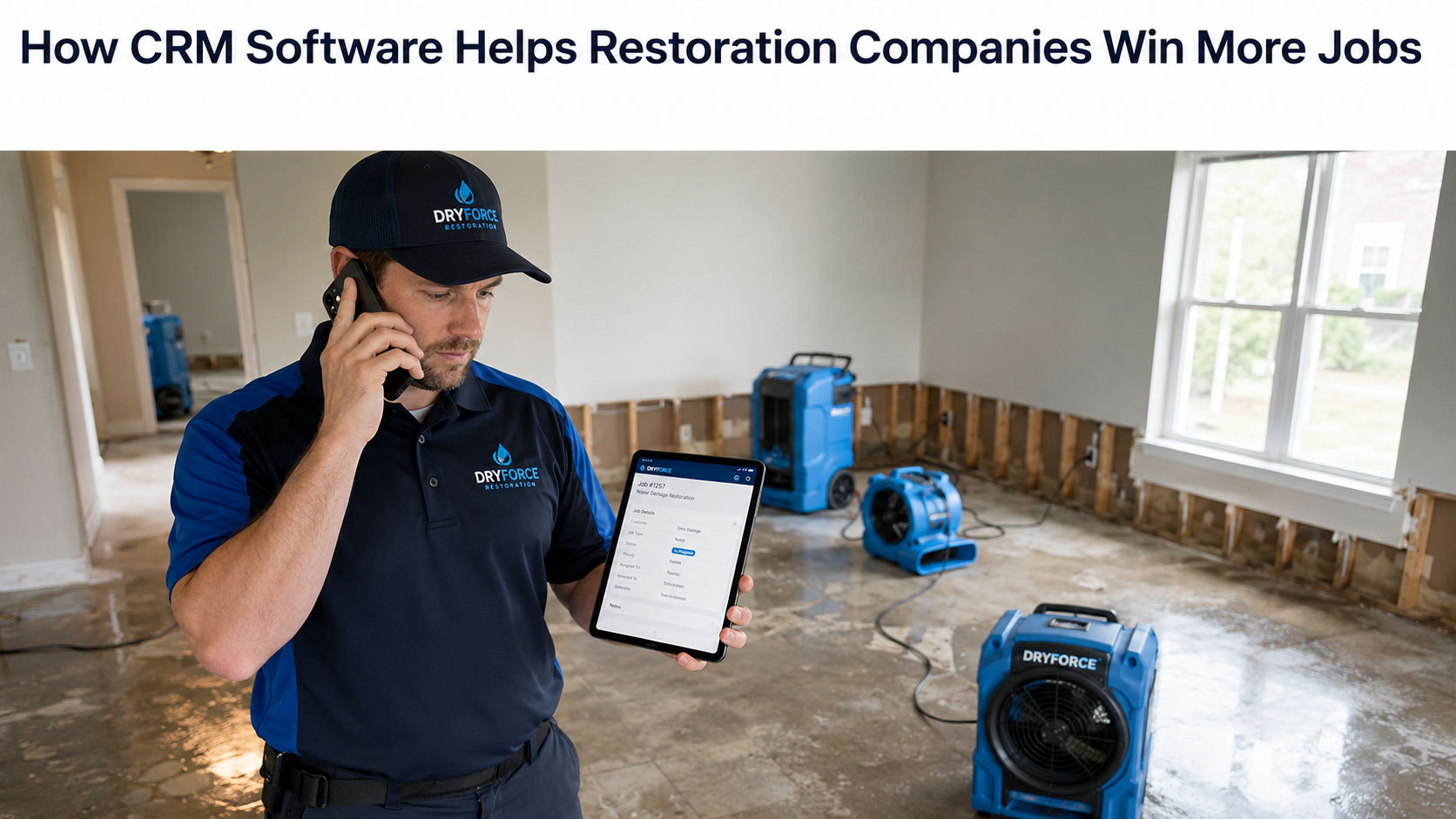
Restoration work punishes disorganization more than most industries. A single job can move from a panicked phone call, through an insurance claim, across multiple technicians and equipment drops, and end in documentation an adjuster will pick apart line by line. If any part of that chain lives in someone’s head or an app that doesn’t sync with the rest, the job slows and slow jobs cost money.
Common breakdowns owners describe before making a change:
- Leads go cold. A call comes in during a storm event or after hours, and by the time someone follows up, the homeowner has already booked a competitor.
- Dispatch runs on guesswork. Scheduling happens over group texts or a whiteboard, with no real visibility into which techs are certified, available, or already nearby.
- Field documentation is scattered. Moisture readings, photos, and equipment logs live across different phones and apps, making insurance files harder to assemble.
- Invoicing trails behind the work. A job wraps on-site, but the office doesn’t find out for days delaying the invoice and squeezing cash flow.
None of this comes down to a weak team. It’s the predictable outcome of running a fast-moving, high-stakes business without a system designed for how the work actually flows.
From First Call to Closed Invoice: How the Workflow Changes
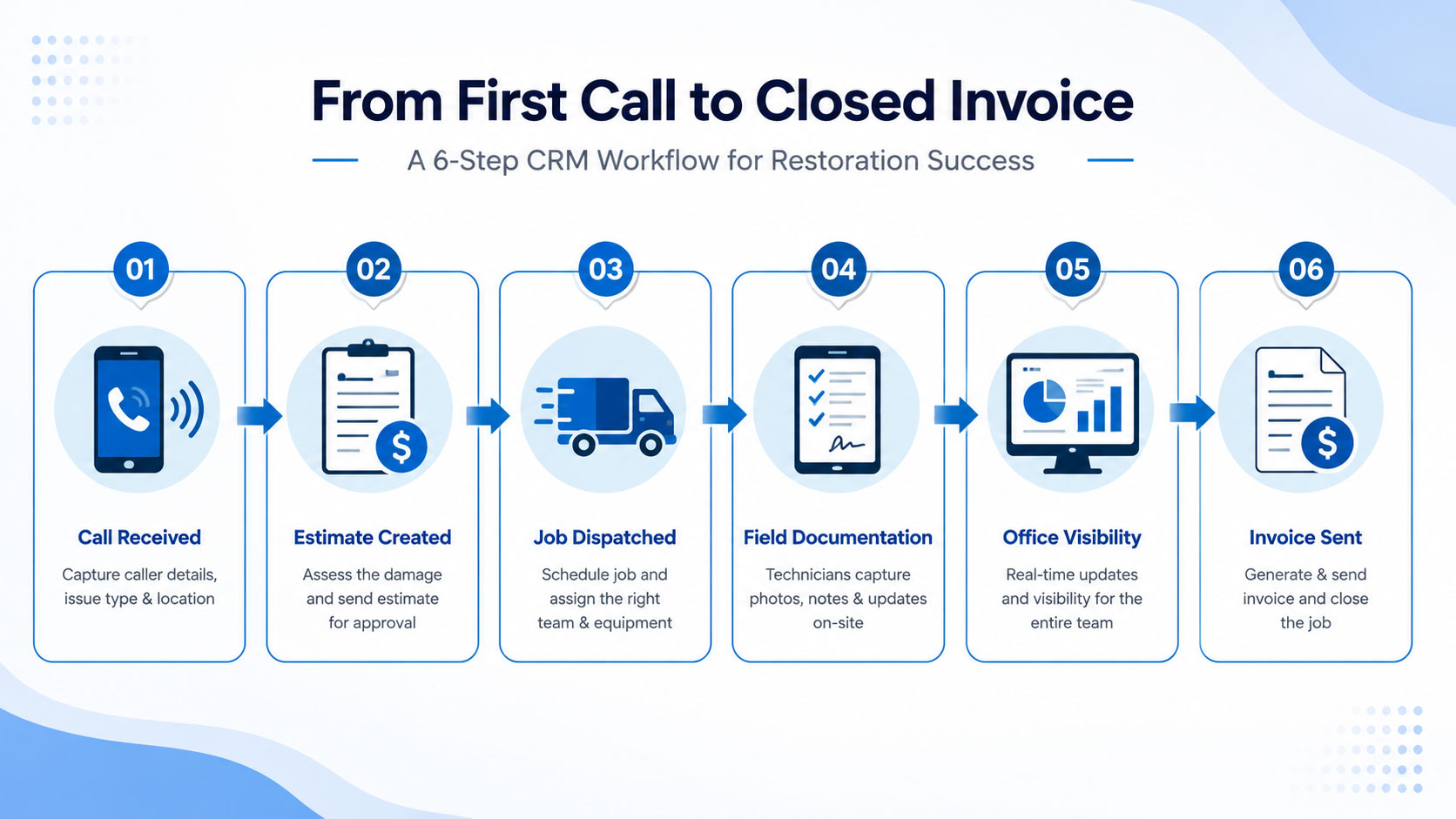
- The Call Comes In
A homeowner or property manager calls about water damage. Whoever takes the call staff or an after-hours answering service logs the details straight into Sales Cloud: property type, damage type, urgency level. A lead is created immediately and routed to the right person based on location and crew availability.
- Estimating and Authorization Move Faster
Because the lead already carries the property and damage details, the estimator isn’t starting cold. Quotes and work-authorization forms generate from templates and go out for e-signature, shrinking the time between “we got the call” and “we’re on-site.”
- Field Service Takes Over Dispatch
Once a job is authorized, it becomes a work order inside the system. Field service scheduling software matches the job to the right technician based on certifications, current workload, and drive time instead of a dispatcher juggling a whiteboard by memory.
- Technicians Document Everything On-Site
Using a mobile app, techs log moisture readings, attach photos, record equipment placed on the property, and update job status as work progresses. That information flows directly back into the same record no re-entry, no missing paperwork.
- The Office Has Real-Time Visibility
Because Sales Cloud and Field Service share the same underlying data, owners and office staff can see exactly where every job stands in progress, awaiting adjuster review, ready to close without calling around to piece it together.
- The Invoice Goes Out the Moment the Job Closes
Once field documentation is complete, the job can move to invoicing without waiting on someone to manually track it down. That shrinks the gap between “job finished” and “invoice sent,” which shows up directly in cash flow.
Why This Matters for Water Damage Restoration Specifically
Water damage jobs move fast, and the window for doing things right drying equipment placed correctly, moisture readings logged at the right intervals, photos timestamped is narrow. Water damage restoration software built around field service tools closes that window tighter by capturing documentation the moment it happens, not hours or days later from memory.
That matters twice over: once for the quality of the restoration work itself, and again when an insurance adjuster reviews the file and expects a complete, timestamped record.
What Mid-Size Restoration Companies Are Actually Getting from This
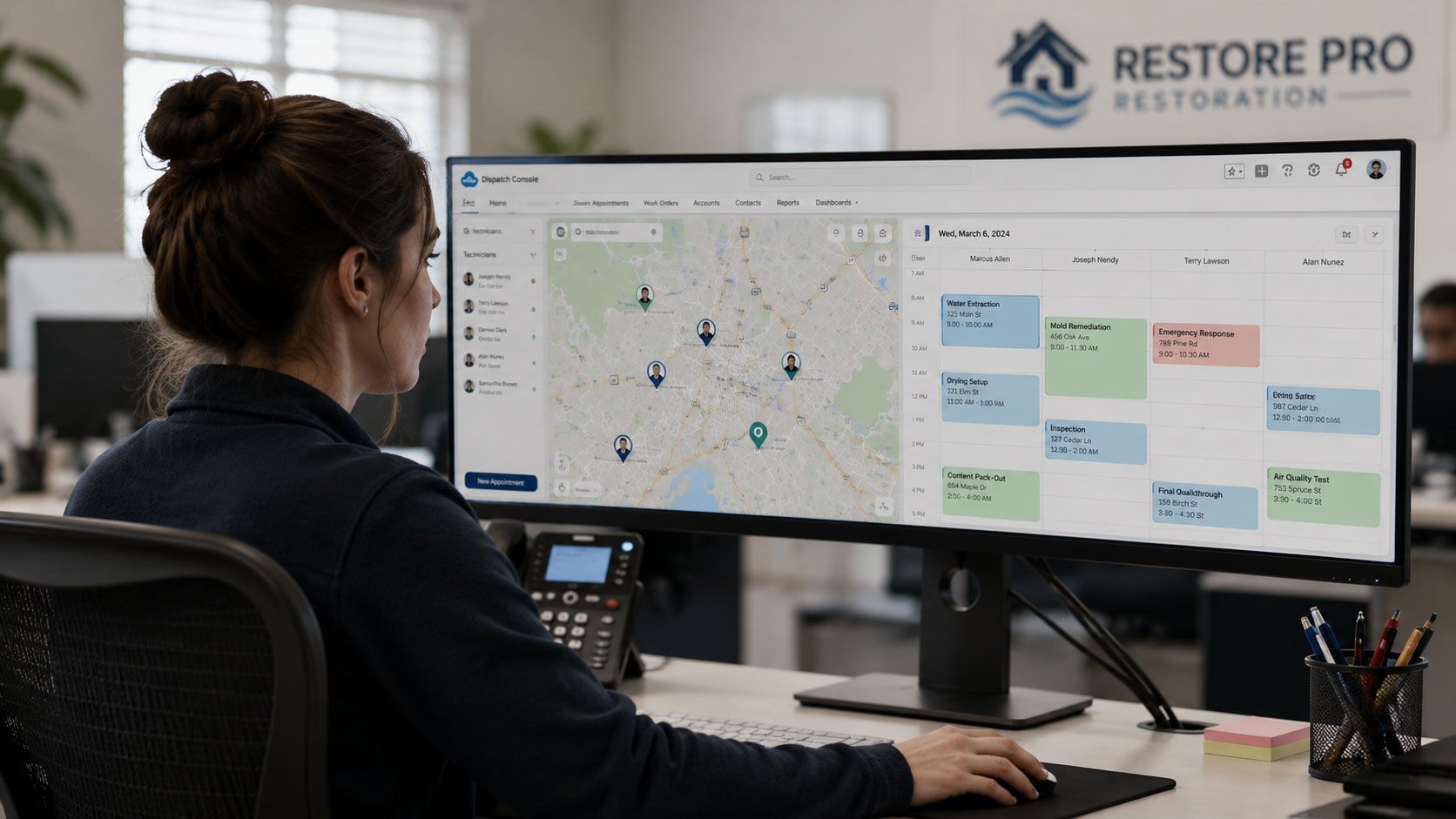
Large restoration franchises have had access to integrated systems like this for years. What’s changed is that salesforce field service for contractors has become realistic for smaller operators too companies running a handful of crews, not dozens.
For an owner still wearing the sales hat, the operations hat, and occasionally the moisture-meter hat, the value isn’t the software brand. It’s the outcome:
- Fewer leads slip through the cracks, which means more closed jobs from the same call volume
- Technicians spend less time on paperwork, freeing up more billable hours in the field
- Insurance documentation is completer and more consistent, which can reduce claim disputes
- Owners get a real-time view of the business instead of reconstructing it at month-end
Key Factors That Determine Whether the Switch Pays Off

- Implementation Quality
A rushed setup that doesn’t reflect how your crews actually work will underperform, regardless of how capable the underlying software is.
- Team Adoption
If technicians don’t actually use the mobile app in the field, the documentation gap it was meant to close simply reopens.
- Data Discipline
Accurate lead and job data going in is what makes the real-time visibility coming out actually useful.
- How Much of Dispatch Is Automated
The more scheduling logic the system handles — certifications, location, availability — the less time gets spent manually coordinating crews.
Mini Case Snapshot
A mid-size water damage restoration company consolidating lead intake, scheduling, and invoicing onto a single Salesforce-based system reported:
- Faster lead response times during storm-driven call surges
- Fewer scheduling conflicts between crews covering overlapping service areas
- A shorter gap between job completion and invoice issuance, easing cash flow pressure
Results like these vary by company size and how well the rollout matches actual field operations but they reflect the kind of gains owners commonly point to after making the switch.
Common Mistakes Restoration Companies Should Avoid
- Treating it as a scheduling tool only. The bigger value comes from connecting sales, field work, and invoicing not just calendar management.
- Skipping technician training. Field adoption is where most of the ROI either shows up or quietly disappears.
- Over-customizing early. A simpler setup that matches how your team already works usually outperforms a heavily customized one built before anyone’s used it.
- Not tracking the before-and-after. Without a baseline for lead response time, dispatch delays, or invoicing lag, it’s hard to know whether the switch actually worked.
How NSIQ INFOTECH Helps Restoration Companies Get This Right
At NSIQ INFOTECH, Salesforce implementation for restoration companies starts with how your jobs actually move call intake, dispatch, field documentation, invoicing not a generic template. We help restoration businesses:
Configure Sales Cloud and Field Service around real job workflows, not just default settings
Set up field service management software that matches how crews are actually scheduled and dispatched
Improve technician adoption so field documentation is captured consistently
Connect job completion to invoicing so revenue doesn’t sit waiting
The goal is simple: help restoration companies close more jobs, document them better, and get paid faster.
Conclusion
Winning more restoration jobs isn’t only about answering the phone first it’s about keeping every job moving smoothly from that first call through to a paid invoice, without anything falling through the cracks along the way.
Restoration management software built on Salesforce Sales Cloud and Field Service gives mid-size restoration companies the same connected visibility that larger franchises have relied on for years matched to the scale of a business running a handful of crews, not dozens.
The real question isn’t whether the technology works. It’s whether your current process for going from first call to closed invoice has a gap worth closing and for a lot of restoration company owners, it does.
FAQs
- What is restoration management software?
A system that manages a restoration company’s full job lifecycle leads, scheduling, field documentation, and invoicing in one connected platform.
- How is this different from general field service software?
It’s field service management software configured specifically around restoration workflows, including insurance documentation and damage-specific job details.
- Is Salesforce practical for a mid-size restoration company, or just large franchises?
Yes, smaller and mid-size restoration operators increasingly use Salesforce Field Service, not just large national franchises.
- Does this help with insurance claim documentation?
Yes. Field-captured photos, moisture readings, and equipment logs feed into a single job file that’s easier to hand off to an adjuster.
- How long does it take to see results after implementation?
Most companies notice improvements in lead response time and dispatch efficiency within the first few months, with invoicing gains following as adoption grows.
- Can this replace our current scheduling process entirely?
It’s designed to field service scheduling software handles technician matching, availability, and dispatch logic automatically.
- What’s the biggest reason implementations underperform?
Low technician adoption in the field, more often than any limitation in the software itself.
- Does this work for storm and disaster response, not just routine water damage jobs?
Yes, the same lead intake and dispatch logic scales to handle surge volume during storm events.
- Is a large IT team required to run this?
No. With the right implementation partner, day-to-day use doesn’t require in-house technical staff.
- Will this speed up invoicing?
Yes, connecting job completion directly to invoicing is one of the more immediate, measurable benefits companies report.