
Ask a university leader where student information is stored, and the answer may be spread across several systems. Admissions enquiries sit in one place, fee records in another, and advising notes may be kept in spreadsheets. Alumni information often lives in a separate database. As a result, each department has only part of the picture, making it difficult to understand a student’s full journey through the institution.
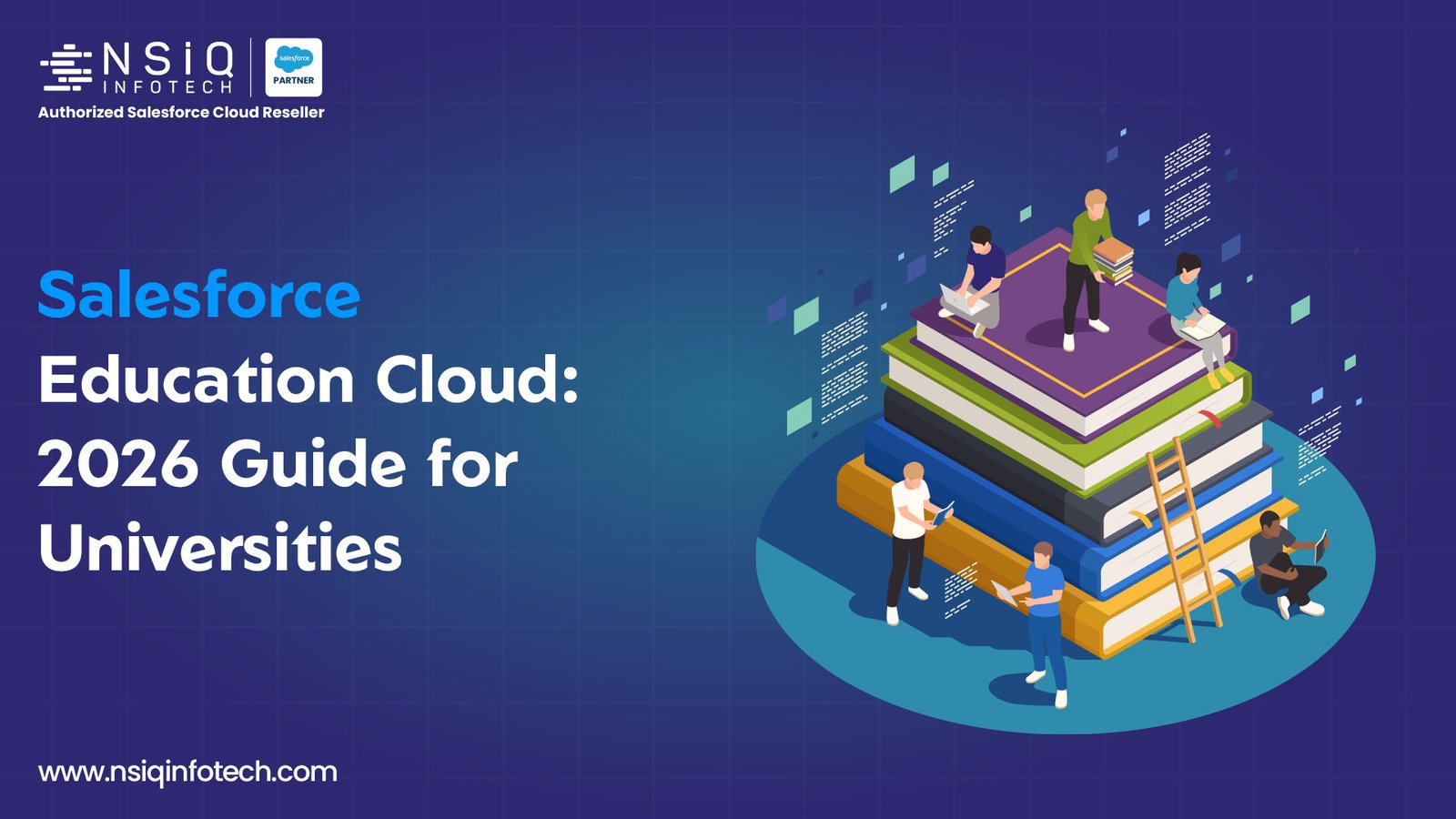
Salesforce Education Cloud aims to bring student information together in a shared record that departments can access and use. This guide explains what the platform does, how it works alongside a student information system (SIS), and what institutions should consider before investing in it. It is intended for Vice Chancellors, Registrars and CIOs, with clear explanations of the key points they need to understand.
What Is Salesforce Education Cloud?
Salesforce Education Cloud is a customer relationship management (CRM) platform designed for higher education and K-12 institutions. It allows departments to access a shared profile for each person, from prospective students and applicants to enrolled students, alumni and donors. Staff can use the tools connected to these profiles to communicate with individuals, manage their needs and provide support throughout their relationship with the institution.
Salesforce’s education product name has changed. Partner Cloud for Good reported that Education Cloud was renamed Agentforce 360 for Education at Dreamforce 2025. However, Salesforce’s education pages and developer documentation still use the Education Cloud name, which people continue to search for. This guide therefore uses Education Cloud throughout. When discussing the product with vendors, confirm the exact name listed on your quotation.
How Does Salesforce Education Cloud Works?
Education Cloud brings together three main components. First, its education-specific data model organises information related to academic operations, recruitment and admissions, student success, appointment scheduling, fundraising and student financials. Second, it provides tools that use this data, including portals, case management, appointment booking and success plans. Third, Agentforce is Salesforce’s AI agent layer. It can assist staff with routine tasks and respond to student questions at any time, using the institution’s own data to provide relevant information.
Where Does the data comes from?
Education Cloud typically works alongside other institutional systems. It connects to the student information system (SIS), learning management system (LMS), finance software and marketing tools through APIs or middleware to keep shared profiles up to date. Connecting platforms such as Workday, Canvas and Moodle usually require third-party integration tools or implementation of work from a partner rather than a built-in connection. For example, an institution might manage prospective students in Salesforce while keeping enrolled students’ official records in its SIS.
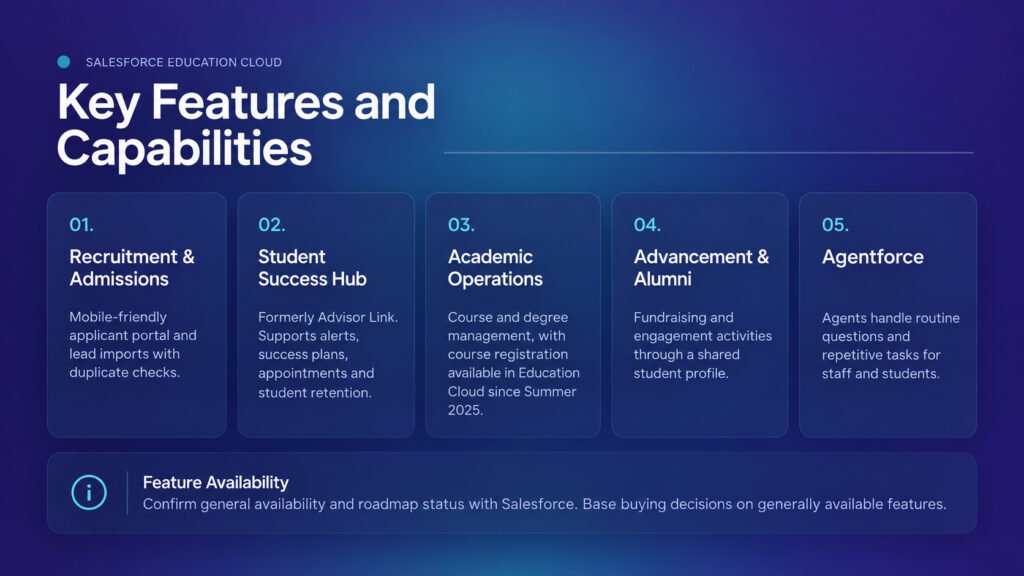
Key Features and Capabilities
- Recruitment and admissions teams can use a mobile-friendly applicant portal and import leads with duplicate checks.
- Student Success Hub, formerly known as Advisor Link, supports alerts, success plans, appointments and student retention.
- Academic operations include course and degree management, with course registration available in Education Cloud since Summer 2025.
- Advancement and alumni teams manage fundraising and engagement activities through the shared student profile.
- Agentforce agents can handle routine questions and repetitive tasks for staff and students.
Confirm with Salesforce which features are generally available and which remain on the roadmap. Salesforce recommends that buyers base their decisions on features already generally available.
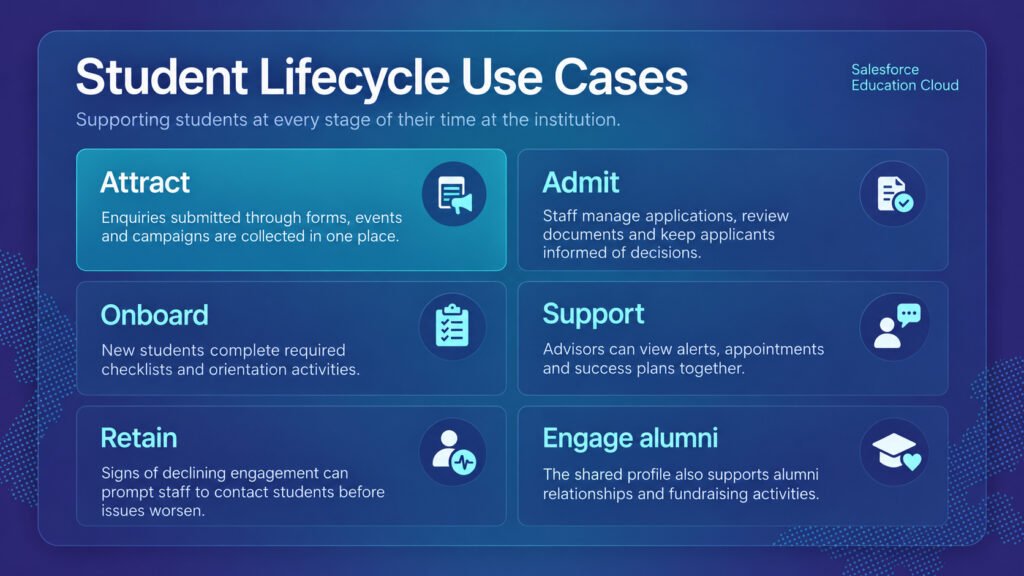
Student Lifecycle Use Cases
The following examples show how these features support students at different stages of their time at the institution.
- Attract: Enquiries submitted through forms, events and campaigns are collected in one place.
- Admit: Staff manage applications, review documents and keep applicants informed of decisions.
- Onboard: New students complete required checklists and orientation activities.
- Support: Advisors can view alerts, appointments and success plans together.
- Retain: Signs of declining engagement can prompt staff to contact students before issues worsen.
- Engage alumni: The shared profile also supports alumni relationships and fundraising activities.
Real-World University Scenarios
The following two examples illustrate possible uses and are not actual customer case studies.
Admissions. Consider a university that receives enquiries through its website, education fairs and phone calls. Counsellors maintain separate spreadsheets, which can lead to duplicate calls for some prospects while others receive no follow-up. With Education Cloud, enquiries can be recorded centrally, assigned to counsellors and followed up consistently.
Retention. An advisor receives an alert when a first-year student’s attendance declines and activity in the LMS drops. She schedules a meeting and creates a success plan with specific tasks. These actions depend on integrating attendance and LMS data, so the institution should address those connections early in the project.
What the Research Says
Salesforce’s own surveys offer three findings that help explain the importance of student support.
- According to the 2025 Connected Education Report, 82% of students wanted more proactive and personalised support than five years earlier, while 70% of staff identified a need for greater operational efficiency.
- The third Connected Student Report found that students who had a positive onboarding experience were 35 times more likely to rate their overall university experience positively.
- The same report found that just 12% of students felt a strong sense of belonging. This can be difficult when departments do not share student information.
These surveys come directly from Salesforce, so treat the findings as useful indicators, not independent evidence.
Benefits for Your Institution
For institutional leaders, the key benefit is a shared view of enrolment, retention and fundraising, reducing reliance on outdated spreadsheets. Administrative teams can also reduce duplicate data entry and file sharing between departments.
Students benefit when they no longer provide the same details repeatedly. Salesforce’s first Connected Student Report found that students were frustrated by sharing identical information with different departments. For IT, regular platform updates may reduce the amount of custom code teams must maintain compared with a system they built and manage independently over time.
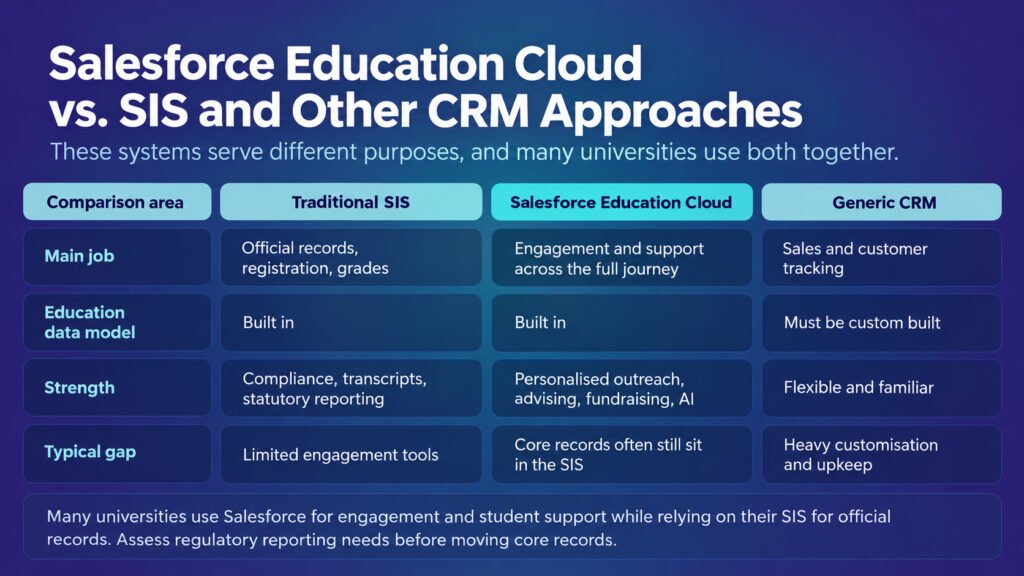
Salesforce Education Cloud vs. SIS and Other CRM Approaches
These systems serve different purposes, and many universities use both together.
| Traditional SIS | Salesforce Education Cloud | Generic CRM | |
| Main job | Official records, registration, grades | Engagement and support across the full journey | Sales and customer tracking |
| Education data model | Built in | Built in | Must be custom built |
| Strength | Compliance, transcripts, statutory reporting | Personalised outreach, advising, fundraising, AI | Flexible and familiar |
| Typical gap | Limited engagement tools | Core records often still sit in the SIS | Heavy customisation and upkeep |
Salesforce is also developing next-generation SIS features, including course registration, and a partner has reported an initial SIS implementation at Jessup University. However, many universities are still likely to use Salesforce for engagement and student support while relying on their SIS for official records. Before considering a move of core records, assess how the change would affect your institution’s regulatory reporting requirements.
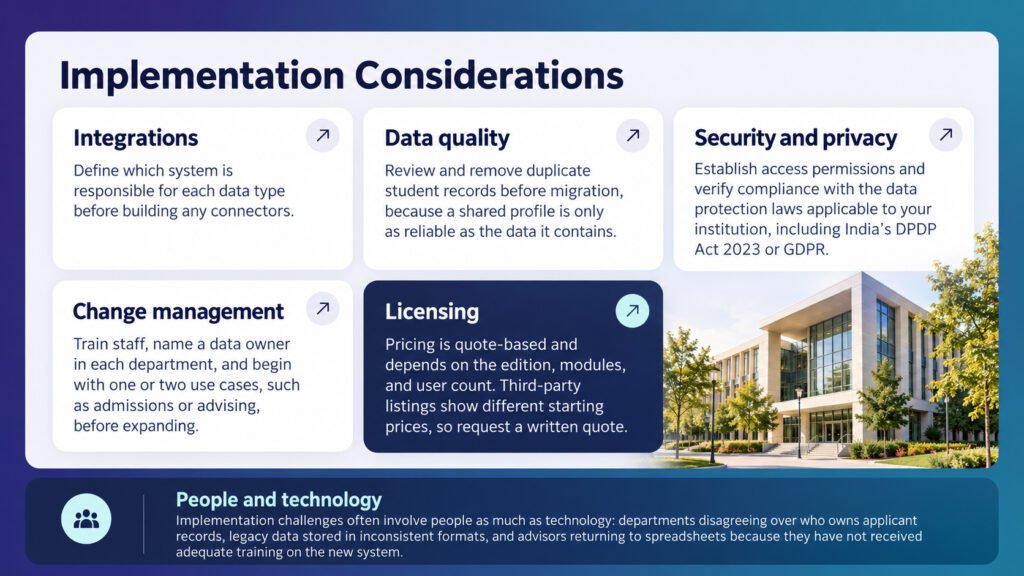
Implementation Considerations
- Integrations: Define which system is responsible for each data type before building any connectors.
- Data quality: Review and remove duplicate student records before migration, because a shared profile is only as reliable as the data it contains.
- Security and privacy: Establish access permissions and verify compliance with the data protection laws applicable to your institution, including India’s DPDP Act 2023 or GDPR.
- Change management: Train staff, name a data owner in each department, and begin with one or two use cases, such as admissions or advising, before expanding.
- Licensing: Pricing is quote-based and depends on the edition, modules, and user count. Third-party listings show different starting prices, so request a written quote.
Implementation challenges often involve people as much as technology: departments disagreeing over who owns applicant records, legacy data stored in inconsistent formats, and advisors returning to spreadsheets because they have not received adequate training on the new system.
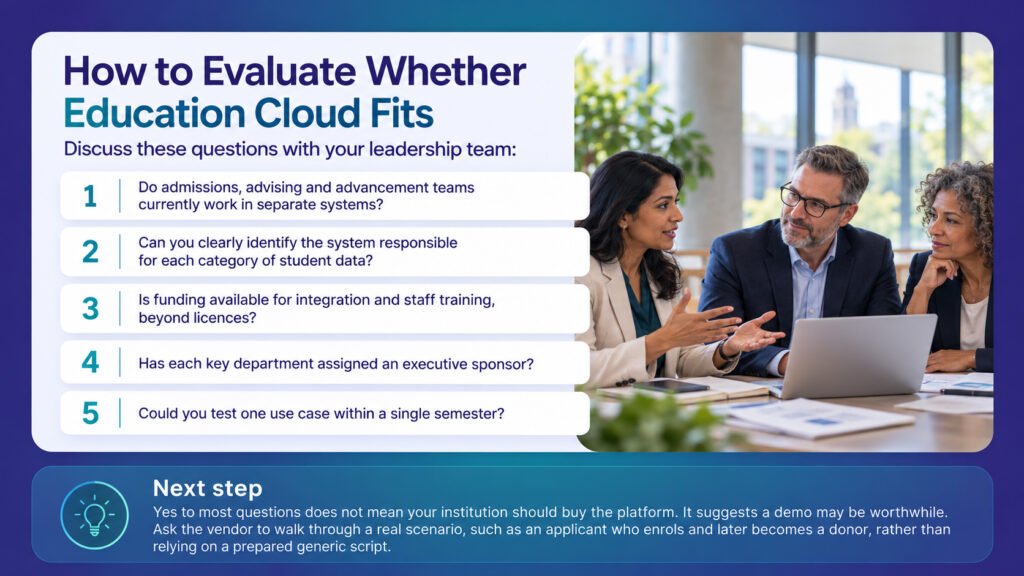
How to Evaluate Whether Education Cloud Fits
Discuss these questions with your leadership team:
- Do admissions, advising and advancement teams currently work in separate systems?
- Can you clearly identify the system responsible for each category of student data?
- Is funding available for integration and staff training, beyond licences?
- Has each key department assigned an executive sponsor?
- Could you test one use case within a single semester?
Yes to most questions does not mean your institution should buy the platform. It suggests a demo may be worthwhile. Ask the vendor to walk through a real scenario, such as an applicant who enrols and later becomes a donor, rather than relying on a prepared generic script.
Getting Expert Help
Institutions spend more time on planning, integration and adoption than on the software itself. A Salesforce partner, such as NSIQ INFOTECH, can support requirements workshops, integration planning and a phased rollout. This approach helps the first release address one problem instead of attempting to resolve every issue at once.
Frequently Asked Questions
What purposes does Salesforce Education Cloud serve?
It supports institutional relationships, including enquiries, applications, advising, fundraising and alumni engagement, with all activities connected to a shared student profile.
Is Education Cloud the same product as Agent force 360 for Education?
Salesforce partners reported a name change in 2025, but Salesforce’s own pages still use both names. Check the exact product listed on your quote.
Does Salesforce Education Cloud function as a student information system?
Not in the traditional sense. It started as a CRM, but Salesforce is adding SIS-like features, including course registration. Most universities still use a separate SIS to maintain official records.
Who benefits from Salesforce Education Cloud?
Salesforce targets both higher education and K-12 institutions. It is most useful when multiple departments maintain separate records for the same individual across the institution currently.
How does Education Cloud Salesforce connect with existing systems?
It connects through APIs or middleware. Decide which system serves as the source for each data field, and agree on this with your SIS and LMS teams first.
What does Student Success Hub do in Salesforce Education Cloud?
It supports advising and student retention. Formerly called Advisor Link, it lets advisors manage appointments, raise alerts and assign success plans, which outline tasks for students.
What is the cost of Salesforce Education Cloud?
Salesforce pricing depends on the edition, modules and number of users. Online listings vary, so request a written quote directly.
How long will implementation typically take?
The timeline depends on project scope, integrations and data quality. Beginning with one use case can speed up the initial release.
How secure is student data within Education Cloud?
The platform includes access controls, but your institution must configure user roles, manage consent and ensure compliance with the data protection laws that apply.
What is the difference between the EDA and Education Cloud?
Education Data Architecture (EDA) is the older open-source package. One community write-up says new development is moving to Education Cloud, so check with Salesforce before planning a migration.
Conclusion
Salesforce Education Cloud gives universities a connected view of learners, from their first enquiry through alumni giving. It delivers the most value when it works alongside the SIS, uses clean data and addresses a clearly defined use case. Assess it against your institution’s actual needs, verify which features are generally available, and plan early for both integration and change management.
If your institution is considering Education Cloud, book a consultation with NSIQ INFOTECH to discuss your use cases and determine whether the platform is the right fit.