
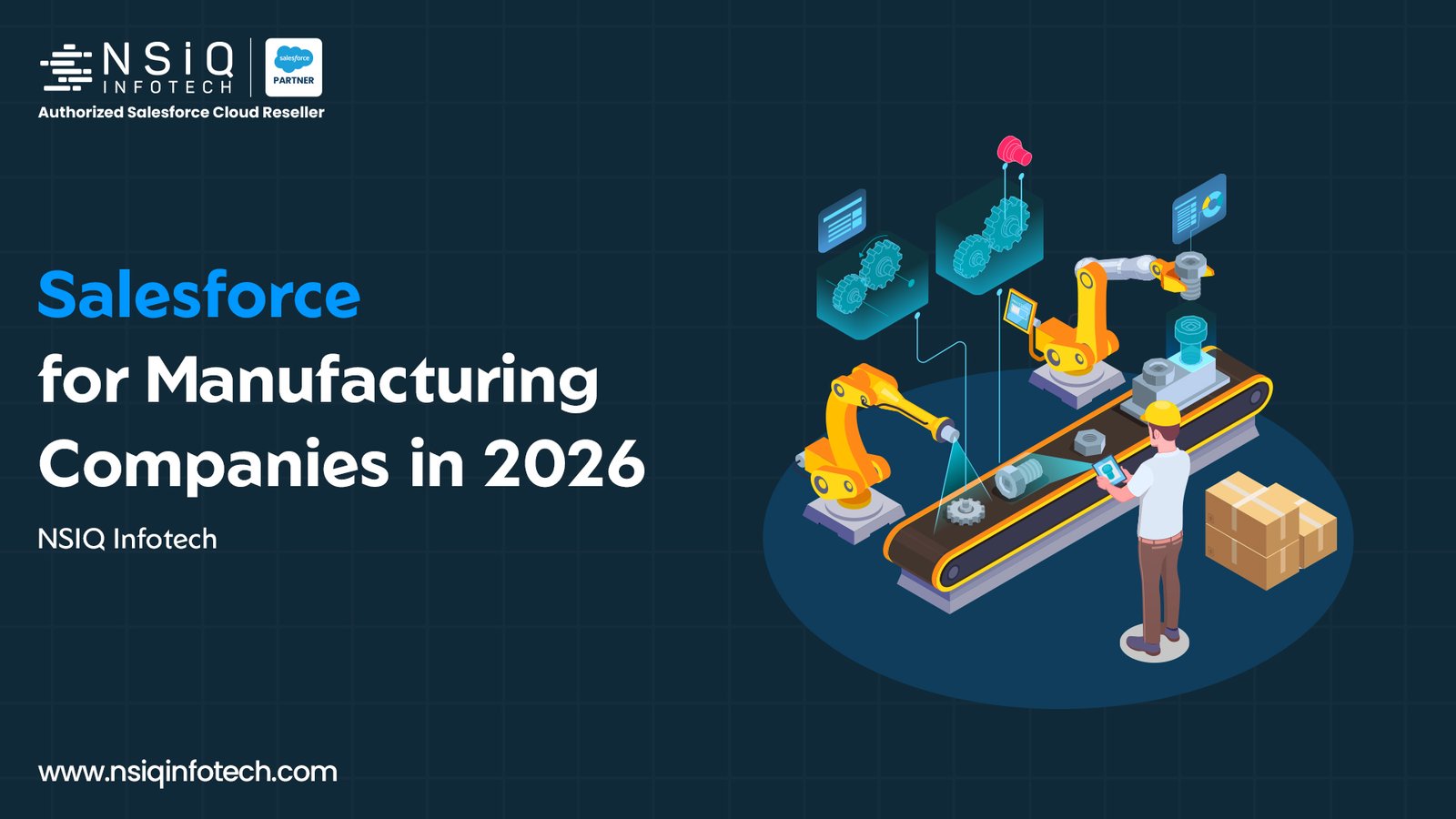
A manufacturing company can have a capable sales team, an efficient production facility and experienced customer service employees, yet still struggle to answer a simple question: what is happening with a customer’s order?
The sales team may have the latest quotation, production may be following a separate schedule, and finance may be maintaining invoices in another system. When these records are not connected, employees have to contact different departments to understand the complete situation.
This is where a manufacturing CRM can make a difference. Instead of treating sales, service and operations as separate activities, businesses can establish connected processes that make relevant customer and order information easier to access.
Salesforce provides several capabilities for this purpose, including Sales Cloud, Service Cloud, Manufacturing Cloud and integration options for existing ERP systems. However, the right solution depends on the manufacturer’s business processes, current applications and operational requirements.
In this guide, we explore what a CRM should do for manufacturing companies in 2026, how Salesforce can support these requirements, and what businesses should evaluate before implementation.
What Makes a Manufacturing CRM Different?
A standard CRM can help a company manage leads, contacts, opportunities and customer interactions. Manufacturing businesses often need to manage these activities alongside repeat orders, distributor relationships, product information, quotations, warranties and after-sales service.
Consider a manufacturer receiving an enquiry for a custom product. The sales representative records the opportunity and prepares a quotation. Once the customer accepts, the order needs to move through fulfilment, dispatch and invoicing. If the customer later reports a product issue, the service team needs access to the relevant customer and product history.
When these activities are handled in disconnected systems, employees may have to enter information more than once or manually request updates from other departments.
A manufacturing CRM should help the business:
- Maintain consistent customer and sales records.
- Manage opportunities, quotations and customer commitments.
- Monitor planned demand and actual orders.
- Give service teams access to relevant customer, asset and warranty information.
- Connect customer-facing processes with operational and financial systems.
- Provide reports that help managers understand sales and service performance.
Salesforce Manufacturing Cloud offers manufacturing-specific capabilities, including sales agreements and account-based forecasting. Other requirements may be handled through core Salesforce products, additional applications, custom development or ERP integrations.
The important decision is to identify which processes belong in Salesforce, which remain in existing systems and how information should move between them.
Learn more about Salesforce for Manufacturing Companies from NSIQ Infotech.
Sales Leaders: Managing Opportunities, Quotations and Forecasts
Manufacturing sales can involve negotiated pricing, repeat purchases, distributor relationships and agreements that extend over several months or years. Tracking individual opportunities may not provide enough visibility into the business a customer has already committed to purchasing.
For example, a manufacturer may have an annual agreement with a distributor. The distributor has planned a particular purchase volume, but actual orders may change throughout the year. Sales managers need to understand the difference between expected demand, confirmed orders and potential new business.
A manufacturing CRM should support this process in several ways.
Manage the sales pipeline
Salesforce Sales Cloud can help manufacturers organize leads, accounts, contacts, opportunities and sales activities.
Sales stages should reflect the company’s actual selling process. A manufacturer that requires product samples, technical evaluations and commercial negotiations may need different stages from a business selling standard products.
Consistent stages and follow-up activities help managers understand which opportunities require attention and where potential deals are progressing slowly.
Control quotations and pricing
Manufacturers may work with multiple product lines, price lists, discounts and approval requirements. When quotations are maintained in separate files, it can become difficult to identify the latest version or confirm which prices were shared with a customer.
A suitable Salesforce quoting solution can centralize quotation records and support pricing rules or approval workflows where the selected product and configuration allow it.
The choice between standard Salesforce functionality, Salesforce CPQ, Revenue Cloud or a custom solution should be based on the manufacturer’s requirements and current Salesforce product offerings. These options should not be treated as interchangeable without an assessment.
Improve sales forecasting
Manufacturing Cloud provides capabilities for managing sales agreements and forecasting account-based business. Sales Agreements can help businesses compare planned quantities and revenue with actual activity over an agreement period, depending on the data and configuration.
This gives sales teams a structured way to review customer commitments and changes in demand.
Forecasts should also be considered alongside operational constraints. A sales forecast does not automatically confirm that production capacity, inventory or delivery schedules can support the expected demand.
Sales and operations teams should therefore agree on how forecasts are reviewed, which information is used and how changes are communicated.
For additional implementation context, explore NSIQ’s Salesforce CPQ implementation and optimization case study for a manufacturing company.
Service Leaders: Supporting Customers After Delivery
For manufacturers, the customer relationship does not necessarily end when a product is delivered. Customers may need technical assistance, replacement parts, maintenance, warranty support or field service.
When service records are disconnected from customer and product information, employees may spend time collecting details before they can investigate a problem.
A manufacturing CRM should help service teams understand the customer, identify the product involved and access relevant service history.
Make customer and product history accessible
Depending on the Salesforce products and configuration, service teams may need access to customer records, installed assets, previous cases, warranties and work orders.
This information can help representatives understand whether a similar issue has occurred before, whether warranty coverage may apply and which team should handle the request.
If product or warranty data is maintained in an ERP or another system, the implementation must define how the required information is synchronized or accessed.
Organize cases and field service
Salesforce Service Cloud supports customer service processes such as case management and service workflows. Salesforce Field Service can support activities such as work orders, appointments and technician scheduling when those capabilities are part of the solution.
The right configuration depends on the business. A manufacturer handling technical questions remotely may have different requirements from one sending technicians to customer sites.
The service process should define how requests are received, prioritized, assigned, resolved and closed. It should also specify which information employees must record during resolution.
Automate repeatable service activities
Automation can help route cases, notify the right employees and reduce repetitive administrative tasks. Depending on the selected products and configuration, AI capabilities may also assist with knowledge retrieval, summaries and selected service activities.
However, automation works best when the underlying records, knowledge content and escalation rules are reliable. Complex technical issues may still require experienced service personnel.
For a practical example, read NSIQ’s manufacturing service management case study.
Operations Leaders: Connecting Salesforce with ERP Systems
Salesforce and ERP systems usually have different responsibilities. Salesforce may manage customer relationships, opportunities, quotations and service interactions, while an ERP system may manage inventory, purchasing, order fulfilment and financial records.
The exact division depends on the manufacturer’s existing systems and processes.
Consider a customer asking for an update on an order. The sales representative needs to know whether the order has been processed, whether the required products are available and whether the delivery status has changed.
If the authoritative information is stored in an ERP system, the business needs a defined process for making the relevant information available to Salesforce users.
Define which system owns each record
Before connecting Salesforce with SAP, Oracle, Tally or another ERP platform, identify the authoritative source for important records.
For example, Salesforce might own opportunity information while the ERP owns inventory balances and financial transactions. Product and customer master data may also have a designated source system.
These are possible arrangements rather than universal rules. The correct design depends on the company’s architecture.
Plan data synchronization carefully
A reliable integration design should answer four questions:
- Which records and fields need to be exchanged?
- How frequently must information be updated?
- What happens when an update fails or conflicting data is received?
- Who monitors integration errors and reconciles missing or duplicate records?
Depending on the systems involved, integration may use APIs, middleware such as MuleSoft or other supported integration approaches.
Real-time synchronization is not automatically required for every field. Some information may need frequent updates, while other records can be synchronized on a schedule. The timing should be based on the business process.
A well-designed integration should make information easier to use without creating competing versions of the same record.
Read NSIQ’s related article: Salesforce ERP Integration for Manufacturers: SAP, Oracle and Tally Patterns That Actually Hold Up.
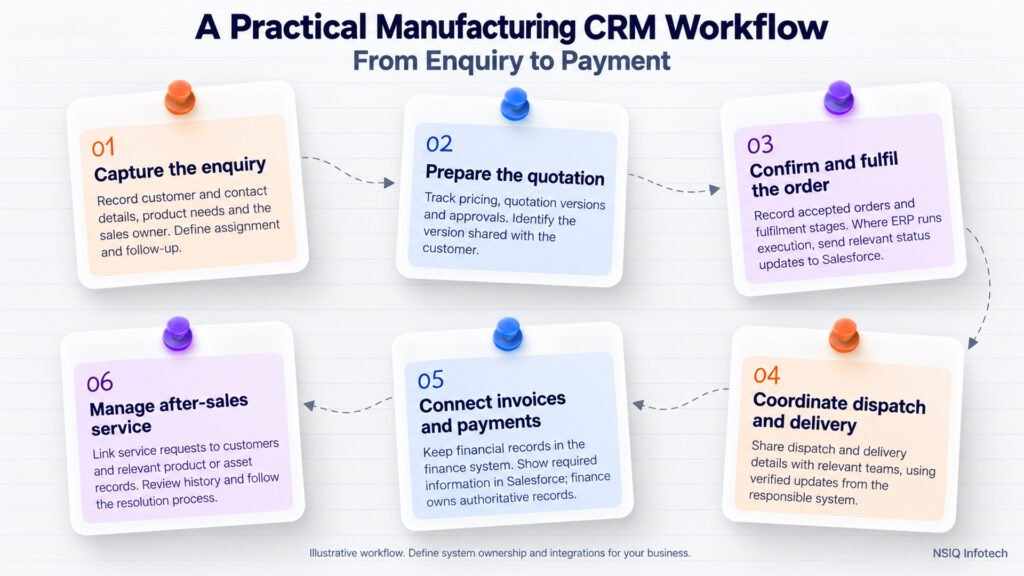
A Practical Manufacturing CRM Workflow: From Enquiry to Payment
One way to evaluate a manufacturing CRM is to follow a customer transaction through the entire business.
Imagine a manufacturer receives an enquiry for a custom product. The sales team qualifies the opportunity, prepares a quotation and records the customer’s response. Once the customer accepts, the order moves into fulfilment. Production, dispatch, invoicing and payment then become relevant to the people managing the customer relationship.
The following framework can help a business review this process.
Step 1: Capture the enquiry
Record the customer, contact details, product requirements and responsible sales representative. Define how enquiries are assigned and followed up.
Step 2: Prepare the quotation
Maintain the quotation, pricing information, version and approval status. Ensure that employees can identify which version was shared with the customer.
Step 3: Confirm and fulfil the order
Once the customer accepts, record the order and move it into the appropriate fulfilment process. If the ERP manages order execution, define how Salesforce receives the relevant status updates.
Step 4: Coordinate dispatch and delivery
Make the required dispatch and delivery information available to the teams that need it. Statuses should reflect verified information from the responsible system.
Step 5: Connect invoices and payments
Keep invoice and payment records in the appropriate financial system and expose the required information to Salesforce when the business needs it. Finance should remain responsible for the authoritative financial records.
Step 6: Manage after-sales service
Connect service requests with the relevant customer and, where applicable, product or asset records. This allows service employees to review available history and follow the appropriate resolution process.
This is an illustrative workflow, not a mandatory Salesforce configuration. Each manufacturer should decide which application owns each step and how information moves between systems.
NSIQ has published a Manufacturing Solution in Salesforce case study describing a Sales Cloud-based solution covering enquiries, opportunities, quotations, sales orders, dispatch, delivery, invoices and payments.
That example is based on Salesforce Sales Cloud. It should not be confused with Salesforce Manufacturing Cloud, which is a separate product with manufacturing-specific capabilities.
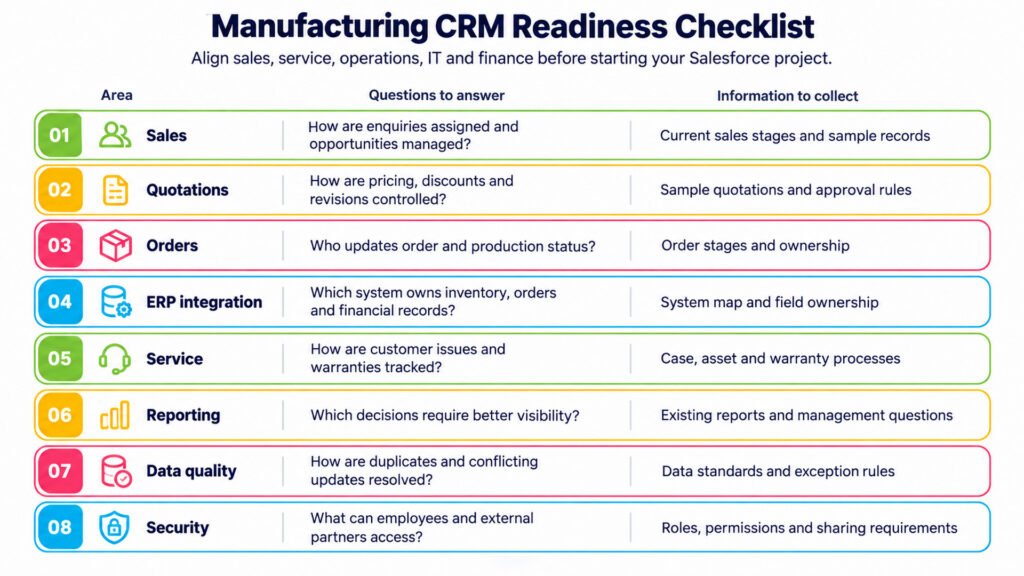
Manufacturing CRM Readiness Checklist
Before starting a Salesforce manufacturing project, sales, service, operations, IT and finance teams should agree on the problems the system needs to solve.
Use the following checklist during the discovery phase.
| Area | Questions to answer | Information to collect |
| Sales | How are enquiries assigned and opportunities managed? | Current sales stages and sample records |
| Quotations | How are pricing, discounts and revisions controlled? | Sample quotations and approval rules |
| Orders | Who updates order and production status? | Order stages and ownership |
| ERP integration | Which system owns inventory, orders and financial records? | System map and field ownership |
| Service | How are customer issues and warranties tracked? | Case, asset and warranty processes |
| Reporting | Which decisions require better visibility? | Existing reports and management questions |
| Data quality | How are duplicates and conflicting updates resolved? | Data standards and exception rules |
| Security | What can employees and external partners access? | Roles, permissions and sharing requirements |
The output should be a documented process map, a system-of-record matrix, an integration plan and a shortlist of measurable business outcomes.
For example, a company struggling with quotation delays could measure quotation turnaround time before and after implementation. A business facing order-status enquiries could measure how long it takes employees to obtain a verified update.
These measures should be defined before implementation and assessed using actual data. Results should only be published once they have been measured.
Choosing the Right Salesforce Solution for Your Manufacturing Business
Not every manufacturer needs the same combination of Salesforce products.
A business focused on new enquiries and quotations may primarily need Sales Cloud and a suitable order-management process. A company managing long-term distributor agreements and account-based forecasts may benefit from evaluating Manufacturing Cloud. A manufacturer with a substantial after-sales operation may need Service Cloud, Field Service or related service capabilities.
ERP integration may be important when customer-facing teams need information maintained in existing operational or financial systems.
Before selecting a solution, consider:
- Existing Salesforce licenses and applications.
- The complexity of sales, service and order workflows.
- Requirements for forecasting and sales agreements.
- ERP integration and data synchronization needs.
- Data migration, security and reporting requirements.
- Implementation effort, ongoing support and system ownership.
Avoid choosing a product simply because it offers more features. Start with the business problems that cause the greatest difficulty, then identify the capabilities required to address them.
Conclusion
A manufacturing CRM should do more than store customer records. It should help sales teams manage opportunities and commitments, give service teams the context they need to handle customer requests, and connect commercial processes with the operational information held in other systems.
Salesforce can support these requirements through its CRM platform, manufacturing-specific capabilities, service tools and integration options. The right design depends on how the business manages customers, products, orders and service activities today.
The best starting point is to map the current process from enquiry through quotation, order fulfilment and after-sales support. Identify where information becomes unavailable, where teams repeat work and which updates require coordination between systems. These findings provide a practical foundation for deciding what Salesforce should manage and what it should integrate.
If your organization is evaluating a manufacturing CRM, explore Salesforce for Manufacturing Companies from NSIQ Infotech to discuss a solution aligned with your business processes and existing systems.
Frequently Asked Questions (FAQs)
1.What is Salesforce Manufacturing Cloud?
Salesforce Manufacturing Cloud is a Salesforce solution designed to support manufacturing businesses with capabilities such as sales agreements, account-based forecasting and collaboration. It helps manufacturers manage customer commitments and gain better visibility into planned and actual business activity.
2.How can Salesforce help manufacturing companies?
Salesforce can help manufacturing companies manage customer relationships, sales opportunities, quotations, service cases and reporting. Depending on the implementation, it can also connect customer-facing processes with ERP and other business systems.
3.Can Salesforce integrate with SAP, Oracle or Tally ERP?
Yes, Salesforce can be integrated with SAP, Oracle, Tally and other systems through suitable APIs, middleware or supported integration solutions. The approach depends on the systems involved, data requirements, security and synchronization needs.
4.How does Salesforce improve sales forecasting for manufacturers?
Salesforce supports sales forecasting through capabilities that help teams review opportunities and expected business. Manufacturing Cloud also offers Sales Agreements and account-based forecasting capabilities that can help manufacturers compare planned quantities and revenue with actual activity, depending on configuration.
5.Can Salesforce manage manufacturing quotations and pricing?
Salesforce can support quotation management through suitable standard functionality, CPQ or other available quoting solutions. The right option depends on product complexity, pricing rules, discount approvals and the company’s current Salesforce product offerings.
6.Can Salesforce help manufacturers manage customer service and warranties?
Yes, Salesforce service capabilities can help teams manage customer cases and related service information. Depending on the selected products and configuration, businesses can also connect asset records, warranty information, work orders and field service activities.
7.Does a manufacturing company need to replace its ERP to use Salesforce?
No. A company can use Salesforce alongside its existing ERP system. Integration can make selected customer, order, inventory or financial information available across systems while each application continues to manage its designated responsibilities.
8.How should a manufacturing company start a Salesforce implementation?
Start by reviewing current sales, quotation, order fulfilment and service processes. Identify data gaps, integration requirements, user roles and reporting needs. Then define the implementation scope, select the appropriate Salesforce capabilities and establish measurable outcomes before development begins.