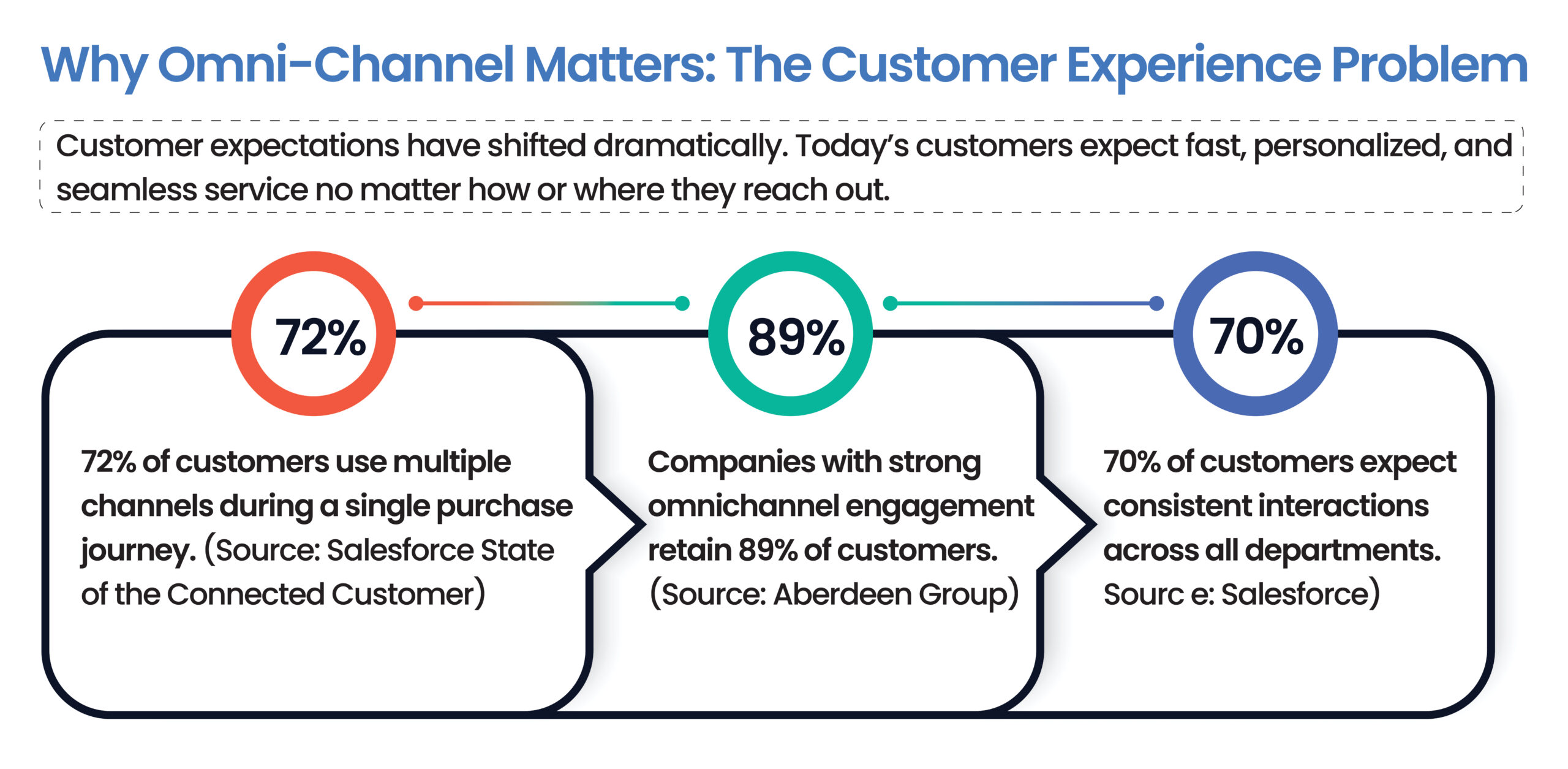
Think about the last time you contacted a company for support. You sent an email, didn’t hear back, then called—only to repeat your entire story to a new agent who had no idea you’d already reached out. Frustrating, right?
Now imagine the opposite: the agent picks up your call, already knows your issue, and resolves it in three minutes. That is exactly what Salesforce Omni-Channel is designed to deliver.
1. What Is Omni-Channel in Salesforce? (Simple Explanation)
Salesforce Omni-Channel is a customer-centric routing and workload management tool built into Salesforce Service Cloud. It allows businesses to connect with customers across multiple channels—phone, email, live chat, social media, WhatsApp, and more—all from a single platform.
But it goes beyond just connecting channels. The real value is in how it routes work. Omni-Channel automatically assigns incoming cases, chats, or calls to the right agent based on availability, skill set, and current workload. No manual distribution. No dropped requests.
Simple Analogy
Think of Omni-Channel as a smart traffic controller for customer requests. It knows which roads (agents) are busy and which are free—and routes every car (customer) to the fastest path.
3. How Does Salesforce Omni-Channel Work?
The Routing Lifecycle
Step 1: Customer Reaches Out
A customer sends a message via chat, email, WhatsApp, or calls your support line.
Step 2: Work Item Created
Salesforce creates a “work item” and assigns it a channel type and priority level.
Step 3: Routing Engine Evaluates
The Omni-Channel routing engine evaluates agents based on capacity and skills.
Step 4: Work Assignment
The best-fit agent receives the work item pushed directly to their console.
Step 5: Agent Accepts and Responds
The agent resolves the issue with full customer context visible.
Step 6: Supervisor Monitoring
Supervisors view real-time workloads in the Omni Supervisor dashboard.
4. Types of Routing in Salesforce Omni-Channel
Queue-Based Routing
Work items are sent to a shared queue for available agents.
Skills-Based Routing
Work is matched to agents based on their specific skill profiles.
External Routing
Supports third-party routing systems via Service Cloud Voice.
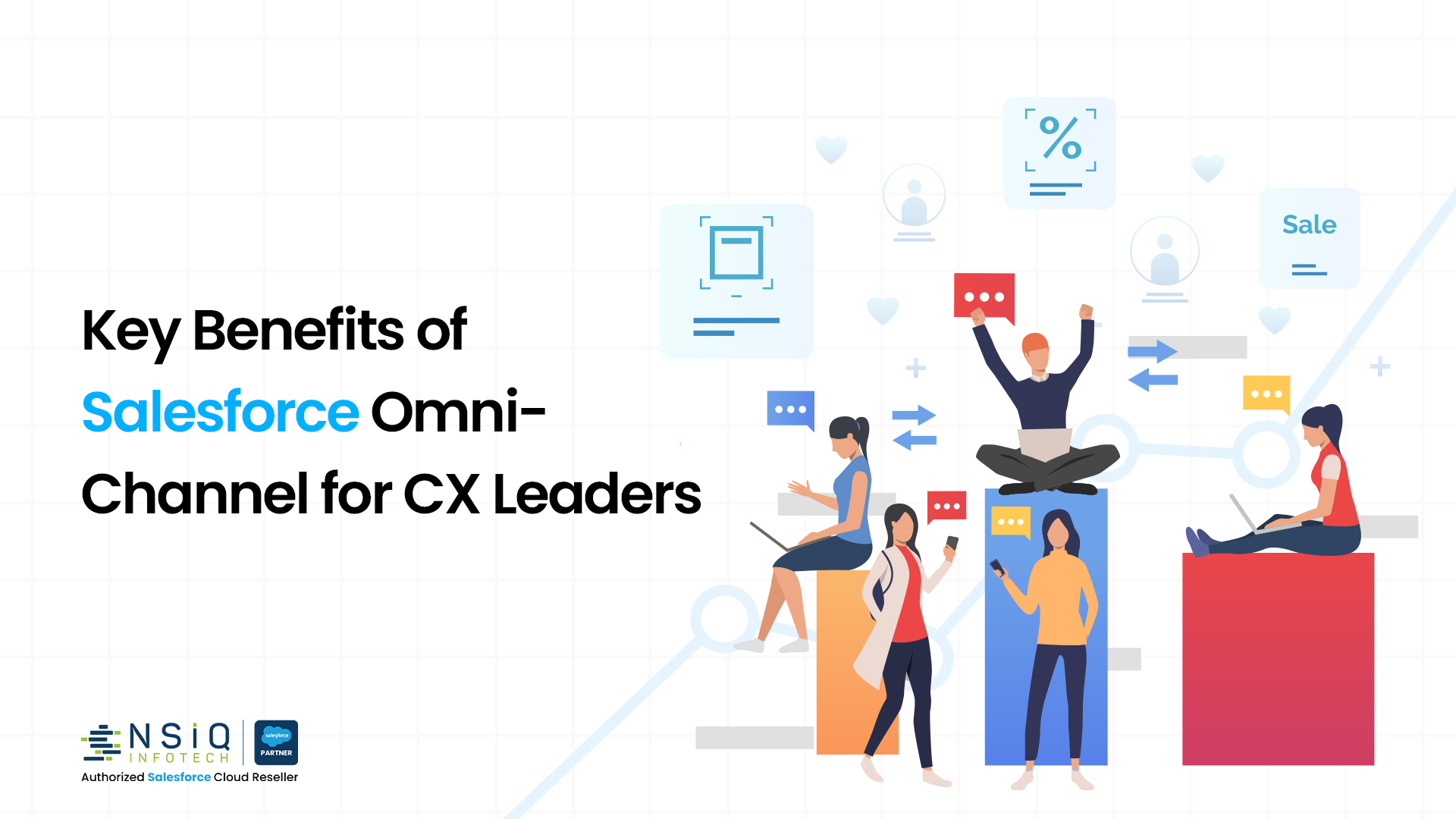
Faster Response Times
Auto-assignment shrinks wait times.
Balanced Agent Workloads
Ensures no single agent is overwhelmed.
Higher First Contact Resolution (FCR)
Agents have full context to solve issues.
Real-Time Visibility for Supervisors
Live view of agent statuses and queues.
7. 5 Reasons CX Leaders Choose Salesforce Omni-Channel
Reduced Handle Time
Case details arrive before the agent says “Hello.”
Lower Latency
Automated routing matches agents instantly.
Reduced Burnout
Balanced distribution of workload.
Loyalty Growth
Faster answers on favorite channels.
Unified Management
Manage spikes without adding headcount.
8. How NSIQ INFOTECH Helps You Implement
At NSIQ INFOTECH, we help businesses design and implement Service Cloud solutions, including routing configuration, skills-based design, and Omni Supervisor training.
9. 5 Actionable Tips for CX Leaders
Tip 1: Start with Your Highest-Volume Channel
Focus first on the channel generating the most customer requests.
Tip 2: Define Presence Statuses That Reflect Real Workflows
Create statuses that accurately represent agent availability.
Tip 3: Set Realistic Capacity Models
Avoid overloading agents by defining practical workload limits.
Tip 4: Use Omni Supervisor Daily
Monitor queues and agent performance regularly.
Tip 5: Measure AHT, FCR, and Utilization Rate
Track performance metrics to continuously improve customer service operations.
Q. 1: What is Omni-Channel in Salesforce?
It is a feature in Salesforce Service Cloud that automatically routes incoming work items to the right available agent.
Q. 2: What are the main Salesforce Omni-Channel benefits?
Reduced response times, balanced workloads, and improved first-contact resolution.
Q. 3: How does Omni-Channel improve customer experience?
By providing agents with a 360-degree view, customers never have to repeat themselves.
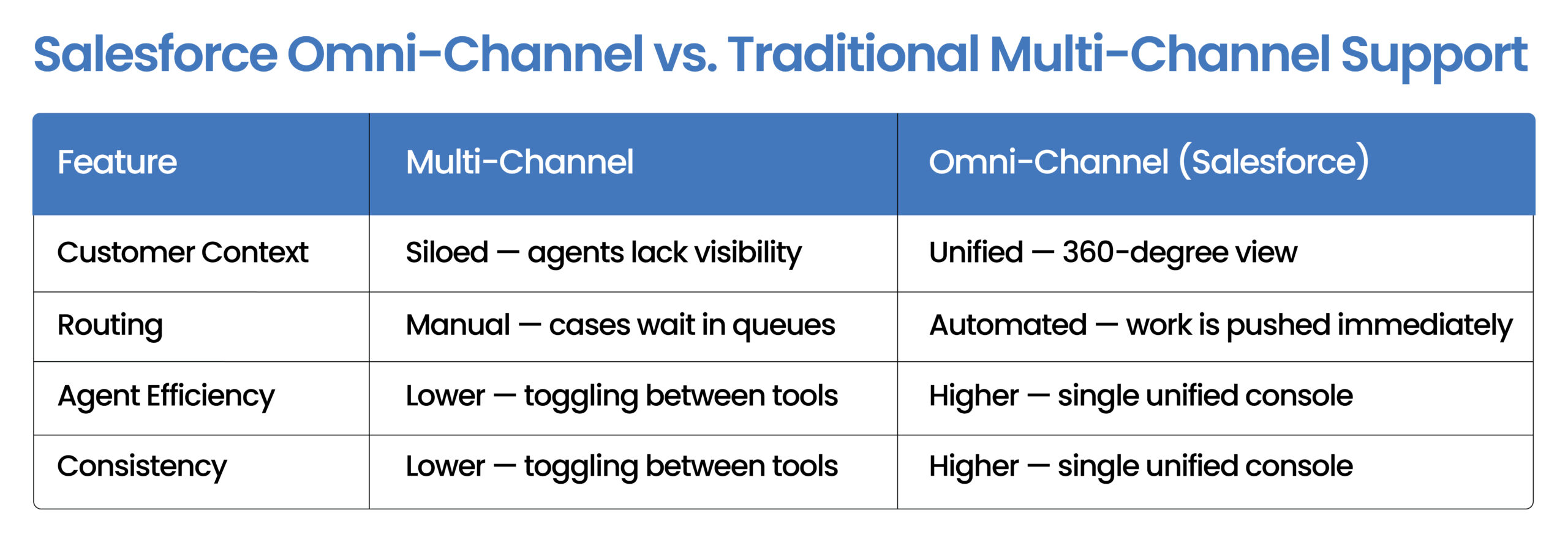
Q. 4: Is it the same as multi-channel support?
No. Omni-Channel integrates all channels to share data seamlessly.
Q. 5: What types of routing does it support?
Queue-based, skills-based, and external routing.
Q. 6: Which product includes it?
It is part of Salesforce Service Cloud.
Q. 7: Can it handle phone calls?
Yes, via Service Cloud Voice and telephony integrations.
Q. 8: How does it prevent burnout?
By automatically balancing workloads based on agent capacity.
Q. 9: What is Omni Supervisor?
A real-time dashboard for monitoring agent statuses and queue volumes.
Q. 10: How long does implementation take?
Typically 2 to 4 weeks for basic setup, or 8 to 12 weeks for complex environments.
Q. 11: Can it be configured without coding?
Yes, most configurations are point-and-click within Salesforce Setup.
11. Conclusion
The future of customer experience is unified. Salesforce Omni-Channel gives your team the infrastructure to deliver instant, personalized service at scale.
From intelligent routing and workload balancing to real-time visibility and improved first-contact resolution, the benefits of Salesforce Omni-Channel are helping businesses transform customer service operations across industries.
Businesses that invest in omnichannel customer support today are better positioned to improve customer satisfaction, increase loyalty, and scale support operations efficiently.
Take the Next Step
Talk to NSIQ INFOTECH today.
Book your free 30-minute consultation now at www.nsiqinfotech.com.