
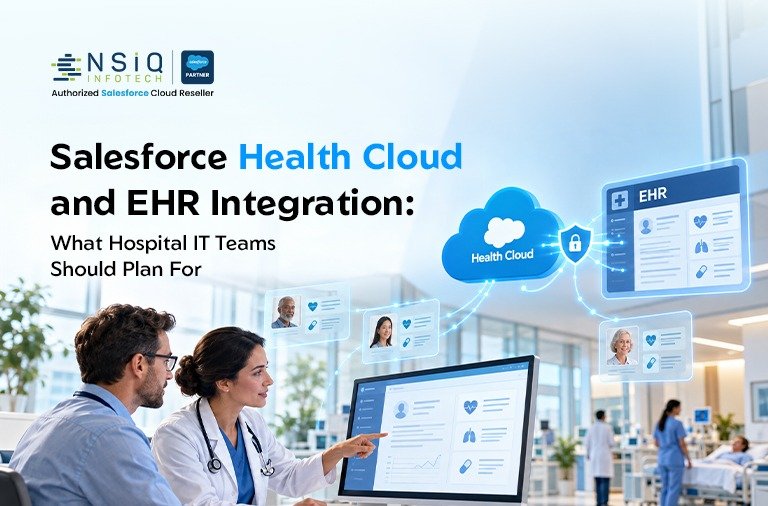
Salesforce Health Cloud and EHR Integration: What Hospital IT Teams Should Plan For
Hospitals rarely run on one technology platform.
An electronic health record (EHR) manages the clinical side of care — patient records, encounters, orders, results, diagnoses, and other clinical information. Around the EHR, hospitals also rely on systems for patient support, referrals, contact centers, care coordination, outreach, and service management.
That is where Salesforce Health Cloud and EHR integration becomes important.
When Salesforce is used to support patient engagement, care coordination, referral management, or healthcare service operations, teams often need access to selected information from the EHR. At the same time, the EHR should continue to manage the clinical record and remain the authoritative source for clinical information.
The goal is not to create a second EHR inside Salesforce.
The goal is to connect the right information, at the right time, so employees can provide a better patient experience without creating unnecessary data duplication, security risks, or complicated maintenance requirements.
For hospital IT teams, that makes Salesforce EHR integration much more than an API project. It involves architecture, patient identity, data ownership, security, interoperability standards, governance, testing, and long-term support.
This guide explains the key areas to consider before starting a Salesforce Health Cloud integration with an EHR, including Epic integration, FHIR, HL7, data mapping, security, real-time integration, and project planning.
What Is Salesforce EHR Integration?
Salesforce EHR integration is the controlled exchange of selected information between Salesforce and an electronic health record system.
The purpose is to give teams working in Salesforce the information they need for specific patient service, engagement, referral, or care coordination processes.
For example, a hospital may want a Salesforce user to see:
- Patient identity information
- Appointment or referral status
- Discharge information
- Follow-up requirements
- Communication preferences
- Selected care coordination information
- Service-related information
That does not mean the entire clinical record needs to be copied into Salesforce.
In most integration architectures, the EHR remains the system of record for clinical information, while Salesforce manages selected engagement, service, and coordination processes.
EHR vs. EMR
The terms EHR and EMR are sometimes used interchangeably, although they can describe slightly different concepts.
An EHR (Electronic Health Record) generally refers to a longitudinal patient record that can support information sharing across care settings.
An EMR (Electronic Medical Record) is often used to describe the digital medical record maintained within a particular practice or organization.
From an integration planning perspective, the underlying considerations are similar: identity matching, data mapping, security, interfaces, ownership, and controlled data exchange.
What Is Healthcare CRM?
A healthcare CRM is used to manage relationships and interactions with patients, members, providers, referral sources, and other stakeholders.
Salesforce can support these types of healthcare workflows through Health Cloud and other Salesforce products, depending on the organization’s requirements, edition, configuration, and licensing.
The important distinction is simple:
The EHR manages the clinical record. Salesforce can support the relationship, service, engagement, and coordination layer around that record.
Why Do Hospitals Integrate Salesforce With EHR Systems?
The business case usually starts with a simple problem: employees need information from more than one system to complete a task.
Imagine a patient calls a hospital contact center about a follow-up appointment after discharge. If the service representative has to move between several systems, search for information manually, or ask the patient to repeat information that the hospital already has, the experience becomes frustrating for everyone.
A well-designed integration can reduce that friction.
Common EHR CRM integration use cases include:
1. Patient Service and Support
Contact-center employees can access relevant information such as referral or appointment status without needing access to the patient’s complete clinical record.
2. Care Coordination
Care teams can create and manage follow-up activities based on selected events or information received from the EHR.
3. Patient Engagement
Communication and outreach workflows can use current patient information and preferences while keeping engagement history in Salesforce.
4. Referral Management
Referral teams can track referrals through different stages and receive relevant status information from the EHR.
5. Appointment-Related Workflows
Salesforce can support rescheduling requests, follow-up activities, and no-show outreach while the EHR remains the primary scheduling system.
6. Healthcare Case Management
Requests involving billing, medical records, access, support, or other services can be managed as Salesforce cases and associated with the appropriate patient.
7. Patient Information Management
Integration can help different teams work from consistent identity and relationship information.
8. Operational Reporting
Organizations may combine service and operational information to understand referral turnaround, service performance, patient engagement, and other business metrics.
9. Workflow Automation
An event such as a discharge or referral can initiate a Salesforce task, case, notification, or follow-up process.
The important question is not “How much EHR data can we bring into Salesforce?”
A better question is:
“What is the minimum information Salesforce needs to support this particular workflow?”
That distinction can make the integration considerably easier to build, secure, and maintain.
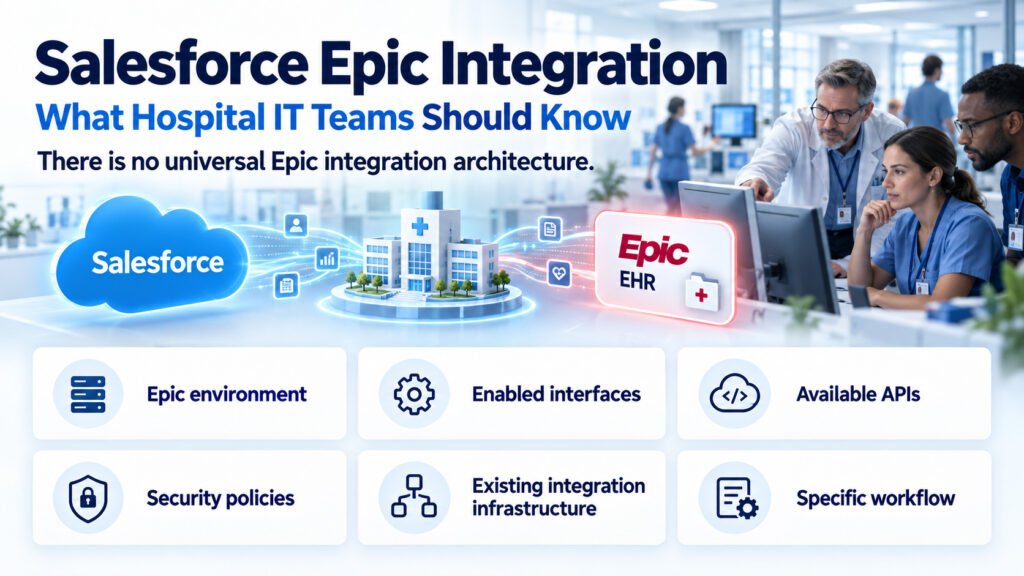
Salesforce Epic Integration: What Hospital IT Teams Should Know
For hospitals using Epic, Salesforce Epic integration is often one of the first areas considered during an interoperability project.
However, there is no universal Epic integration architecture.
The approach depends on the hospital’s Epic environment, enabled interfaces, available APIs, security policies, existing integration infrastructure, and the specific workflow being implemented.
FHIR APIs
Epic supports FHIR-based APIs, which can be used for standards-based exchange of healthcare information.
The resources available and the way they can be accessed depend on the organization’s Epic configuration and implementation.
HL7 Interfaces
Many hospitals also have established HL7 v2 interfaces and interface-engine infrastructure.
If an organization already receives admission, discharge, transfer, scheduling, order, or other messages through an interface engine, reusing that infrastructure may be more practical than introducing a completely separate integration pattern.
Authentication
FHIR integrations commonly use OAuth-based authentication, although the exact authentication and authorization flow depends on the implementation.
For system-to-system integrations, the security model needs to be agreed upon by the hospital’s Epic, security, and integration teams.
Governance and Approval
Technical connectivity is only one part of an Epic integration.
The hospital may need to review:
- API access
- Application registration
- Data scopes
- Security requirements
- Data-use agreements
- Privacy requirements
- Interface ownership
- Production approval
For that reason, Epic analysts and the organization’s integration team should be involved during discovery rather than after the Salesforce architecture has already been selected.
Salesforce Health Cloud and EHR Integration Architecture
There is no single architecture that every hospital should follow. However, a common Salesforce Health Cloud integration architecture contains several layers.
1. EHR
The EHR remains the primary clinical system.
It may expose approved information through:
- FHIR APIs
- HL7 messages
- Existing interfaces
- Other approved APIs or integration mechanisms
2. Integration or API Layer
A middleware or integration layer can sit between Salesforce and the EHR.
Depending on the organization, this could be:
- An enterprise integration platform
- API gateway
- Healthcare interface engine
- Existing middleware
- Custom integration services
This layer can handle routing, transformation, orchestration, authentication, throttling, logging, and error handling.
3. Salesforce Health Cloud or Service Cloud
Salesforce receives the information required for approved workflows.
It can then support:
- Patient service
- Care coordination
- Referral management
- Case management
- Engagement
- Follow-up tasks
- Communication workflows
4. Healthcare Interoperability Standards
The architecture may use FHIR, HL7 v2, or other APIs depending on the workflow and existing systems.
5. Authentication and Authorization
Integration accounts should use appropriate authentication methods, secure credential storage, and least-privilege access.
6. Data Transformation and Mapping
EHR data structures rarely map directly to Salesforce objects.
Transformation may be required for:
- Patient identifiers
- Provider identifiers
- Status values
- Code sets
- Dates
- Relationships
- Address information
- Appointment information
7. Monitoring and Error Management
A production integration needs visibility.
That includes:
- Centralized logs
- Error alerts
- Retry mechanisms
- Failed-message queues
- Integration dashboards
- Operational ownership
Without monitoring, an interface can fail silently while users continue assuming the information is current.
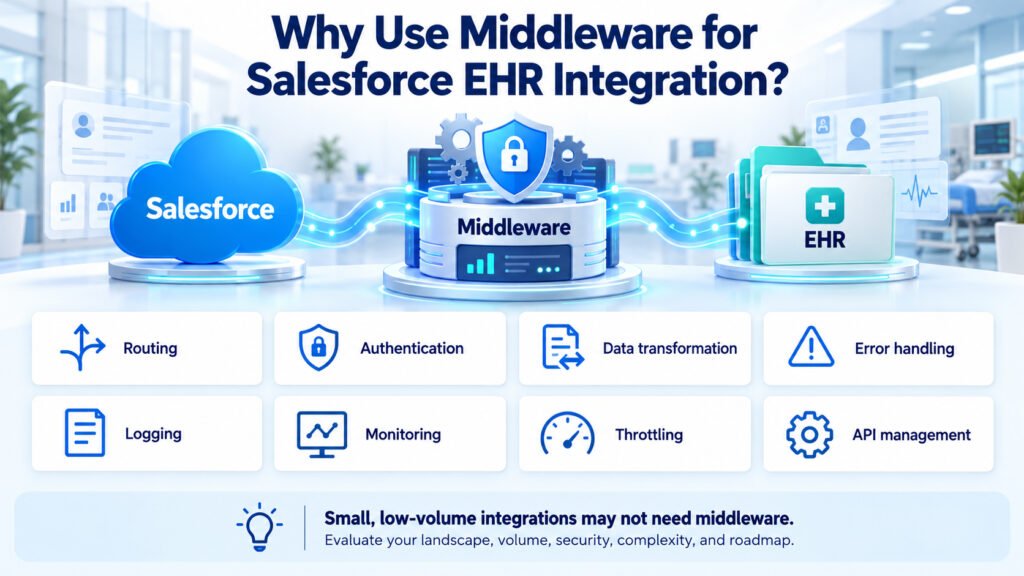
Why Use Middleware for Salesforce EHR Integration?
A direct point-to-point integration can appear attractive because it looks simple.
For a small interface, it may be appropriate.
As the number of systems and workflows grows, however, direct connections can become difficult to manage. Every additional interface creates another dependency to secure, monitor, test, and maintain.
An integration layer provides a central place for:
- Routing
- Authentication
- Data transformation
- Error handling
- Logging
- Monitoring
- Throttling
- API management
It also creates a layer of separation between Salesforce and the EHR.
If the EHR API changes, for example, the integration layer can absorb some of that change without requiring every Salesforce workflow to be redesigned.
That said, middleware should not be added simply because it is considered a best practice.
For a small, low-volume integration, the additional architecture may not be necessary. The decision should be based on the organization’s existing technology landscape, volume, security requirements, integration complexity, and long-term roadmap.
Key Data Mapping Considerations
In many healthcare integration projects, data mapping is harder than the actual connection.
Two systems may both contain a “patient,” but they may represent that patient differently.
Before development starts, define exactly how the information will move.
Patient Identity
Patient matching is one of the most important areas of an EHR integration.
The project needs to establish how an EHR patient will correspond to a Salesforce person record.
Depending on the organization’s architecture, matching may involve:
- Medical record numbers
- Enterprise patient identifiers
- External IDs
- Master patient indexes
- Deterministic matching
- Probabilistic matching
The process should also define what happens when a match is uncertain.
Accounts and Contacts
Healthcare organizations may have relationships involving:
- Patients
- Families
- Employers
- Payers
- Providers
- Facilities
- Referral organizations
The Salesforce data model needs to represent these relationships correctly.
Encounters and Appointments
Not every encounter needs to be replicated into Salesforce.
Ask:
- Does the workflow actually require encounter information?
- What level of detail is required?
- Which system owns appointment scheduling?
- What happens when appointment information changes?
The answer should be driven by the business process.
Cases and Service Requests
Determine how Salesforce cases relate to patients, referrals, appointments, or other healthcare activities.
Also decide whether any case information needs to be returned to the EHR.
Provider Information
Providers and facilities need consistent identifiers across systems.
Where applicable, identifiers such as NPI may be part of the mapping.
Clinical Information
This is where data minimization becomes especially important.
If a workflow only requires a discharge date and follow-up requirement, there may be no reason to replicate the patient’s complete clinical history.
Bring over what the process needs — not everything the source system contains.
External IDs
EHR identifiers can be stored as external identifiers in Salesforce to support matching, upserts, traceability, and integration processing.
Data Ownership
Every important field should have an identified owner.
For example:
| Data | System of Record |
| Diagnoses | EHR |
| Clinical documentation | EHR |
| Orders | EHR |
| Appointment schedule | EHR |
| Service cases | Salesforce |
| Communication history | Salesforce |
| Follow-up tasks | Salesforce |
| Patient engagement activity | Salesforce |
The exact ownership model will vary by organization, but it needs to be documented before bidirectional synchronization is introduced.
Security, Privacy, and Compliance
Healthcare integration cannot be treated like a normal CRM integration.
Patient information is sensitive, and every additional system that processes that information introduces additional security and governance considerations.
For organizations operating in the United States, HIPAA requirements may apply. Other countries and regions have their own privacy and healthcare regulations.
Important considerations include:
Least-Privilege Access
Integration users should have only the permissions required to perform their assigned functions.
Identity and Authorization
Use centralized identity and role-based access wherever appropriate.
Encryption
Protect data while it is being transmitted and evaluate appropriate encryption options for stored information.
Salesforce encryption capabilities and licensing vary, so the actual design should be validated against the organization’s Salesforce environment.
Audit Logging
Organizations should have appropriate visibility into who accessed or changed sensitive information and what integration processes occurred.
Data Minimization
Do not replicate patient information simply because the integration makes it technically possible.
Every replicated data element should have a business and operational reason.
Retention
Define how long synchronized information remains in Salesforce and what happens when information is deleted or corrected in the source system.
Sensitive Information
Additional controls may be necessary for particularly sensitive categories of healthcare information.
Organizations should determine whether certain information should remain exclusively within the EHR.
API Security
The integration should address:
- Credential management
- Token management
- Network security
- Rate limiting
- Input validation
- Access controls
Non-Production Environments
Real patient information should not simply be copied into development or testing environments.
Use synthetic or appropriately de-identified information for testing wherever possible.
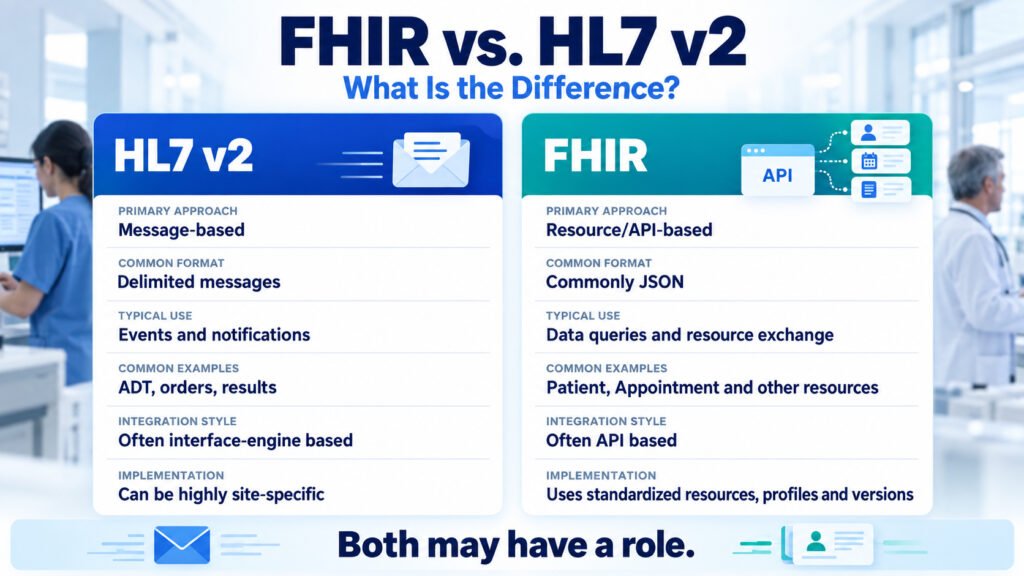
FHIR vs. HL7: What Is the Difference?
One of the most common questions during healthcare integration planning is whether to use FHIR or HL7.
The answer is often: both may have a role.
HL7 v2 has been widely used for years to exchange healthcare messages between clinical and administrative systems.
FHIR was designed around modern web-based API concepts and represents healthcare information as resources.
| Aspect | HL7 v2 | FHIR |
| Primary approach | Message-based | Resource/API-based |
| Common format | Delimited messages | Commonly JSON |
| Typical use | Events and notifications | Data queries and resource exchange |
| Common examples | ADT, orders, results | Patient, Appointment and other resources |
| Integration style | Often interface-engine based | Often API based |
| Implementation | Can be highly site-specific | Uses standardized resources, profiles and versions |
A hospital might use an HL7 ADT message to notify downstream systems that a patient has been discharged.
Salesforce could then use the integration layer to retrieve approved information through a FHIR API.
This kind of hybrid architecture is common because the two standards can solve different problems.
There is no rule that says an organization must choose only one.
Common EHR CRM Integration Challenges
Healthcare integration projects tend to encounter the same categories of problems repeatedly.
Patient Identity
Different identifiers, names, addresses, and demographic information can make matching difficult.
Duplicate Records
Poor matching logic can create duplicate Salesforce records.
Bidirectional Synchronization
Once both systems can send updates, conflict resolution becomes important.
Real-Time vs. Batch
Not every process needs real-time data. Choosing real-time when batch would work can add unnecessary complexity.
API Limits
High transaction volumes can put pressure on API limits and system resources.
Data Transformation
Different systems use different structures, code sets, and values.
Integration Failures
A production integration needs a clear strategy for retries, alerts, failed messages, and human intervention.
Legacy Systems
Some hospital systems still depend on file-based or HL7 interfaces.
Security
Every new connection expands the organization’s technology attack surface.
Consent and Privacy
Patient consent preferences and privacy restrictions need to be handled consistently.
Monitoring
A successful deployment without proper monitoring can still become an operational problem.
System Ownership
If nobody owns a data element or integration process, issues quickly become difficult to resolve.
EHR Changes
EHR upgrades, API changes, configuration changes, and version changes can affect integrations.
Long-Term Maintenance
An integration is not finished when it goes live.
It needs documentation, regression testing, monitoring, support, and an owner.
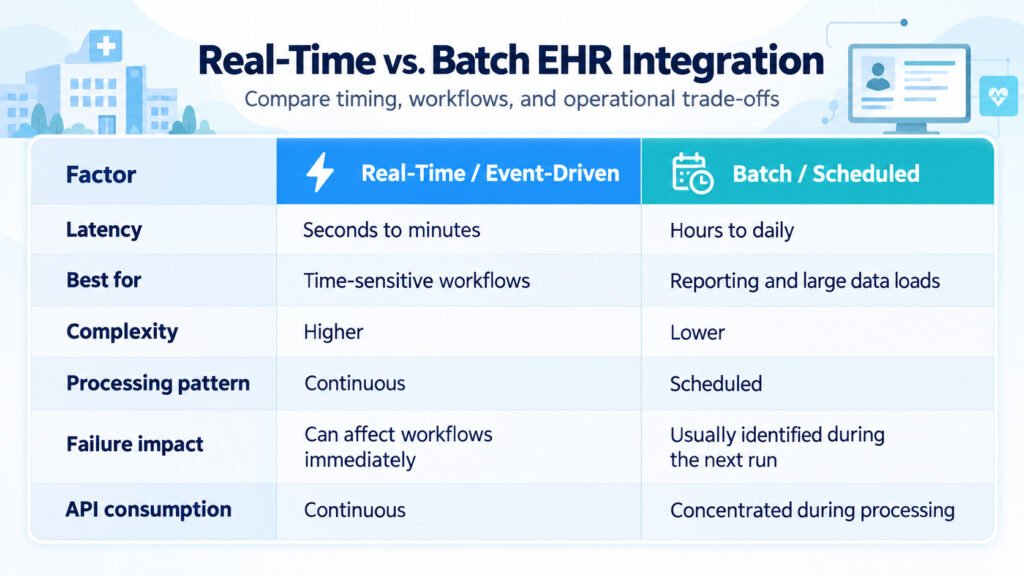
Real-Time vs. Batch EHR Integration
Another important architecture decision is whether information should move in real time or on a scheduled basis.
| Factor | Real-Time / Event-Driven | Batch / Scheduled |
| Latency | Seconds to minutes | Hours to daily |
| Best for | Time-sensitive workflows | Reporting and large data loads |
| Complexity | Higher | Lower |
| Processing pattern | Continuous | Scheduled |
| Failure impact | Can affect workflows immediately | Usually identified during the next run |
| API consumption | Continuous | Concentrated during processing |
For example, a referral status change that needs immediate attention may benefit from an event-driven design.
A historical reporting dataset may not require real-time processing at all.
Many healthcare organizations therefore use a hybrid integration model:
Real-time events for workflow-critical information + scheduled reconciliation for completeness.
That combination can provide timely information while also helping identify missed or failed transactions.
What Hospital IT Teams Should Plan Before Starting
Before development begins, work through the following checklist.
Salesforce EHR Integration Planning Checklist
☐ Business requirements: Which workflows justify the integration?
☐ Integration scope: What information needs to move, and in which direction?
☐ Systems involved: EHR, Salesforce, identity provider, interface engine, EMPI, and other systems.
☐ Data inventory: Which fields are actually required?
☐ Data ownership: Which system is authoritative for each field?
☐ API availability: Which FHIR, HL7, or other interfaces are currently available?
☐ Authentication: What authentication and credential-management approach will be used?
☐ Security and compliance: Have security, privacy, legal, and compliance requirements been reviewed?
☐ Patient matching: How will patient identity be resolved?
☐ Error handling: What happens when an API call or message fails?
☐ Monitoring: Who receives alerts and investigates integration failures?
☐ Performance: What are the expected transaction volumes and latency requirements?
☐ Testing: How will functional, integration, security, and volume testing be performed?
☐ Test data: Can testing be completed without real patient information?
☐ Deployment: What is the cutover and rollback strategy?
☐ Support: Who owns the integration after go-live?
☐ Maintenance: How will EHR and Salesforce changes be tested and managed?
This checklist can save significant time later because many integration problems begin with decisions that were never clearly documented during discovery.
Example: Salesforce Health Cloud and EHR Integration Workflow
Consider a simple post-discharge follow-up process.
A patient is discharged from the hospital and needs follow-up contact.
Step 1: EHR Generates the Event
The EHR records the discharge and sends an approved event, such as an HL7 ADT message.
Step 2: Integration Layer Processes the Event
The integration layer validates the message and matches the patient using approved identity information.
It then retrieves only the information required for the follow-up workflow.
For example:
- Patient identifier
- Discharge date
- Follow-up requirement
- Approved contact information or communication preference
Step 3: Salesforce Receives the Information
The integration layer sends the approved information to Salesforce.
The patient’s Salesforce record can be updated using the EHR identifier as an external ID, and a follow-up task or case can be created.
Step 4: Care Team Works in Salesforce
The appropriate team member sees the follow-up task, contacts the patient, and records the service interaction.
Step 5: Salesforce Sends an Approved Update
If required, Salesforce can send an update such as:
- Follow-up completed
- Appointment requested
- Patient contacted
Step 6: Integration Layer Sends the Update to the EHR
The integration layer delivers the approved information through the appropriate interface.
The EHR team determines how that information should be recorded in the clinical system.
Where Does the Data Live?
The important principle is ownership.
The EHR continues to own the clinical record, including diagnoses, orders, and clinical documentation.
Salesforce can own service activities, communication history, follow-up tasks, and engagement information.
The objective is connected workflows, not duplication of the complete patient record.
How to Phase a Salesforce Healthcare Integration Project
Trying to integrate every workflow at once is usually unnecessary.
A phased approach provides a safer way to validate the architecture.
Phase 1: Discovery and Architecture
Define:
- Business use cases
- Systems involved
- Integration requirements
- Security requirements
- Data ownership
- Existing interfaces
Phase 2: Data and Identity Mapping
Document the field-level mappings and determine how patient identity will be matched.
This is also where master-data decisions should be finalized.
Phase 3: Integration Development
Develop:
- APIs
- Message processing
- Transformations
- Authentication
- Error handling
- Logging
Phase 4: Salesforce Configuration
Configure the required Health Cloud or Service Cloud functionality, including:
- Objects
- Permissions
- Workflows
- Tasks
- Cases
- User experiences
Phase 5: Testing and Security Validation
Perform:
- Functional testing
- Integration testing
- Volume testing
- Security testing
- User acceptance testing
Privacy and compliance stakeholders should be involved where appropriate.
Phase 6: Production Deployment
Deploy in controlled stages, monitor the integration closely, and provide support documentation and runbooks to the operational team.
Start Small
A practical strategy is to select one high-value workflow first.
For example, a hospital could begin with post-discharge follow-up rather than attempting to synchronize every available EHR data element.
Once the architecture proves itself, additional workflows can be added.
Questions to Ask Before Choosing a Salesforce EHR Integration Approach
Before approving an architecture, hospital IT and business teams should be able to answer:
- Which business processes actually require EHR information in Salesforce?
- What is the minimum data required for each process?
- Which system owns each data element?
- Which EHR APIs and interfaces are currently available?
- Is an existing interface engine or API platform available?
- How will patient identity be matched?
- How will uncertain matches be handled?
- Which workflows require real-time information?
- Which workflows can operate with batch data?
- What are the API and throughput limits?
- How will sensitive information be protected?
- How will consent requirements be handled?
- Which Salesforce licenses and capabilities are required?
- Who will monitor the integration after go-live?
- Who will respond when an interface fails?
- How will EHR upgrades be tested?
- How will Salesforce releases be incorporated into regression testing?
- What is the rollback plan if the production deployment fails?
If these questions do not have clear owners and answers, the project probably needs more discovery before development begins.
Conclusion: Build the Integration Around the Workflow, Not the Data
A successful Salesforce EHR integration is not simply a matter of connecting Salesforce to an EHR API.
The connection itself is only one part of the project.
The more difficult decisions involve determining what information should move, who owns that information, how patients are matched, how access is controlled, how failures are handled, and how the integration will be maintained over time.
For hospitals evaluating Salesforce Health Cloud integration, Salesforce Epic integration, or a broader EHR CRM integration, the best starting point is a clearly defined business workflow.
Start with the problem.
Identify the users.
Determine the minimum information they need.
Define which system owns that information.
Then design the integration around those decisions.
That approach can reduce unnecessary data movement, simplify the architecture, improve security, and make the solution easier to support after go-live.
The objective is not to make Salesforce another EHR.
It is to give healthcare teams the right information in the right place so they can spend less time searching across systems and more time serving patients.
Frequently Asked Questions About Salesforce EHR Integration
What is Salesforce EHR integration?
Salesforce EHR integration is the controlled exchange of selected information between Salesforce and an electronic health record. It allows service, engagement, and care coordination teams to work with relevant information while the EHR generally remains the system of record for clinical data.
Can Salesforce Health Cloud replace an EHR?
No. Salesforce Health Cloud is designed to support healthcare engagement, service, and care coordination workflows. It does not replace the clinical documentation, ordering, and other core functions provided by an EHR.
Does Salesforce Epic integration use FHIR?
It can. Epic provides FHIR-based APIs, although the available resources, authentication model, permissions, and implementation approach depend on the organization’s Epic environment. HL7 v2 and other interfaces may also be part of the architecture.
Do hospitals need middleware for Salesforce Health Cloud integration?
Not necessarily. A smaller integration may not require a separate middleware platform. Larger programs often use an integration or API layer to centralize routing, security, transformation, monitoring, and error handling.
Should clinical records be stored in Salesforce?
Generally, only the information required for a specific approved workflow should be brought into Salesforce. The EHR should normally remain the authoritative system for the clinical record.
Does Salesforce EHR integration guarantee HIPAA compliance?
No. Technology alone does not guarantee compliance. HIPAA and other privacy obligations depend on the organization’s contracts, configuration, policies, security controls, architecture, and operating procedures. Privacy, security, and legal teams should be involved in the design.
What is the difference between FHIR and HL7?
HL7 v2 is primarily a message-based standard commonly used for healthcare events and system-to-system messaging. FHIR is an API-oriented standard based on healthcare resources. Many hospitals use both.
Is real-time EHR integration better than batch integration?
Not automatically. Real-time integration is useful when a workflow depends on current information, while batch processing can be more practical for reporting, reconciliation, and large data loads. A hybrid model is often appropriate.
Talk to a Salesforce Healthcare Integration Specialist
Planning an EHR integration is easier when the architecture starts with the business workflow rather than the technology.
If your organization is evaluating Salesforce Health Cloud, Salesforce Epic integration, FHIR integration, HL7 integration, or healthcare CRM integration, an experienced Salesforce healthcare integration team can help assess the existing environment, define the integration scope, map the required data, and build a phased implementation strategy.
Start with the use case. Define the data. Establish ownership. Then build the connection.