
Ask a hospital COO where a particular referred patient is right now, and you’ll usually get a pause. Not because nobody cares. It’s because the answer is spread across four or five systems and at least one WhatsApp group.
Picture a fairly normal week. A family physician sends a 58-year-old man to your cardiology OPD with a handwritten note. Reception registers him in the HIS. The cardiologist orders an echo and a TMT. Billing raises an estimate for a possible angiography. Three days later he calls the helpline to ask about his reports, and again the next day. On day seven, a nurse rings him for a routine follow-up with no idea he has already called twice.
Nobody made a mistake, exactly. Each team did its part. But from where the patient sat, it felt like dealing with several hospitals that happened to share a building.
Most Indian hospitals we speak to recognise this picture. The HIS handles registrations and bills. Clinical notes live in the EHR. Lab and radiology run their own systems. Referral coordinators keep Excel sheets, and a lot of the real coordination happens over phone calls and WhatsApp. Each tool does its own job reasonably well. None of them shows the whole patient.
That gap is what Salesforce for hospitals, and Salesforce Health Cloud in particular, is meant to close. It doesn’t replace your HIS or EHR. It sits alongside them and gives your coordinators, call centre, referral desk and managers one shared view of each patient, one care plan to work from and one place to track every referral.
Below, we’ll cover what Patient 360 actually looks like day to day, how care coordination and referral tracking work on Salesforce, how a hospital CRM differs from an EHR, the mistakes we see most often, and a sensible way to get started.
What Does Patient 360 Mean for a Hospital?
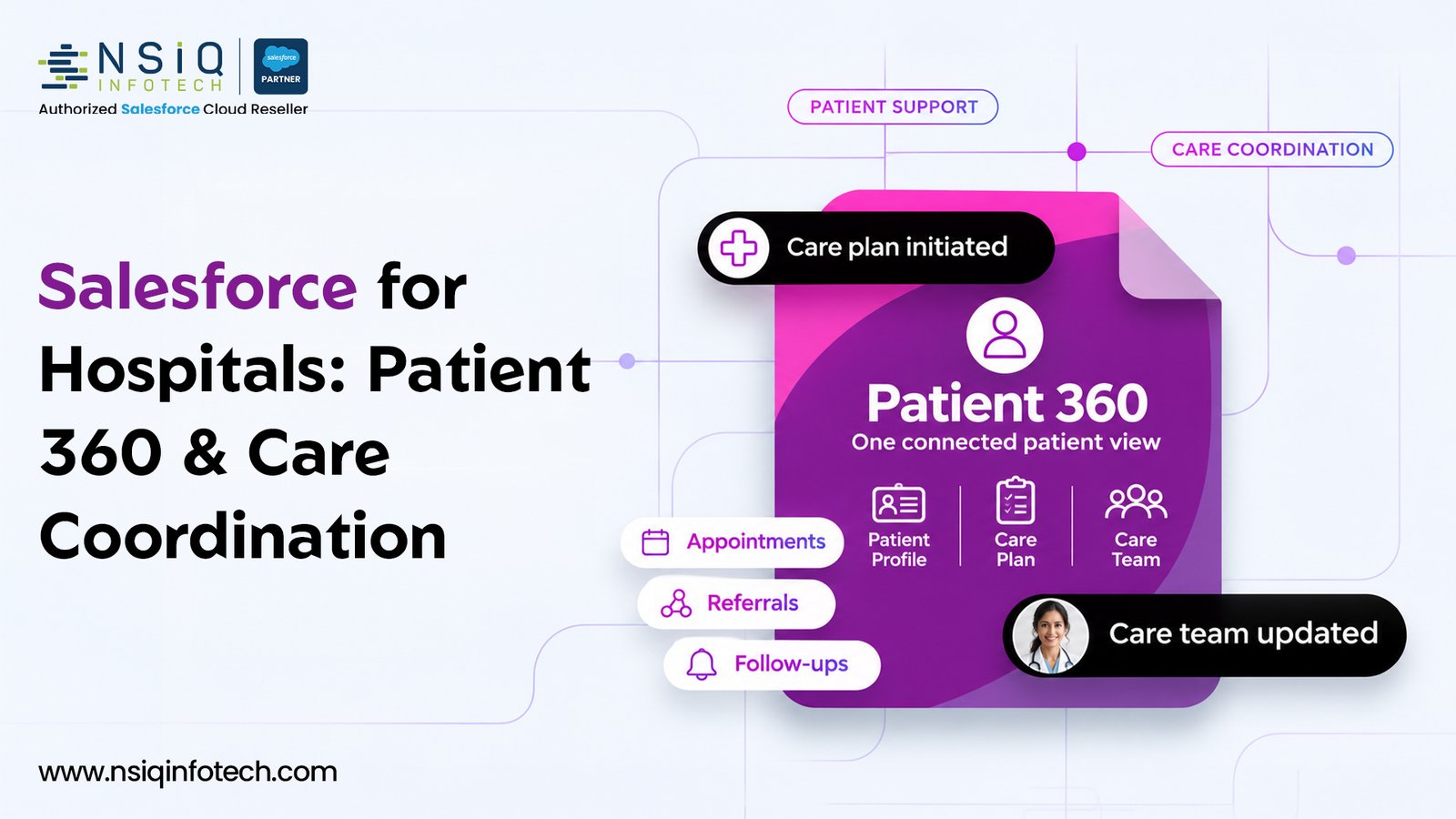
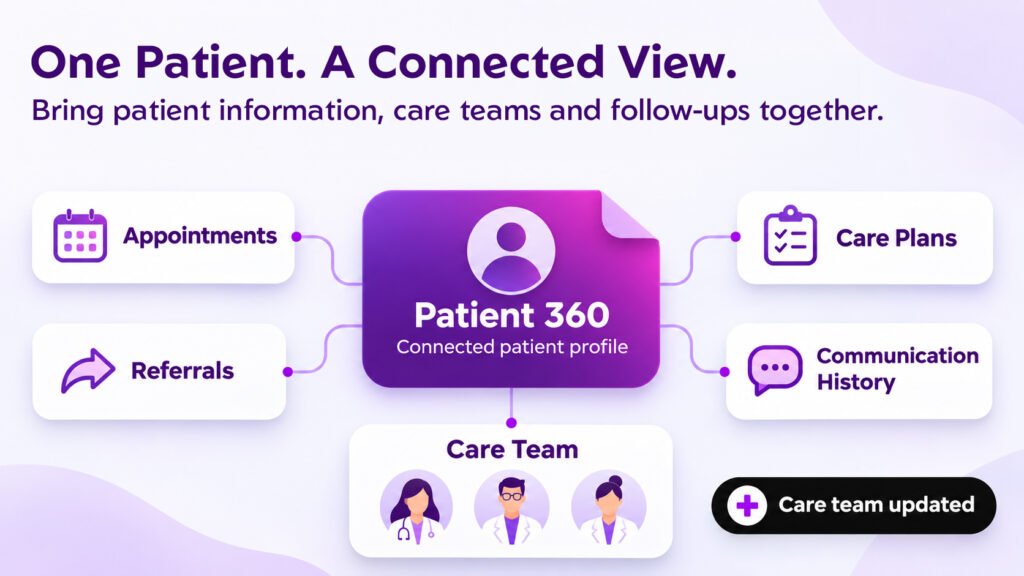
“Patient 360” shows up in a lot of vendor slides, so it’s worth being specific. For a hospital, it means that anyone who opens a patient’s record can see the whole relationship with your hospital, not just the last consultation.
In practice, that record usually brings together:
- Contact details, preferred language and the channel the patient actually responds to.
- Appointments across departments, both past and upcoming.
- Open referrals and whether each one is moving or stuck.
- The current care plan, its goals and who is responsible for each task.
- A short clinical summary from the EHR or HIS (conditions, medicines, allergies) where the integration allows it.
- Calls, WhatsApp messages, emails and portal activity.
- Insurance, TPA or estimate status.
- Feedback, complaints and satisfaction scores.
Here’s why that matters. Take a 64-year-old woman with diabetes, three weeks after a knee replacement. Physio knows she skipped her second session. The endocrinology team can see her sugar readings creeping up in the app. The helpline logged a call yesterday about pain around the wound. On their own, none of these looks urgent. Put together on one screen, they show a coordinator a patient who needs a call this morning and probably an early review.
It’s Not a Second Medical Record
This point trips people up, so let’s be clear. Your EHR or HIS stays the legal clinical record. Doctors keep writing their notes there.
Patient 360 in a CRM is the working layer around that record. It’s where coordinators, call centre agents, referral staff and managers do their jobs. Think of the EHR as what happened in the consultation room, and the CRM as everything that has to happen before and after it.
Why Hospitals Find It So Hard to Connect Care
It’s rarely a lack of software. Most hospitals have plenty. The trouble is that each system was bought to fix one problem, and nobody was ever asked to make them talk to each other.
The cost of that shows up in three places.
Referrals That Go Nowhere
Every referral is, in effect, a promise that the patient will get the next step of care. A surprising number of those promises quietly lapse.
One US study looked at 7,819 specialty referral orders. Only 71% turned into a booked appointment, and only 70% of those appointments were kept. That means roughly half of the referrals were never completed. (Weiner et al., Journal of Evaluation in Clinical Practice, 2010)
The study was done in an American setting, but the mechanics are the same everywhere. Once a referral leaves the doctor’s desk without a named owner, there’s a real chance the patient never arrives.
Patients Who Get Care Somewhere Else
When a patient you referred internally ends up doing the MRI, the surgery or the physio at another hospital, you lose that visit and often everything that would have followed. The industry calls this patient leakage.
In a survey by Fibroblast, 43% of health executives said they lose more than 10% of revenue to leakage, and 23% admitted they didn’t know how much they were losing. (Healthcare Finance News)
That second number is the worrying one. Nearly a quarter of leaders can’t put any figure on the problem at all.
Handoffs Where Information Drops
A single admission can involve emergency, the ward, surgery, physio, pharmacy and home care. Every handover is a chance for something to be missed.
CRICO Strategies, which researches malpractice for the insurer of Harvard-affiliated hospitals, reviewed 23,658 claims filed between 2009 and 2013. Communication failures played a part in 30% of them, including 1,744 deaths and $1.7 billion in costs. (STAT News)
So coordination isn’t only about patient experience scores. It’s a safety issue, and it sits with leadership.
Where India Stands
Indian hospitals deal with all of the above, often with more manual workarounds. Meanwhile, patients are going digital quickly. By July 2026, more than 104 crore health records had been linked to over 93 crore ABHA accounts under the Ayushman Bharat Digital Mission. (PIB)
With the national system moving that fast, coordinating care through registers and spreadsheets gets harder to defend every year.
What Is Salesforce Health Cloud?
Salesforce Health Cloud is Salesforce’s healthcare CRM. Salesforce positions it as the engagement, data aggregation and collaboration layer that adds to an EHR rather than replacing it. (Salesforce)
Put simply, the EHR answers “what happened clinically?” Health Cloud answers “what needs to happen next, and who’s doing it?” Who should call this patient? Which referral has been sitting untouched for three days? Which care plan task is overdue? Who looks likely to drop out of treatment?
The parts most hospitals care about are:
- Unified patient profile: pulls clinical, demographic and engagement data into one view, using Data 360 for Health.
- Integrated Care Management: care plans, goals, assessments and tasks for the care team.
- Intelligent Appointment Management: referral handling, scheduling, waitlists and visits involving several clinicians.
- Contact Center for Healthcare: gives call centre agents the relevant patient history while they’re on the call.
- Provider Relationship and Network Management: helps you manage referring doctors and partner clinics.
- Interoperability: FHIR-based APIs and ready-made connectors for clinical systems.
- Agentforce for Healthcare: AI agents that can take on routine patient access work, such as scheduling and referral intake.
Most hospital projects also use Experience Cloud for patient and referring-doctor portals, and MuleSoft to connect the HIS, EHR, lab and billing systems.
What you actually get depends on your licences, configuration, region and integrations. In our experience, the projects that go well start from the hospital’s problems and only then look at features.
How Patient 360 Works Day to Day
The record is built from two directions. Some information flows in from the HIS or EHR, such as demographics, visits, diagnoses and appointments. The rest is created in Salesforce as people work: calls logged, care tasks completed, referral updates, complaints and campaign responses.
Different teams then use that same record for different jobs.
Who Sees What
- Front desk and call centre: upcoming appointments, recent calls, pending reports and preferred language, so patients aren’t asked to repeat their story.
- Care coordinators: active care plans, overdue tasks, missed visits and risk flags.
- Referral desk: every open referral, who sent it, its status and the next action.
- Patient experience team: complaints and feedback linked to what actually happened during the patient’s journey.
- Leadership: dashboards on referral conversion, follow-up completion, no-shows and satisfaction by department.
Access is controlled by role. A call centre agent doesn’t need detailed clinical notes, and a properly set-up system won’t show them.
Before and After, on a Single Phone Call
Before: A patient calls to ask why her MRI hasn’t been scheduled. The agent checks the HIS, emails radiology, then rings the referring department. The patient is promised a callback and ends up calling again the next morning.
After: The agent opens her record and sees the MRI referral is waiting on insurance pre-authorisation, which was sent two days ago. The agent tells her, logs the call and sets a reminder for the TPA desk. One call, a clear answer, and nobody has to chase anyone.
Care Coordination: One Plan Everyone Can See
Good care coordination simply means the right people do the right things for a patient, in the right order, without anything slipping between departments.
In a lot of hospitals, that depends on two or three experienced nurses or coordinators who keep everything in their heads. It works well, right up until they go on leave or change shifts.
Salesforce turns that personal memory into a process the whole team can see.
Care Plans With Named Owners
A care plan in Health Cloud lists the patient’s problems, the goals and the tasks needed to get there. Every task has an owner and a due date.
After cardiac surgery, for example, the plan might include a wound check on day 7, a cardiology review on day 14, enrolment in cardiac rehab and a session with the dietitian. If rehab enrolment hasn’t happened by day 10, it shows up as overdue on the coordinator’s screen. Nobody has to remember to check.
A Care Team That Crosses Departments
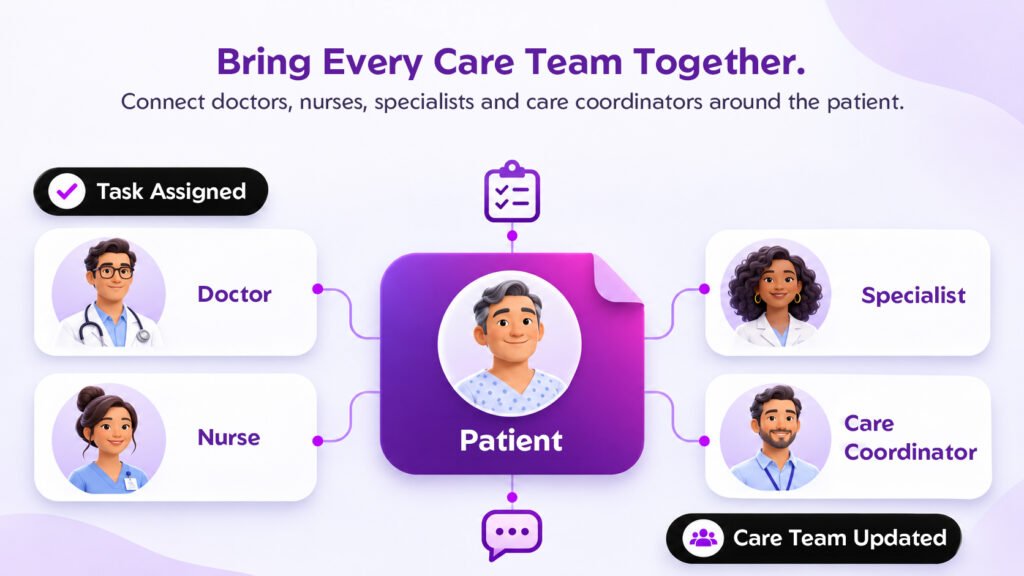
Each patient can have a defined team: the treating consultant, a nurse coordinator, the physiotherapist, the dietitian and, where it makes sense, a family member. They all work from the same plan and see the same updates.
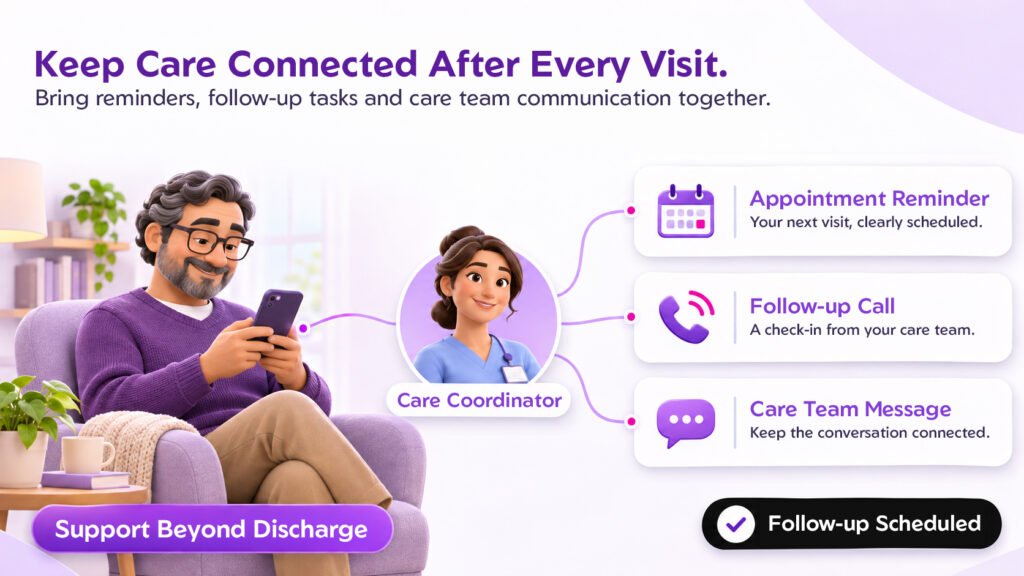
The Days After Discharge
This is where patients most often fall through the cracks. A connected workflow can create follow-up tasks the moment a patient is discharged, send reminders, schedule a check-in call for day 3 and flag anyone who misses a review.
Deciding Who to Call First
Coordinators can’t call everyone every day. Risk flags, care gaps and overdue tasks help them start with the patients who need attention most, instead of working down a list by date.
Referral Tracking: From the First Call to the Final Update
For most hospitals, referrals are how high-value work comes through the door. A big share of surgeries, scans and specialist consultations begin with a referral from a GP, a nursing home, a smaller clinic or another department.
And yet, in many hospitals, referrals are tracked less carefully than pharmacy stock.
The Three Kinds of Referral
- Inbound: patients sent to you by outside doctors, clinics or nursing homes.
- Internal: patients moving between your own departments, say from general medicine to cardiology.
- Outbound: patients you send elsewhere for services you don’t offer.
All three need an owner, a status and a next step.
What a Joined-Up Referral Process Looks Like
- Capture: referrals come in through a portal, web form, phone, email or a scanned letter, and all of them land in one queue.
- Triage: urgent cases are flagged and routed to the right department or coordinator using rules you set.
- Schedule: the coordinator books the slot, and the patient gets a confirmation and reminders.
- Track: each referral shows a live status, such as received, waiting for documents, booked, seen or lost.
- Close the loop: after the visit, the referring doctor gets an update. That small courtesy does a lot for future referrals.
Looking After Referring Doctors
For private hospitals in India, referring doctors are one of the most valuable relationships you have. Salesforce can show which doctors send you the most patients, which specialities they refer to and whose numbers have dipped.
Say a GP who used to send 25 patients a quarter has sent only 8 this quarter. Your relationship team can pick up the phone and find out why, before those patients settle in with a competitor.
Making Leakage Visible
Once every referral carries a status, leakage stops being a hunch and becomes a number. You can see how many referrals came in, how many turned into visits, where the rest dropped off and which departments needed help.
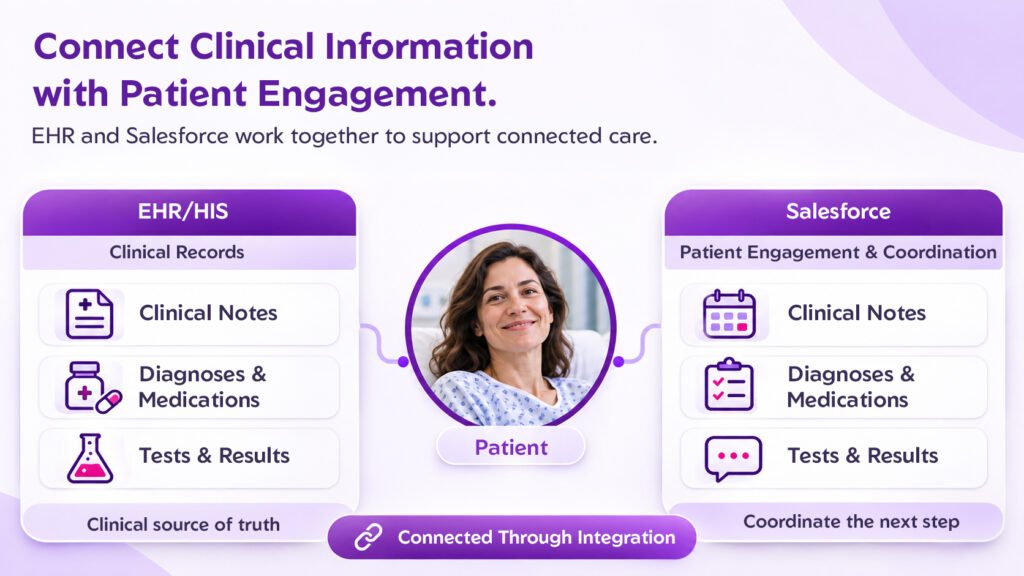
Hospital CRM Software vs. EHR: What’s the Difference?
Hospital leaders ask us this all the time: “We already have an HIS. Why would we need hospital CRM software as well?”
The short answer is that they do different jobs. The EHR is there to document care. A CRM is there to coordinate the people, tasks and conversations around that care.
| Business Need | EHR / HIS | Hospital CRM (Salesforce Health Cloud) |
|---|---|---|
| Main job | Clinical documentation, orders and billing | Engagement, coordination and relationship management |
| Who uses it | Doctors, nurses, billing staff | Coordinators, call centre, referral desk, patient experience, leadership |
| View of the patient | Clinical history inside that system | Clinical summary plus calls, referrals, tasks and feedback |
| Referral tracking | Often just the order itself | Full status, ownership and leakage reports |
| Care coordination | Depends on the system | Care plans, task owners and overdue alerts |
| Patient communication | Limited, or handled in separate tools | Calls, SMS, email, WhatsApp and portal in one record, depending on integration |
| Referring doctors | Rarely covered | Doctor profiles, referral volumes and relationship history |
| Reporting | Clinical and financial | Journey, referral, follow-up and experience dashboards |
You don’t have to choose one over the other. The EHR stays your clinical source of truth. Salesforce sits next to it, pulls in what coordinators need and gives non-clinical teams somewhere to work without touching the medical record.
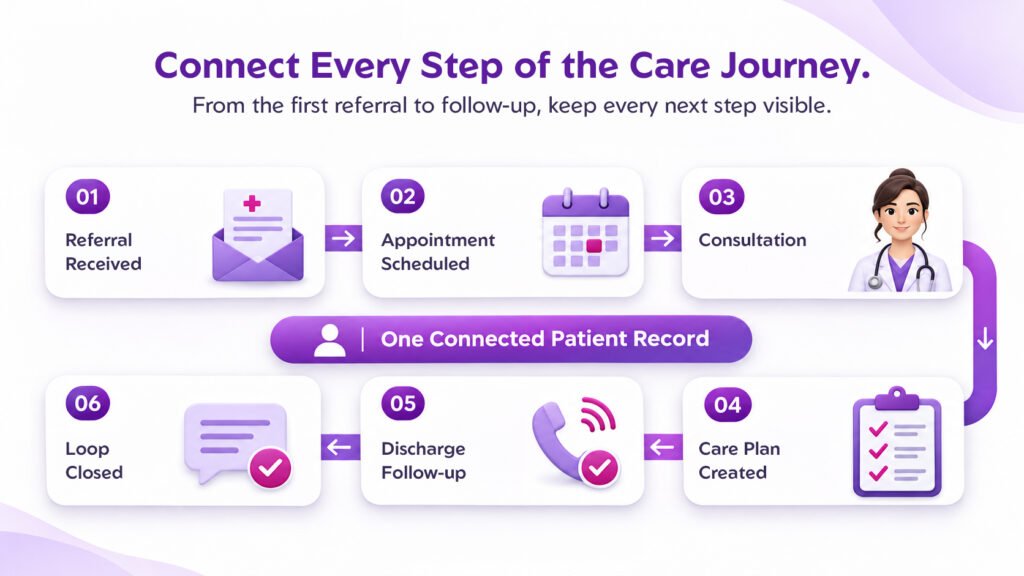
One Patient, One Platform: The Journey Step by Step
Here’s how one referred patient moves through a hospital when Patient 360, care coordination and referral tracking all run on the same platform. This section works well as an infographic.
- Step 1, Referral received: the GP submits the referral through a portal. Salesforce creates a referral record and assigns an owner.
- Step 2, Patient scheduled: the call centre reaches the patient within 24 hours, books the appointment and sets up reminders.
- Step 3, Consultation: tests and notes are recorded in the EHR, and a summary syncs to the patient’s record.
- Step 4, Care plan created: the coordinator sets up tasks for physio, diet counselling and the follow-up review.
- Step 5, Discharge follow-up: automatic tasks trigger a day-3 call and a day-7 review, and an alert goes out if a visit is missed.
- Step 6, Loop closed: the referring doctor gets an update, and the patient is asked for feedback.
The same record is updated at every step, so anyone who opens it knows exactly where the patient stands.
Seven Mistakes We See Hospitals Make
Buying Salesforce doesn’t fix coordination on its own. How the project is planned and rolled out matters far more. These are the mistakes that come up again and again.
1. Handing It Entirely to IT
When IT designs the system alone, it often works technically but misses what coordinators, the call centre and the referral desk need day to day.
Better approach: bring in operations, nursing, patient experience and a few front-line coordinators from the first workshop. Agree on the problems before anyone talks about features.
2. Trying to Rebuild the EHR Inside the CRM
Some projects drift into recreating clinical documentation in Salesforce. Doctors end up entering things twice, and nobody is sure which record is right.
Better approach: keep the EHR as the clinical source of truth. Bring into Salesforce only the summary that coordinators actually use.
3. Ignoring Duplicate Patient Records
The same person might exist three times, each with a slightly different spelling or an old mobile number. A Patient 360 view built on that data just creates confusion.
Better approach: set a matching rule using UHID, ABHA number where you have it, mobile number and date of birth. Clean the data before go-live, and give someone ongoing responsibility for keeping it clean.
4. Designing for the Boardroom, Not the Coordinator
Dashboards matter. But if logging a follow-up call takes six clicks, coordinators will quietly go back to their notebooks.
Better approach: design the daily screens around how coordinators really work. Keep typing to a minimum and automate anything repetitive.
5. Going Live Everywhere at Once
A hospital-wide launch multiplies training gaps, integration bugs and resistance, all at the same time.
Better approach: pick one high-impact area, such as cardiology referrals or orthopaedic follow-up after discharge. Prove it works, then expand.
6. Leaving Privacy Until Later
Patient data is about as sensitive as data gets. In India, the Digital Personal Data Protection Act, 2023 applies, and hospitals treating US patients also need to think about HIPAA.
Better approach: build role-based access, consent tracking, audit trails and retention rules into the design from day one.
7. Counting Logins Instead of Results
Lots of logins don’t prove the system is helping patients or the business.
Better approach: track referral conversion, follow-up completion within 7 days, no-show rate, time to first appointment and complaint resolution time. Measure them before launch so you have something to compare against.
A Practical Roadmap for Implementation
A phased rollout keeps the scope manageable, lowers risk and gives you early results to show the board.
Step 1: Map One Patient Journey
Choose a single journey, for example a referred knee replacement patient, and walk through every step from the first enquiry to the last follow-up. Note who is involved, which system they use and where things get stuck.
Step 2: Pick One or Two Starting Use Cases
Start with something visible and measurable. Inbound referral tracking for one speciality, or post-discharge follow-up for one department, are both good first choices.
Step 3: Take Stock of Your Systems and Data
List every place patient data lives today: HIS, EHR, lab, radiology, billing, telephony and messaging. Decide which system owns which data and what needs to flow into Salesforce.
Step 4: Agree on Access, Consent and Data Rules
Decide who can see what, how consent is recorded, how duplicate patients are matched and how long data is kept.
Step 5: Configure Health Cloud and Connect Your Systems
Set up the patient profile, care plans, referral process and dashboards. Connect clinical systems using FHIR or HL7 interfaces, usually through MuleSoft or a similar integration layer.
Step 6: Run a Pilot
Go live with one department or one referral stream. Watch how coordinators actually use it, gather feedback and fix the friction quickly.
Step 7: Train, Measure, Then Expand
Train staff using real scenarios from your own hospital, not generic demos. Compare results with your baseline, then roll out to the next department using what you’ve learned.
What This Could Look Like in Practice
The two scenarios below are illustrations to show how the numbers can work. They are not results from specific client projects.
Scenario 1: A 300-Bed Hospital Losing Referrals
A multi-speciality hospital gets roughly 600 inbound referrals a month from about 150 local doctors. They arrive by phone, WhatsApp and paper letters, and coordinators track them in Excel. An internal audit shows that around 40% of referred patients never book.
The hospital launches a referring-doctor portal on Experience Cloud and a single referral queue in Health Cloud. Every referral gets an owner, a target of first contact within 24 hours and automatic reminders for the patient.
The numbers: if conversion improves from 60% to 75%, that’s 90 more patients a month (600 × 15%). Assuming an average of ₹8,000 for a first visit with diagnostics, that’s around ₹7.2 lakh a month in extra revenue, before counting any procedures that follow.
Scenario 2: Cardiac Patients Skipping Follow-Up
A cardiac unit discharges about 120 surgical patients a month. Follow-up calls happen when nurses find time, and only about 55% of patients turn up for their 30-day review.
The team sets up a post-discharge care plan in Health Cloud. Each discharge automatically creates a day-3 check-in call, a day-7 wound review and a day-30 cardiology visit, each with an owner and reminders.
The result: if attendance at the 30-day review rises from 55% to 80%, about 30 more patients a month are seen on time. Problems like a wound infection or a medicine mix-up are far more likely to be caught in the clinic than in the emergency department.
In both cases, what makes the difference is pointing the technology at one specific, measurable problem.
Practical Tips for Hospital Leaders
You can start on most of these this week, before you’ve chosen any platform.
- Find your referral conversion rate. Take last month’s inbound referrals for one speciality and count how many became appointments. That’s your baseline.
- Give every referral an owner. Referrals without a named owner are the ones that get lost.
- Walk one patient journey end to end. Do it with the people who actually do the work, not only the department heads.
- List every place patient data lives. Include the Excel sheets and WhatsApp groups. Like it or not, they’re part of your system.
- Set a standard for post-discharge contact. For example, a check-in call within 72 hours for every surgical patient.
- Spend an hour with your call centre. The questions patients ask most often show you exactly where coordination is breaking down.
- Review your top 20 referring doctors. See whose numbers have dropped and call them before a competitor does.
- Start small and prove it. One department, one use case, three KPIs and a review after 90 days.
How NSIQ INFOTECH Can Help
At NSIQ INFOTECH, we start with how your hospital actually runs, not with the software. Before we configure anything, we want to understand how patients move between your departments, where referrals go missing and what makes your coordinators’ days harder than they need to be.
For hospitals and clinics, our work typically includes:
- Mapping patient journeys and referral workflows across departments.
- Setting up Salesforce Health Cloud for Patient 360, care plans and referral tracking.
- Building patient and referring-doctor portals on Experience Cloud.
- Planning integrations with your HIS, EHR, lab and billing systems.
- Configuring role-based access, consent tracking and audit trails.
- Building dashboards for referral conversion, follow-up completion and patient experience.
- Supporting a phased rollout, staff training and adoption.
The right setup depends on your current systems, your size and what you want to improve first. Our aim is simple: give your teams one connected view of every patient, so that care feels joined-up from the patient’s side too.
If you’re exploring Salesforce for your hospital, talk to the NSIQ INFOTECH team about where it makes sense to start.
Frequently Asked Questions
1. What is Salesforce Health Cloud for hospitals?
Health Cloud is Salesforce’s healthcare CRM. It gives hospitals a unified patient profile, care plans, referral management, scheduling tools and dashboards, and it connects to clinical systems to bring the relevant information into one view.
2. What is hospital CRM software?
It’s software that helps a hospital manage its relationships with patients and referring doctors. It tracks enquiries, appointments, referrals, follow-ups, communication and feedback, which an EHR isn’t built to handle well.
3. What is referral leakage, and how can hospitals reduce it?
Referral leakage is when a referred patient gets care from another provider or doesn’t get care at all. Hospitals reduce it by tracking every referral, contacting patients quickly, sending reminders and keeping referring doctors informed.
4. Can Salesforce connect with our existing HIS or EHR?
Usually, yes. Integration is typically done through FHIR or HL7 interfaces, APIs or a platform like MuleSoft. How much work it takes depends on what your current system supports.
5. Is Salesforce Health Cloud a good fit for hospitals in India?
It can be, when it’s set up for local needs. It can store UHIDs and ABHA numbers, support referring-doctor networks, connect to WhatsApp and SMS tools through integrations, and handle TPA and insurance workflows.
6. How is patient data protected in Salesforce?
Salesforce provides role-based access, field-level security, encryption options and audit trails. Whether you meet the DPDP Act or HIPAA depends on how your hospital configures and uses those controls.
Conclusion
Most hospitals already have capable people and plenty of systems. What’s usually missing is a shared view that ties them together.
When patient information is scattered, referrals slip, follow-ups get missed and patients feel passed between departments instead of cared for by one hospital. The evidence backs this up: around half of specialty referrals can go uncompleted, and communication failures carry real safety and financial costs.
Salesforce for hospitals tackles this by adding a connected layer over the clinical systems you already have. Patient 360 gives every team the same picture. Care coordination turns individual effort into a process everyone can see. Referral tracking makes each referral visible, owned and measurable.
Technology alone won’t do it, though. Clean data, clear ownership, proper privacy controls and a phased rollout matter just as much. Start with one journey, measure what changes and build from there.
When care feels connected from the patient’s side, it shows up in better outcomes, stronger referral relationships and fewer surprises for your operations team.
Want to bring Patient 360, care coordination and referral tracking onto one platform? Book a consultation with NSIQ INFOTECH to talk through a Salesforce Health Cloud approach that fits your hospital.