

A restoration company can have a full schedule, busy technicians, and trucks moving from one property to another—and still finish the month wondering where the profit went.
The reason is often not a lack of work. It is a lack of timely visibility into what each job actually costs. Labor hours may be recorded in one system, equipment usage in another, subcontractor invoices may arrive weeks later, and approved estimates may change while work is already underway. By the time all the numbers are reconciled, a job that looked profitable may already be closed.
Restoration job costing in Salesforce can help bring these details together. With the right configuration, teams can compare estimated costs with actual expenses, monitor margin while work is in progress, and spot overruns early enough to respond.
This guide explains what to track, how a Salesforce-based process can work, and how to introduce it without making everyday work harder for your team.
Why restoration job costing is different

Restoration work rarely follows a perfectly predictable plan. A water-damage assignment can expand into demolition, drying, contents handling, mold remediation, and reconstruction. Hidden damage may change the scope, an insurance adjuster may approve a supplement, or a subcontractor may need to return for additional work.
Several common issues make job costs difficult to control:
-
Changing scope
New findings, supplements, and revised approvals can change the expected revenue and budget after work begins.
-
Costs recorded in different places
Technician time, materials, equipment, disposal, and subcontractor charges may be tracked separately.
-
Late invoices
A vendor bill that arrives after closeout can reveal an overrun only after the team has moved on.
-
Equipment left on site
If placement and collection dates are incomplete, teams may miss billable equipment days or struggle to locate assets.
-
Limited job-level visibility
Accounting may show what the business spent overall without making it easy to see which open job is losing margin.
The result is a familiar problem: managers have plenty of information, but not in one place or at the moment they need it.
What restoration job costing should show
Before choosing software or building a workflow, agree on the questions your team needs to answer for every job:
- What revenue has been estimated, submitted, and approved?
- What costs were budgeted for labor, materials, equipment, subcontractors, and other expenses?
- What has actually been spent so far?
- What costs are committed but not yet invoiced?
- What is the current or forecast gross margin?
- Which open jobs are moving away from their target?
- Which job types, service lines, and subcontractors tend to perform well against budget?
If managers cannot answer these questions without gathering spreadsheets and chasing people for updates, the process is likely too dependent on after-the-fact bookkeeping.
Why use Salesforce for restoration job costing?
Salesforce is often used to manage customer relationships and sales opportunities, but it can also be configured to support operational workflows. For a restoration business, the value is in connecting customer and claim details with the job, its approved scope, field activity, expenses, and reporting.
Salesforce is a configurable platform, not a ready-made restoration accounting package. The exact solution depends on your Salesforce products, existing accounting software, integrations, and business processes. A well-designed implementation should complement financial systems rather than assume that the CRM replaces every accounting function.
A practical setup generally includes three building blocks.
1. A central job record
Use an Opportunity or a dedicated custom Job record, depending on the process and reporting requirements. Link it to the customer, property, claim, relevant contacts, and any related work orders.
Useful fields may include:
- Job number, service type, property, and claim reference
- Estimated revenue and approved contract amount
- Scope changes and approved supplements
- Budget by cost category
- Actual and committed costs
- Job status, planned completion date, and completion progress
- Target gross margin and current forecast margin
Choose a consistent set of cost categories that match how your finance team reviews expenses. Typical categories include labor, materials, equipment, subcontractors, disposal, and other direct costs.
2. Cost records that update as work happens
Instead of storing every expense in a note, create structured records related to the job. Depending on your process, these might represent time entries, material purchases, equipment usage, subcontractor commitments, or vendor invoices.
For example, a labor entry could capture the technician, hours, date, job, and applicable cost rate. A subcontractor record could show the agreed amount, approved changes, invoice amount, and payment status. A material entry could record the supplier, cost, and related job.
Salesforce Flow, formulas, roll-up summaries, or other automation can be used where appropriate to calculate totals and update the job record. The implementation design matters: not every relationship supports the same type of roll-up, and larger or more complex processes may require a different data model or automation approach.
The objective is straightforward: when a cost is entered or updated, the job’s financial picture should reflect it without someone having to rebuild a spreadsheet manually.
3. Alerts and dashboards that support decisions
A dashboard is useful when it leads to action. Configure views that help project managers focus on jobs that need attention, such as:
- Actual costs approaching the budget earlier than expected
- Forecast margin falling below the agreed target
- Missing timesheets or unrecorded equipment removal dates
- Subcontractor invoices that exceed the approved commitment
- Jobs with unapproved scope changes or missing cost entries
You can use Salesforce automation to notify the appropriate person or create a follow-up task when a defined condition is met. Thresholds should reflect your company’s process and should be tested against real job scenarios before being relied on.
A simple example: how early cost visibility can help 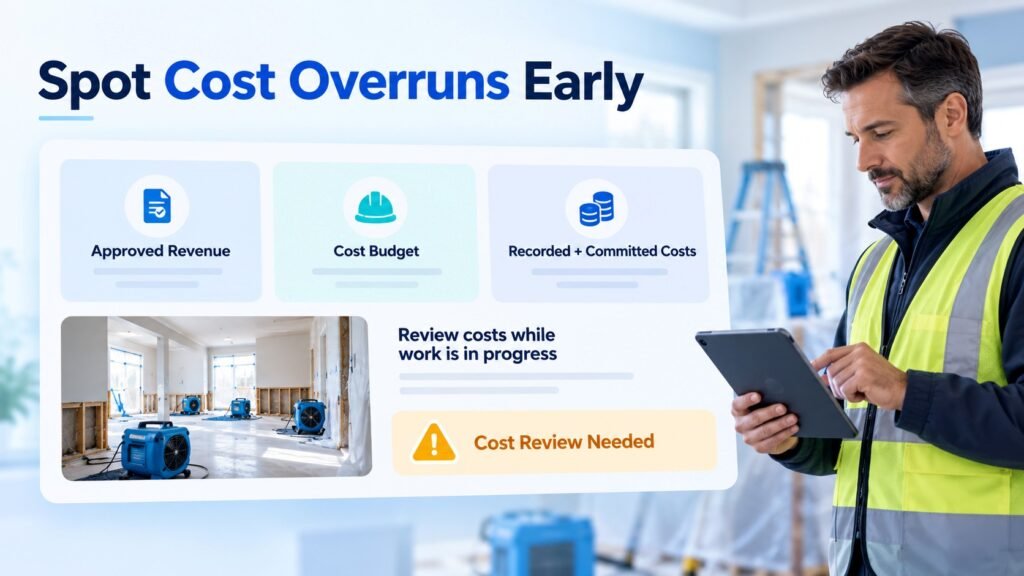
Imagine a restoration job with an approved revenue amount of $20,000 and a planned direct-cost budget of $12,000.
The planned gross profit is $8,000, which represents a 40% gross margin before overhead and other costs not included in the direct-cost budget.
Halfway through the job, recorded and committed costs reach $8,000, even though the work is only about 50% complete. That does not automatically mean the job will lose money, but it is a warning to investigate. The project manager can check labor productivity, equipment days, material use, subcontractor commitments, and whether additional work has been approved.
If the extra scope is legitimate, the team can confirm that the estimate and approvals are updated. If costs are rising without a corresponding scope change, the manager can address the issue before closeout.
This is the practical value of job costing: it gives the team a chance to respond while options are still available.
Track subcontractor costs before invoices arrive

Subcontractors may handle plumbing, electrical work, mold testing, contents cleaning, demolition, or reconstruction. Their costs can affect the profitability of a job, especially when the agreed scope and final invoice do not match.
A Salesforce-based process can help teams:
- Maintain vendor and subcontractor records, including trade, agreed rates, and relevant compliance-document dates
- Link work orders or purchase commitments to the appropriate job
- Record the approved amount and any authorized changes
- Compare the invoice with the agreed commitment
- Flag differences for review before final cost reporting
- Review historical performance against budget and schedule
The key control is to record the commitment before work begins wherever practical. An invoice should not be the first time the project manager sees the cost.
Restoration equipment tracking: cost, location, and billable days

Drying equipment and other assets can be both a job cost and a source of revenue. If the business charges for equipment by the day, accurate placement and removal records help the team support billing and avoid missed charges. Asset tracking also helps reduce the time spent locating equipment.
Depending on your requirements, equipment records can capture:
- Equipment type, asset or serial number, and status
- Daily billing rate and internal cost rate, where applicable
- Job and property where the equipment is deployed
- Placement date, removal date, and responsible technician
- Billable days and any exceptions requiring review
Technicians should be able to record updates from the field with as few steps as possible. Salesforce mobile capabilities or Salesforce Field Service may help when the business also needs scheduling, dispatch, and more advanced field operations. The right option depends on your existing licenses and requirements.
Labor and materials need consistent capture
Subcontractors and equipment are important, but they are only part of the job-cost picture. Labor and materials also need a repeatable process.
For labor, decide how technicians record time, how overtime is handled, and which cost rate is used for internal reporting. For materials, capture the job, supplier, quantity, and cost, and define how returns or credits are applied. Keep the process simple enough that the people closest to the work can enter information accurately.
It is also useful to distinguish between actual costs and committed costs. Actual costs have been recorded as incurred, while committed costs include approved spending that may not yet appear in an invoice. Showing both can give managers a more realistic view of likely final cost, provided the data is maintained consistently.
How to calculate job cost and gross margin
Use consistent definitions across reports so that project managers and finance are comparing like with like.
Total direct job cost is the sum of the direct cost categories your business includes, such as labor, materials, equipment, subcontractors, and disposal.
Gross profit is:
Recognized job revenue − direct job costs
Gross margin percentage is:
(Gross profit ÷ recognized job revenue) × 100
For example, if recognized revenue is $20,000 and direct costs are $12,000, gross profit is $8,000 and gross margin is 40%.
Agree with your finance team on whether the report uses quoted, approved, invoiced, or recognized revenue. These are not interchangeable. Likewise, decide how overhead, taxes, write-offs, credits, and unbilled work are treated. Salesforce reports are only as reliable as the definitions and source data behind them.
How to implement restoration job costing in Salesforce

A phased implementation is usually easier to adopt than attempting to digitize every process at once.
Step 1: Map the current process
Follow a job from enquiry and estimate through approval, field work, invoicing, and closeout. Identify where each cost originates, who enters it, and when it becomes available.
Step 2: Agree on definitions and cost categories
Work with operations and finance to define revenue, direct cost, committed cost, gross profit, and margin. Align categories with existing financial reporting where possible.
Step 3: Configure the job and cost data model
Decide whether an Opportunity is sufficient or a custom Job object is needed. Define the relationships between jobs, labor entries, expenses, equipment deployments, subcontractor commitments, and invoices.
Step 4: Automate calculations and exceptions
Use suitable Salesforce automation to total costs, identify missing information, and notify responsible users when agreed thresholds are crossed. Test changes to scope, credits, cancelled work, and late invoices.
Step 5: Build role-specific dashboards
Owners may need portfolio-level margin and risk views. Project managers may need open jobs, budget variance, and missing approvals. Finance may need reconciliations and invoice status. Give each role the information needed to act.
Step 6: Pilot with one job type
Start with a manageable service line, such as water mitigation, and run the new process alongside existing controls until the figures reconcile. Collect feedback from technicians, project managers, and finance before expanding.
Step 7: Review and improve
Review exceptions weekly and audit a sample of completed jobs. Refine fields, automation, and training based on what the team actually uses.
Common mistakes to avoid
Building too many fields and categories. Excessive choices slow down data entry and make reports inconsistent. Start with the categories people genuinely need.
Treating estimated revenue as approved revenue. Supplements and scope changes can distort margin reports if approvals and revenue statuses are not clearly represented.
Ignoring committed costs. A job can appear healthy simply because a subcontractor invoice has not arrived yet.
Making field updates difficult. If technicians need too many clicks to record time or equipment movements, records are more likely to be incomplete.
Expecting the CRM to replace accounting controls. Salesforce can coordinate job information and operational visibility, but financial reconciliation, tax treatment, invoicing, and accounting records should be designed with the company’s finance process and systems in mind.
Launching without data ownership. Every important field and exception should have a clear owner. Decide who follows up on missing time, invoice differences, and margin alerts.
What should you measure after implementation?
Do not judge the project only by whether a dashboard has been delivered. Track whether the process is improving decisions and data quality.
Useful measures include:
- Percentage of active jobs with current cost data
- Time between a cost being incurred and being recorded
- Difference between estimated and final direct costs
- Number and value of subcontractor invoice variances
- Equipment deployments with complete placement and removal dates
- Jobs below target margin and how quickly they are reviewed
- Time required to prepare a job profitability report
Establish a baseline before rollout and compare results after the team has used the process consistently. Improvements will depend on data quality, adoption, and how managers respond to the information.
Frequently asked questions
Can Salesforce be used for restoration job costing?
Yes. Salesforce can be configured to connect job records with budgets, cost entries, subcontractor commitments, equipment usage, and reporting. It is not a ready-made restoration accounting system, so the design should reflect your company’s process and integrations.
Do we need Salesforce Field Service?
Not always. A simpler implementation may use Salesforce records and mobile capabilities for job updates. Field Service may be appropriate when scheduling, dispatch, technician assignments, and mobile field workflows require more advanced support.
Can Salesforce integrate with our accounting software?
Integration may be possible, depending on the accounting platform, available APIs or connectors, and the required data flow. Define which system owns invoices, payments, tax calculations, and the official financial ledger before designing the integration.
How quickly can we implement it?
Timing depends on the number of job types, complexity of the data model, integrations, data migration, and reporting requirements. A focused pilot can be a sensible first phase, followed by additional workflows after the process has been validated.
What is the most important first step?
Start by documenting how a job is estimated, approved, delivered, and costed today. Agree on cost categories and definitions with finance before configuring dashboards or automation.
Final thoughts: make job profitability visible while there is still time to act
Restoration companies cannot prevent every surprise. Hidden damage, changing scope, delayed invoices, and urgent customer needs are part of the work. But they can reduce the number of financial surprises that go unnoticed until a job is finished.
A well-designed restoration job costing in Salesforce solution connects job information with labor, materials, equipment, subcontractor commitments, and timely reporting. It helps teams see where costs are moving, investigate exceptions, and make better-informed decisions while work is still underway.
At NSIQ Infotech, we help businesses assess and implement Salesforce solutions around their operational needs. If your team is relying on spreadsheets or disconnected systems to understand job profitability, start with a review of one recent job. Mapping its estimate, scope changes, costs, and final result is a practical way to identify what should be visible in Salesforce.