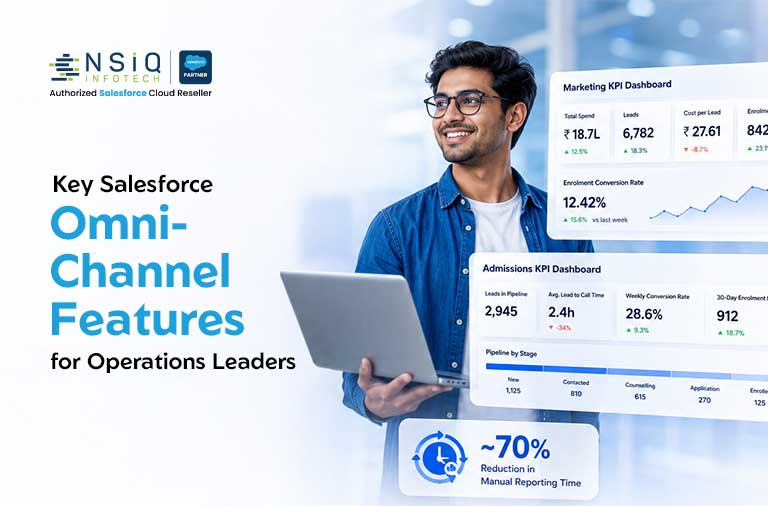
Customer expectations have changed dramatically. Whether someone contacts your team via phone, live chat, email, or social media, they expect instant, consistent, and personalized service.
For operations leaders, that’s not just a customer satisfaction challenge. It’s an operational one.
That’s where Salesforce omni-channel features come in.
Salesforce Service Cloud’s omni-channel capabilities allow your teams to manage all customer interactions from a single, unified console — ensuring no request falls through the cracks and every agent knows exactly who they’re talking to and why.
In this guide, we break down the key omni-channel features in Salesforce Service Cloud that COOs, Operations Directors, and CX Heads must evaluate before or after implementation — with real-world scenarios, actionable insights, and practical tips to get the most out of the platform.
Why Omni-Channel Matters More Than Ever
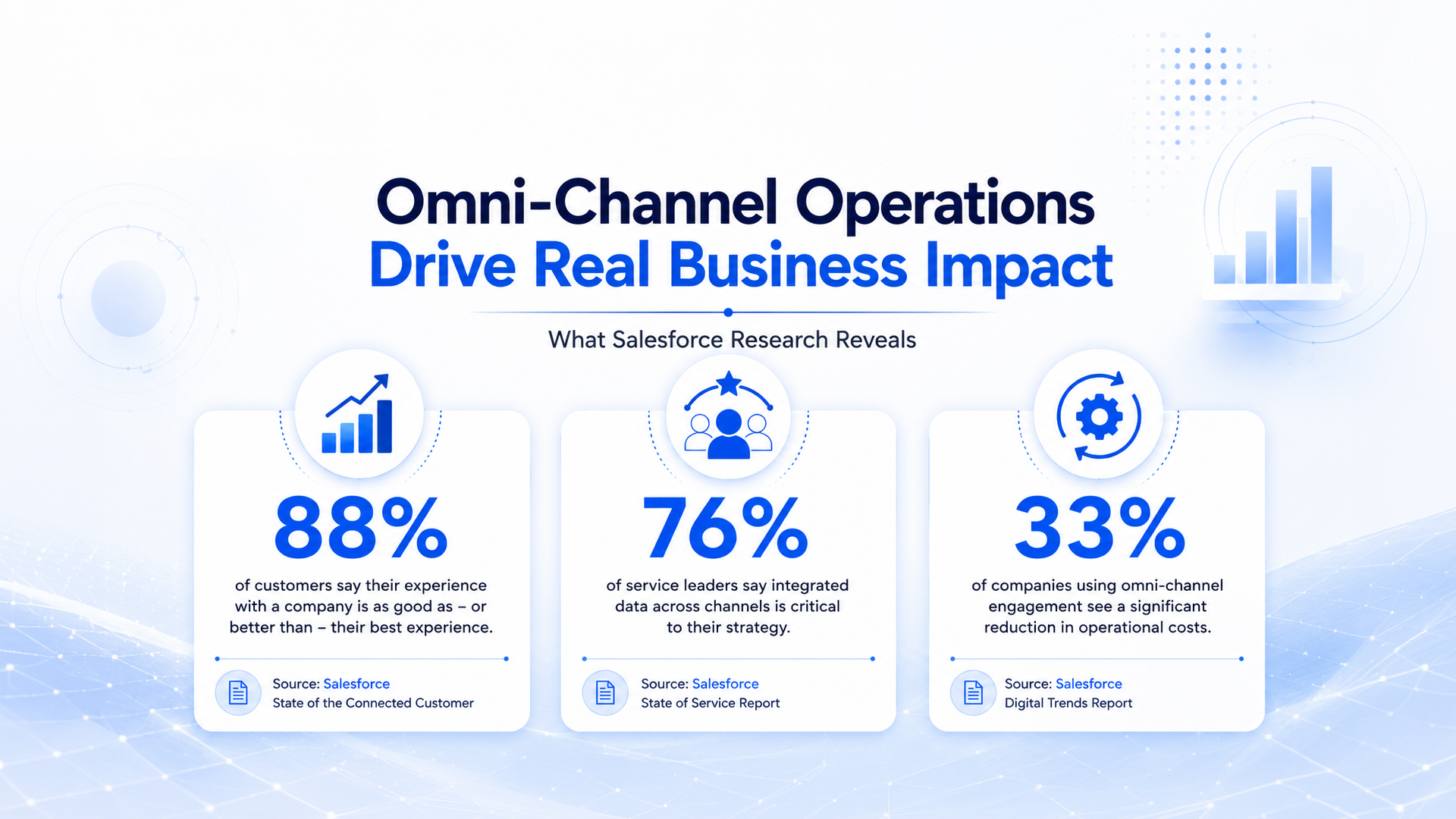
Before diving into features, here are three stats that show why getting omni-channel right is mission-critical for operations leaders.
What Is Omni-Channel in Salesforce Service Cloud?
Omni-Channel in Salesforce Service Cloud is a feature set that routes and manages work items — such as cases, chats, calls, and leads — directly to the most appropriate and available agent in real time.
Think of it as the traffic control system for your support or sales operation.
Instead of agents manually picking up cases or switching between tools, Omni-Channel automatically assigns work based on:
- Capacity
- Skills
- Priority
All within the Salesforce environment.
Unlike basic multi-channel setups (where each channel operates in its own silo), true omni-channel capabilities in Salesforce mean all channels are connected.
An agent sees the full history of a customer whether they:
- Called yesterday
- Emailed last week
- Started a chat just now
Key Salesforce Omni-Channel Features Operations Leaders Must Evaluate
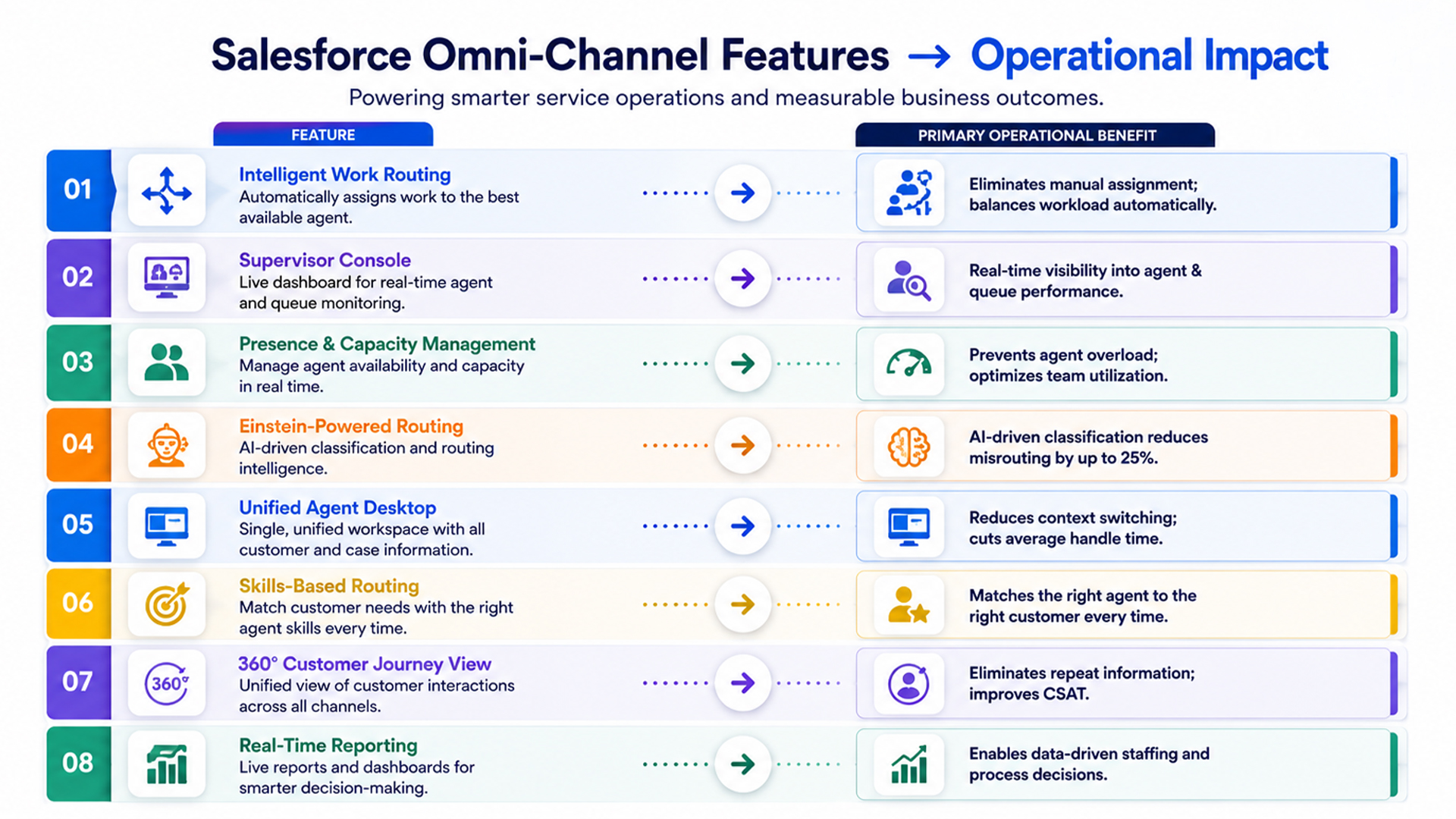
1. Intelligent Work Routing
At its core, Omni-Channel in Salesforce Service Cloud routes incoming work items — cases, chats, calls, and social messages — to the right agent automatically, without human intervention.
You Can Configure Routing Based On:
- Agent skill sets (language, product expertise, region)
- Current workload and availability
- Case priority or urgency level
- Channel type (phone, email, live chat, etc.)
Why It Matters for Operations
Manual case assignment creates:
- Delays
- Human error
- Imbalanced workloads
Intelligent routing eliminates all three.
A mid-sized insurance company configured skills-based routing so that only CSAT-trained agents handled premium policy holders, resulting in a 19% improvement in first-contact resolution.
Actionable Tip
Start with simple queue-based routing and gradually introduce skills-based routing as you build richer agent profiles in Salesforce.
2. Omni-Channel Supervisor Console
The Supervisor Console is a real-time monitoring dashboard that gives operations managers and supervisors full visibility into agent availability, queue status, and ongoing interactions without having to pull reports.
Key Capabilities
- View which agents are online, busy, or unavailable
- Monitor queue backlogs and wait times in real time
- Reassign work items manually if needed
- Flag agents for coaching or support
Why It Matters for Operations
Operations leaders often lack real-time visibility into what’s happening on the floor.
The Supervisor Console removes that blind spot.
One retail operations head reduced queue overflow incidents by 40% in the first month by proactively identifying and addressing bottlenecks.
Actionable Tip
Set up threshold alerts so supervisors are notified whenever queue volume exceeds predefined limits.
3. Agent Presence and Capacity Management
This feature controls how much work an agent receives at any given time and allows agents to manage their availability across channels.
Operations Leaders Can Define
- Maximum concurrent work items per agent per channel
- Presence configurations
- Channel capacity weights
Examples:
- Available for Chat
- Available for Cases
- On Break
Why It Matters for Operations
Overburdened agents make more mistakes and become disengaged.
Underutilized agents waste capacity.
Presence and Capacity Management creates a balance that improves both quality and efficiency.
Actionable Tip
Review capacity settings monthly and adjust based on seasonal volume trends.
4. Einstein-Powered Routing and Classification
Salesforce Einstein adds an intelligent layer to omni-channel capabilities by automatically classifying incoming cases and predicting the best routing path.
Einstein Can
- Classify cases by type, urgency, and sentiment
- Predict resolution time
- Predict escalation likelihood
- Suggest next best actions
- Auto-populate case fields
Why It Matters for Operations
For high-volume service teams, Einstein routing can reduce misrouted cases by up to 25%.
One healthcare provider used Einstein classification to automatically route billing inquiries away from clinical support agents, reducing misdirected tickets by more than 60%.
Actionable Tip
Train Einstein using historical case data before deployment to improve prediction accuracy.
5. Unified Agent Desktop (Omni-Channel Widget)
The Omni-Channel Widget is the agent-facing component located inside the Salesforce Service Console.
It provides everything agents need in a single workspace.
Capabilities Include
- Incoming work notifications
- Accept, decline, or transfer work
- Complete customer context
- Current workload visibility
Why It Matters for Operations
Switching between multiple applications significantly increases handle time and introduces errors.
The Unified Agent Desktop reduces context switching and improves productivity.
Actionable Tip
Customize the widget for different teams.
For example:
- Tier-1 agents may prioritize knowledge articles.
- Escalation teams may prioritize case history.
6. Skills-Based and Priority-Based Routing
One of the most powerful Salesforce omni-channel features for complex support environments.
Routing Logic Can Be Based On
- Language skills
- Product expertise
- Certification levels
- Customer tier
- SLA risk
- Contract value
Why It Matters for Operations
A financial services organization with over 200 agents used priority-based routing to ensure premium clients always reached senior advisors first.
The result was a 12-point increase in NPS scores within one quarter.
7. Cross-Channel Customer Journey View
One of the most valuable omni-channel capabilities is the complete 360-degree customer view.
Agents can access the customer’s entire interaction history before responding.
This Includes
- Previous case history
- Last interaction channel
- Account details
- Purchase history
- Open issues
Why It Matters for Operations
Customers dislike repeating information.
According to HubSpot research, 33% of customers identify repeating information to multiple agents as their biggest frustration.
This feature directly addresses that issue.
8. Real-Time and Historical Reporting
Salesforce Omni-Channel includes extensive reporting and analytics capabilities.
Metrics Available Include
- Average Handle Time (AHT)
- First Contact Resolution (FCR)
- Queue volume by channel
- Agent utilization
- Customer Satisfaction Scores (CSAT)
- Customer Effort Scores
Why It Matters for Operations
Operational improvement requires visibility.
These reports help leaders make informed decisions regarding:
- Staffing
- Training
- Process optimization
- Channel strategy
Actionable Tip
Create a weekly executive dashboard tracking:
- Resolution Rate
- Average Handle Time
- CSAT
- Queue Abandonment
- First Contact Resolution
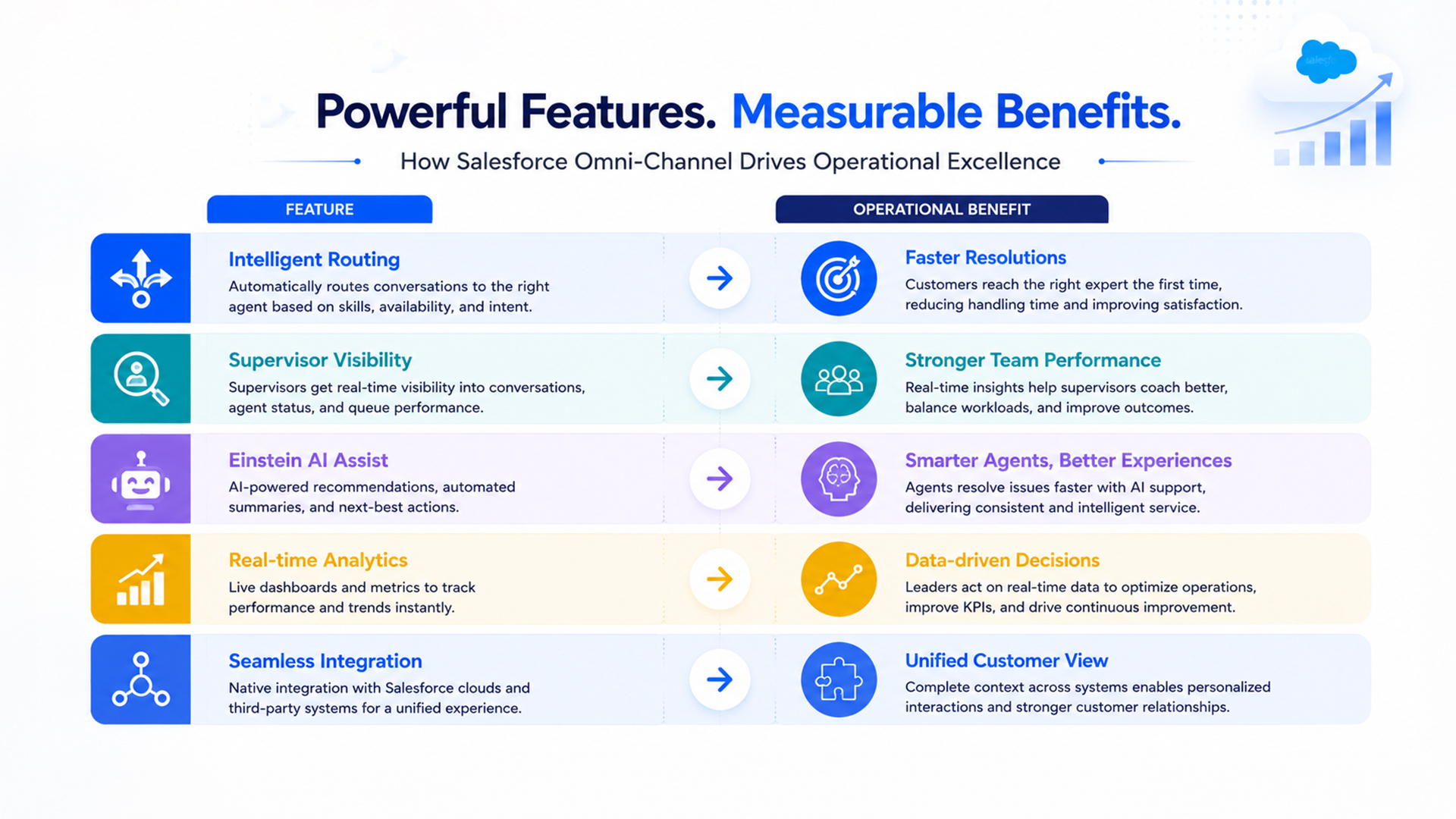
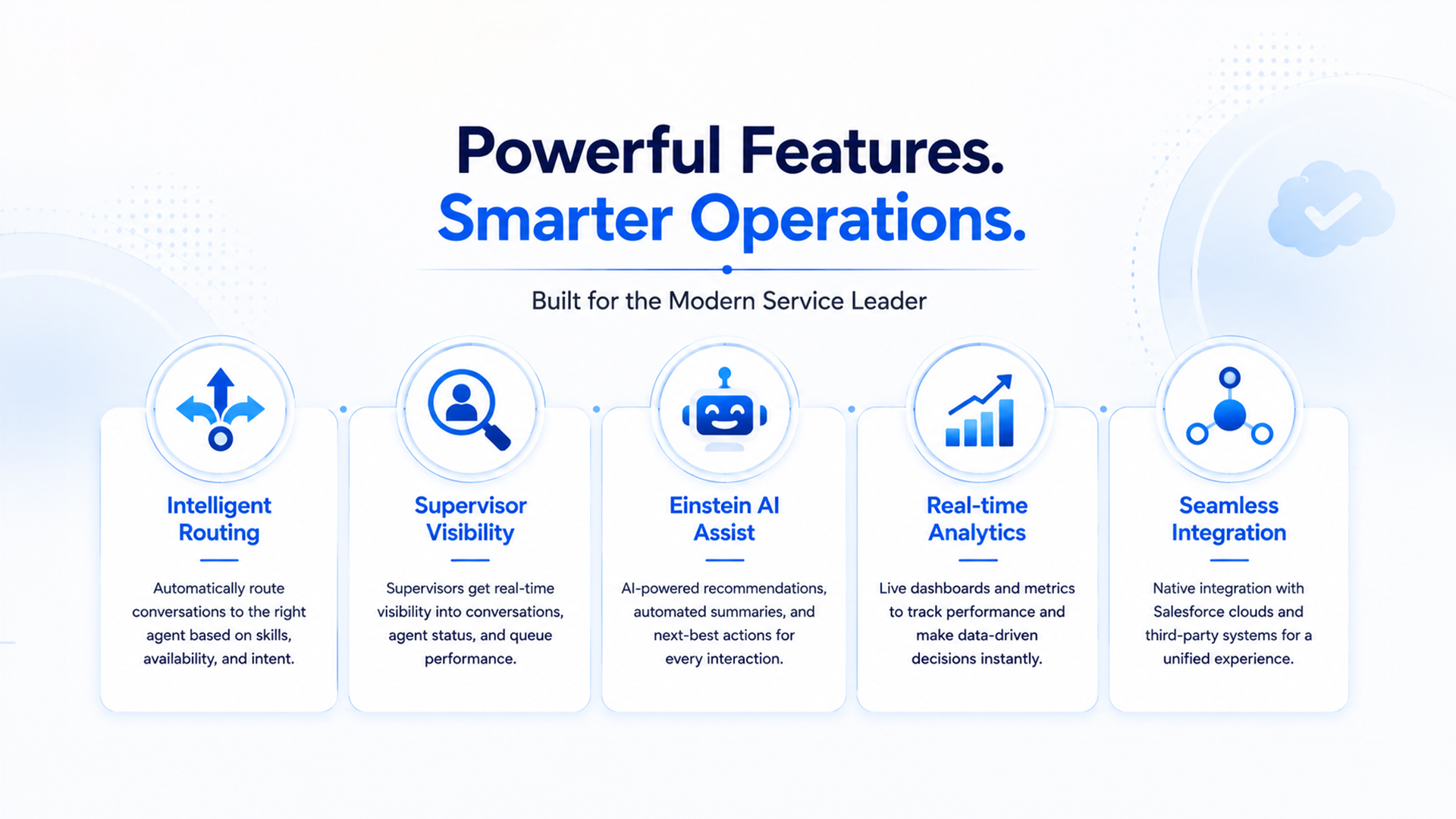
Salesforce Omni-Channel Features at a Glance
How to Evaluate These Features for Your Organization
Not every organization needs every feature activated from day one.
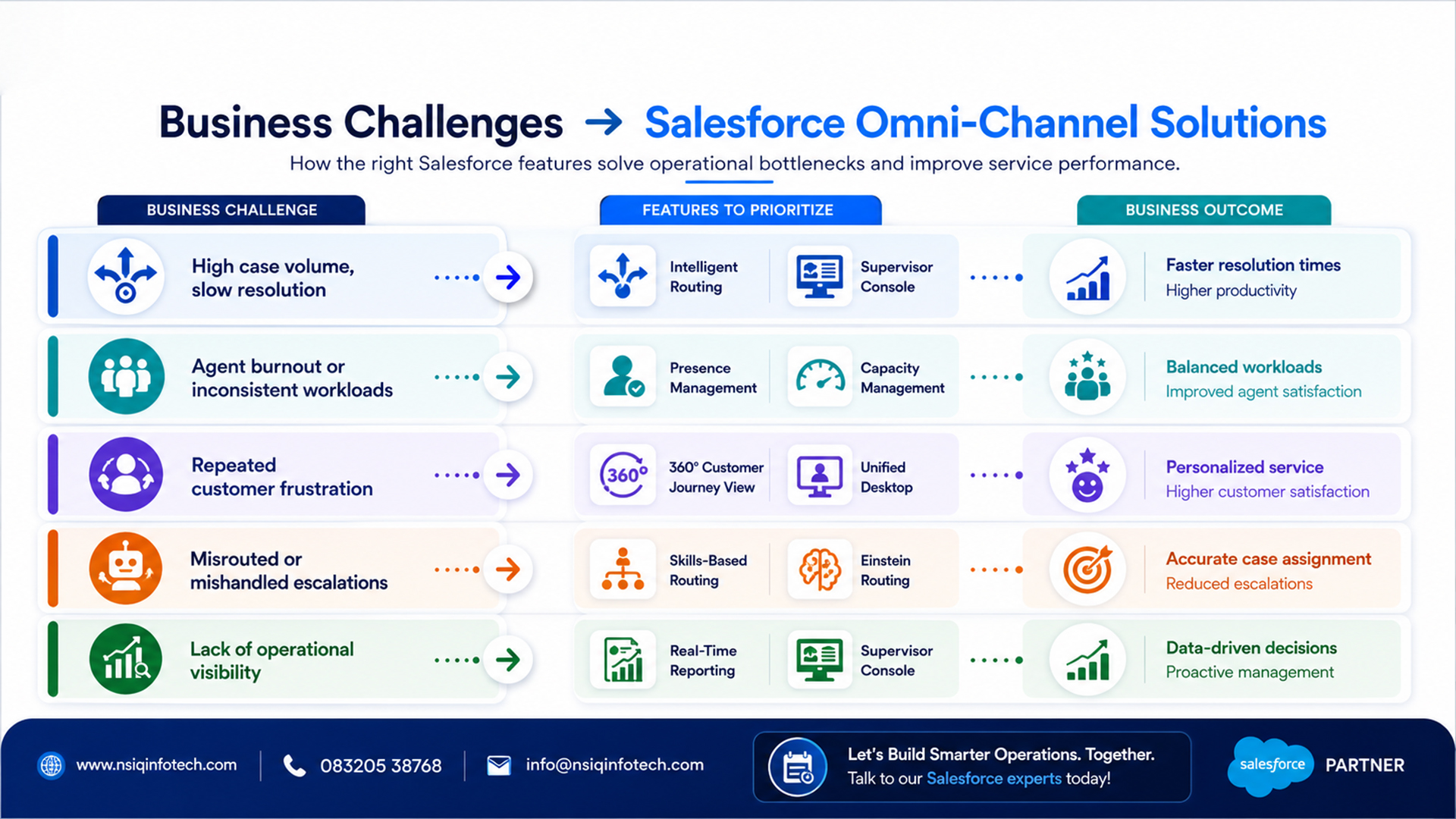
Use the framework below to prioritize based on your business challenges.
How NSIQ INFOTECH Helps You Maximize These Capabilities
Deploying Salesforce omni-channel features is one thing.
Configuring them to fit your unique workflows, teams, and customer journeys is another.
At NSIQ INFOTECH, we specialize in Salesforce Service Cloud implementations that go beyond basic setup.
Our Team Helps You
- Audit current workflows
- Identify routing inefficiencies
- Configure omni-channel routing aligned to SLAs
- Integrate telephony, chat, email, and social channels
- Build executive dashboards
- Train teams and provide post-go-live support
Whether you’re starting fresh or optimizing an existing implementation, NSIQ INFOTECH brings the technical depth and operational experience needed to deliver measurable outcomes.
Ready to Optimize Your Customer Service Operations?
NSIQ INFOTECH’s certified Salesforce consultants can help you design, implement, and optimize your omni-channel strategy — from routing configuration to executive reporting.
Book a Free 30-Minute Consultation
We’ll assess your current environment, identify opportunities for improvement, and help you build a roadmap that aligns with your operational goals.
Contact NSIQ INFOTECH today and unlock the full value of Salesforce Service Cloud Omni-Channel capabilities.