
There is a funny thing about paperwork.
Nobody really likes managing it, but almost every business depends on it.
A sales representative can spend hours talking with a customer, understanding their requirements, preparing a proposal, negotiating pricing, and finally getting that “yes” from the customer.
- And then comes the agreement.
- Someone has to prepare it.
- Someone has to check the details.
- Someone has to send it.
- Someone has to follow up.
- Someone has to make sure it gets signed.
- And eventually, someone has to find the signed copy again.
- The signature itself may take less than a minute.
- Everything around it can take much longer.
For businesses using Salesforce, this can become even more noticeable. Customer information, opportunities, contacts, cases, and other business data may already be stored in Salesforce. Yet the document may be created somewhere else, the signature may happen in another application, and the completed document may eventually end up in an email inbox or downloads folder.
This is one of the reasons businesses start looking for DocuSign alternatives for Salesforce.
The question is no longer simply:
“How can we get this document signed?”
It becomes:
“How can we make the entire document and signing process easier, faster, and more connected to Salesforce?”
That is where solutions such as eSignforce come into the picture.
eSignforce combines dynamic document generation and electronic signatures within Salesforce, helping businesses create documents from Salesforce data, send them for signature, track agreement activity, and maintain completed documents within the Salesforce environment.
Why Are Businesses Looking for DocuSign Alternatives for Salesforce?
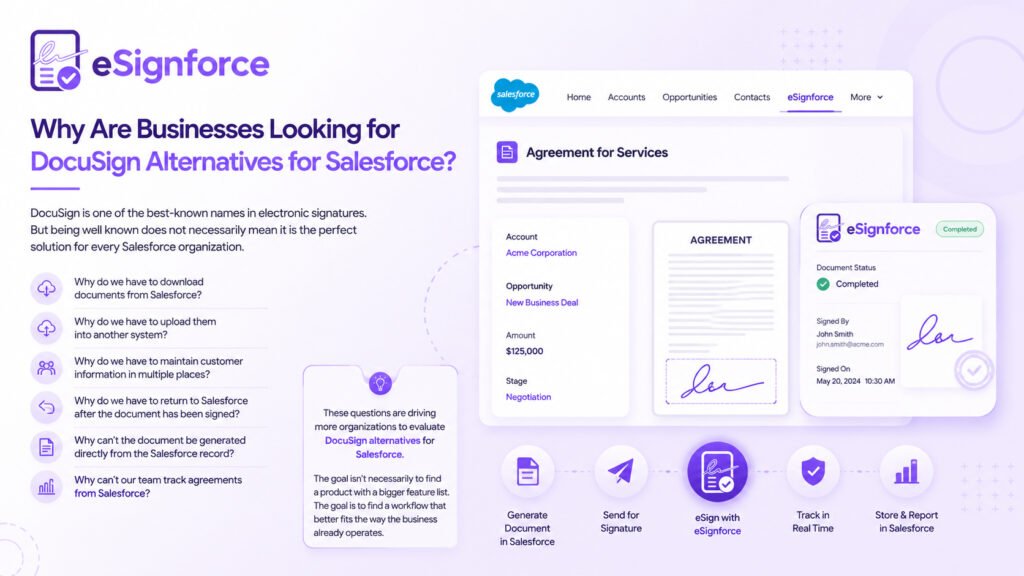
DocuSign is one of the best-known names in electronic signatures.
But being well known does not necessarily mean it is the perfect solution for every Salesforce organization.
Businesses evolve.
Their processes evolve.
Their technology stacks evolve.
A company may initially choose a standalone electronic signature platform because it simply needs a way to send documents and collect signatures.
Over time, however, more of its business processes may move into Salesforce.
Customer information lives in Salesforce.
Opportunities live in Salesforce.
Contacts live in Salesforce.
Sales processes live in Salesforce.
Reporting lives in Salesforce.
At that point, teams may start asking:
- Why do we have to download documents from Salesforce?
- Why do we have to upload them into another system?
- Why do we have to maintain customer information in multiple places?
- Why do we have to return to Salesforce after the document has been signed?
- Why can’t the document be generated directly from the Salesforce record?
- Why can’t our team track agreements from Salesforce?
These questions are driving more organizations to evaluate DocuSign alternatives for Salesforce.
The goal isn’t necessarily to find a product with a bigger feature list.
The goal is to find a workflow that better fits the way the business already operates.
What Should You Look for in a DocuSign Alternative for Salesforce?
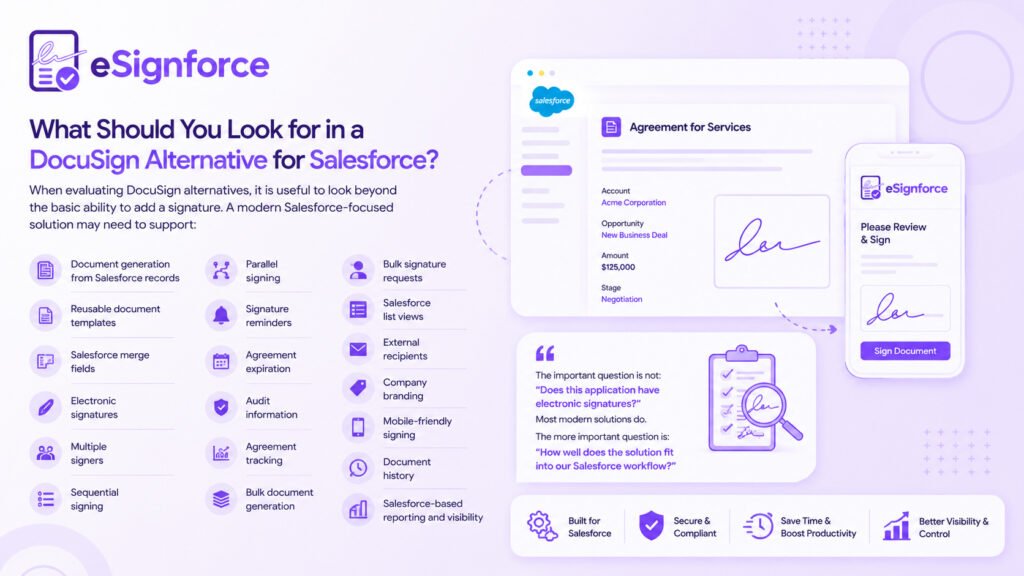
When evaluating DocuSign alternatives, it is useful to look beyond the basic ability to add a signature.
A modern Salesforce-focused solution may need to support:
- Document generation from Salesforce records
- Reusable document templates
- Salesforce merge fields
- Electronic signatures
- Multiple signers
- Sequential signing
- Parallel signing
- Signature reminders
- Agreement expiration
- Audit information
- Agreement tracking
- Bulk document generation
- Bulk signature requests
- Salesforce list views
- External recipients
- Company branding
- Mobile-friendly signing
- Document history
- Salesforce-based reporting and visibility
The important question is not:
“Does this application have electronic signatures?”
Most modern solutions do.
The more important question is:
“How well does the solution fit into our Salesforce workflow?”
The Salesforce Document Workflow Problem
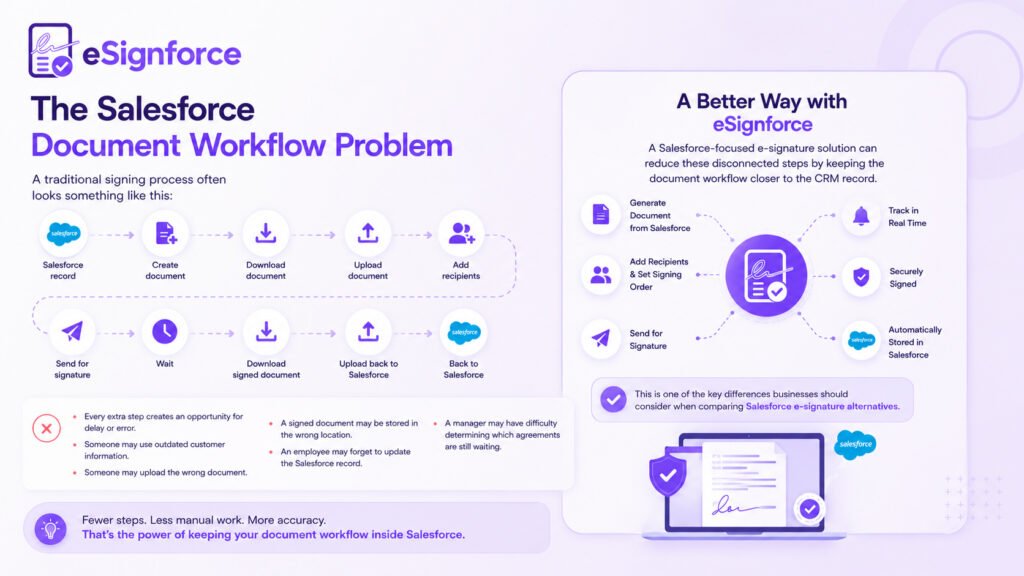
A traditional signing process often looks something like this:
Salesforce record → Create document → Download document → Upload document → Add recipients → Send for signature → Wait → Download signed document → Upload back to Salesforce
Every extra step creates an opportunity for delay or error.
Someone may use outdated customer information.
Someone may upload the wrong document.
A signed document may be stored in the wrong location.
An employee may forget to update the Salesforce record.
A manager may have difficulty determining which agreements are still waiting.
A Salesforce-focused e-signature solution can reduce these disconnected steps by keeping the document workflow closer to the CRM record.
This is one of the key differences businesses should consider when comparing Salesforce e-signature alternatives.
eSignforce: Document Generation and Electronic Signatures Inside Salesforce
The strongest difference with eSignforce is that the workflow can start with the Salesforce record rather than with an existing document.
Imagine a salesperson preparing a customer agreement.
The customer information is already in Salesforce.
The opportunity information is already in Salesforce.
The pricing information is already in Salesforce.
The contact information is already in Salesforce.
Why should the salesperson manually copy all that information into a document?
With a properly prepared template, eSignforce can use Salesforce data to generate the document.
According to the product functionality described in the source material, Word templates can contain merge tags that are populated from Salesforce records. Fields, related records, child lists, images, and dates can be used to generate DOCX or PDF documents.
The document becomes a natural extension of the Salesforce record.
This is an important distinction when comparing DocuSign alternatives for Salesforce options.
Turn Salesforce Data Into Documents
A document template can contain merge tags representing Salesforce information.
For example:
- Customer name
- Company name
- Opportunity value
- Address
- Dates
- Contact information
- Related records
- Child records
- Images
- Other Salesforce fields
eSignforce also provides a field reference panel to help users identify the appropriate Salesforce fields and insert the corresponding tags into templates.
This can reduce the amount of manual data entry involved in document creation.
It also helps reduce mistakes.
A small mistake in a merge tag can prevent information from appearing correctly in the final document.
eSignforce includes tag validation so that unmatched or incorrect tags can be identified during template preparation.
Formatting is also supported for values such as currency and dates.
The result is a document that uses Salesforce information without requiring users to repeatedly copy and paste CRM data.
From a Salesforce Opportunity to a Finished Agreement
Consider a common sales workflow.
A sales representative has an opportunity in Salesforce.
The Opportunity contains the customer’s information, pricing, products, contacts, and other relevant details.
Instead of starting with a blank document, the user can select an appropriate template and use the Salesforce record to generate the agreement.
eSignforce supports document generation from records such as:
- Accounts
- Opportunities
- Contacts
- Leads
- Cases
The generated document can then remain associated with the Salesforce record.
That connection matters.
If the agreement belongs to an Opportunity, users should be able to find it from that Opportunity.
If the document belongs to a customer, users should be able to associate it with that customer.
The document should not become an isolated file sitting on someone’s computer.
This Salesforce-first approach is one of the reasons organizations consider an eSign app for Salesforce when evaluating alternatives to standalone signing platforms.
Customers Don’t Need a Salesforce License to Sign
- Your customers are not Salesforce users.
- Your suppliers may not be Salesforce users.
- Your partners may not be Salesforce users.
So why should they need Salesforce access simply to sign a document?
With eSignforce, external recipients can receive a signing link and complete the signing process through a browser.
The signing experience is provided through an Experience Cloud page, and the recipient does not need a Salesforce account or an application to install.
- The signer receives a tokenized link and sees the fields assigned to them.
- The experience is also designed for mobile devices and touch-based signing.
- That matters because customers don’t always sign documents from their office computers.
- They may be using a phone.
- They may be traveling.
- They may open the agreement outside normal business hours.
- The fewer barriers between the customer and the signature, the simpler the experience becomes.
Support for Multiple Signers and Real Business Workflows
Not every agreement has one signer.
A customer agreement might require:
- The customer’s approval
- A manager’s approval
- An internal signature
- A copy to another stakeholder
eSignforce supports sequential and parallel signing workflows.
Recipients can be added as signers or CC recipients.
Agreements can also have expiry dates.
This can be useful when an offer, quotation, or agreement should only remain available for a defined period.
Once an agreement has been sent, the document and fields become locked for editing.
Reminders can also be used for outstanding signers.
These capabilities address practical problems that occur in everyday business workflows.
People forget.
Emails get missed.
Approvals happen in stages.
Documents remain unanswered.
A useful electronic signature solution needs to account for those situations.
What Does the Actual Signing Experience Look Like?
The signing process should be simple for the recipient.
eSignforce supports multiple field types, including:
- Signature
- Initials
- Date signed
- Full name
- Company
- Title
- Text
- Checkbox
Fields can be assigned to specific recipients and can be required or optional.
A signer sees the fields assigned to them.
Required fields help prevent incomplete documents from being submitted.
For longer contracts, fields can be positioned across multiple pages.
A signer can also decline an agreement, with that outcome recorded as part of the agreement process.
That distinction is important.
A document that is waiting for a response is different from a document that has been explicitly declined.
Your system should be able to tell the difference.
What Happens After Someone Signs?
Getting someone to sign a document is only one part of the process.
What happens afterward can be just as important.
Imagine that six months later someone asks:
- Who signed this agreement?
- When did they sign it?
- Which version did they sign?
- Was the document changed afterward?
- Do we still have the original?
- Can we prove what happened?
- eSignforce is designed to retain this information.
- When the signing process is completed, signatures, initials, dates, and entered information are stamped into the PDF.
- A separate certificate of completion records information about the signers and their actions.
The system also records information such as:
- Signer’s IP address
- Browser
- Timestamp
- Signing activity
- Agreement events
The signing event trail records actions such as opening, viewing, signing, or declining an agreement.
The original document, completed document, and certificate are maintained separately.
This provides a clearer history of the agreement lifecycle.
For businesses evaluating DocuSign alternatives for Salesforce, auditability and document history should be part of the evaluation—not an afterthought.
What About 100 or 1,000 Documents?
Manual document processes may seem manageable when there are only a few agreements.
But what happens when the volume increases?
Generating one agreement manually can be inconvenient.
Generating hundreds can become a major operational problem.
eSignforce supports bulk document generation, allowing users to select multiple records and generate individual documents using each record’s data.
Bulk generation can also work from Salesforce list views.
Bulk sending for signature is also supported.
This can be useful for:
- Renewal documents
- Policy acknowledgements
- NDAs
- Customer agreements
- Standard forms
- Repeated business documents
Recipients can also be supplied through CSV.
The bulk operation continues on the server, so users don’t have to remain on the screen waiting for every document to finish.
This is one area where eSignforce goes beyond being a basic electronic signature app for Salesforce and becomes part of a broader document workflow.
Track Agreements From Salesforce
A signature request can easily disappear into an inbox.
The salesperson thinks the customer is signing.
The customer thinks someone else is reviewing it.
Three days have passed.
Nobody knows what happened.
Visibility is therefore an important part of any Salesforce e-signature solution.
eSignforce provides an Agreement Dashboard with information such as:
- Total agreements
- Agreements in progress
- Completed agreements
- Completion rate
- Average signing time
- Pending signers
Status views can include:
- Draft
- Sent
- Signed
- Completed
- Expired
- Declined
Generation attempts are also logged, including information such as the related record, template, filename, duration, and errors.
This provides teams with a clearer view of their document workflow.
Instead of searching through individual inboxes, employees can use the system to understand what is happening with their agreements.
Keep the Signing Experience on Brand
Branding can be easy to overlook when evaluating DocuSign alternatives.
But the signing experience is still part of your customer experience.
When customers receive a document from your company, they should feel that they are still interacting with your company.
eSignforce allows organizations to:
- Use their logo
- Display their company name
- Apply company colors
- Customize signing emails
- Maintain consistent email designs
- Choose the sender address used for communications
This helps create a more consistent customer experience.
A customer shouldn’t feel like they have suddenly been moved into a completely unrelated system simply because they need to sign an agreement.
Is eSignforce a Good DocuSign Alternative for Salesforce?
There is no single best DocuSign alternative for every organization.
The right choice depends on your business requirements.
If your company only needs to sign an occasional document, a simple electronic signature tool may be sufficient.
But if your organization relies heavily on Salesforce and needs documents to be generated from Salesforce records, your requirements may be different.
When comparing DocuSign alternatives for Salesforce, consider questions such as:
-
Where is the document created?
Does your team create it manually outside Salesforce, or can it be generated from Salesforce data?
-
Where does the customer data come from?
Are employees copying information between systems, or can the document use existing Salesforce records?
-
Where does the signed document go?
Does the completed agreement remain connected to the relevant Salesforce record?
-
Where can employees see agreement status?
Can managers and teams see which agreements are pending, completed, expired, or declined?
-
Where is the audit information stored?
Can you easily access the signing history and completion evidence?
-
Can you generate hundreds of documents?
Does the platform support bulk document generation and bulk signature requests?
These questions are often more important than simply comparing feature lists.
eSignforce vs. the Traditional Standalone Signing Workflow
The difference can be summarized simply.
Traditional workflow
Salesforce → Export data → Create document → Upload document → Add signers → Send → Track elsewhere → Download signed document → Update Salesforce
Salesforce-focused workflow
Salesforce record → Generate document → Send for signature → Track agreement → Store completed documents
The second approach keeps more of the process connected to the CRM environment.
That can reduce unnecessary movement between applications and help teams maintain better visibility.
eSignforce is designed around this Salesforce-first approach.
Its documentation describes templates, agreements, signers, events, and finished documents as Salesforce records, making them reportable and subject to Salesforce sharing rules.
For Salesforce-focused organizations, that can be a meaningful difference.
Is There a Free DocuSign Alternative?
This is one of the most common questions people ask when evaluating electronic signature software.
You will find searches for:
- Free document signing app
- Free DocuSign alternatives
- Digital signature app free download
- Cheaper alternative to DocuSign
Free tools and free plans can make sense for individuals or businesses with very limited signing requirements.
If you sign only a few documents every month, a simple solution may be enough.
But business requirements often grow.
Eventually, teams may need:
- Reusable templates
- Salesforce data integration
- Multiple recipients
- Signature reminders
- Agreement history
- Audit information
- Bulk processing
- Document tracking
- Reporting
- Repeatable workflows
At that point, the question becomes less about:
“Can I sign this document for free?”
And more about:
“How much time and effort are we spending managing the entire document process?”
That is the more important business question.
What Makes eSignforce Different?
The strongest difference is simple:
The document can be created from your Salesforce data.
Traditional signing workflows often start with a document that someone has already created.
eSignforce can start with the Salesforce record.
The document is generated from the record.
The agreement moves through the signing workflow.
The signer receives their link.
The signature is captured.
The activity is recorded.
The completed documents remain connected to the Salesforce environment.
Bulk operations can also be part of the workflow.
This makes eSignforce more than a basic signature tool.
It connects:
Salesforce data → Document generation → Agreement → Electronic signature → Audit trail → Completed document
That end-to-end workflow is one of the main reasons Salesforce organizations may consider it when evaluating DocuSign alternatives for Salesforce.
Who Can Use a Salesforce E-Signature Solution?
The requirement for document generation and electronic signatures exists across many industries.
- A university may need admission agreements.
- A financial services company may need customer documents.
- A real estate organization may need property agreements.
- A technology company may need sales contracts.
- A consulting firm may need statements of work.
- A recruitment company may need employment documents.
- A healthcare organization may need forms and authorizations.
- A manufacturing company may need supplier or customer agreements.
- The document changes.
- The Salesforce object may change.
- The people signing it may change.
But the underlying process remains familiar:
- Generate the right document.
- Send it to the right people.
- Get it signed.
- Keep a clear record of what happened.
That is why a Salesforce e-signature alternative can be useful across many industries.
When Should You Consider an eSign App for Salesforce?
If your company already relies on Salesforce, look at your document process from the user’s point of view.
Not just from the software feature list.
Think about the actual day-to-day experience.
A salesperson should not have to become a document administrator just to send an agreement.
An operations team should not have to search through multiple systems to find a signed document.
A customer should not need to create another account simply because they need to sign something.
A manager should not need to ask several employees for an update on which agreements are still waiting.
The best technology often does something very simple:
It removes work that nobody needed to be doing in the first place.
That is the idea behind eSignforce.
Final Thoughts: Choosing the Right DocuSign Alternative for Salesforce
Electronic signatures have changed the way businesses handle documents.
But the signature itself was never the entire problem.
The real challenge is everything around it:
- Creating the document.
- Finding the right customer information.
- Checking the details.
- Sending it.
- Getting the right people to sign.
- Following up.
- Knowing what happened.
- Keeping the original.
- Keeping the signed copy.
- Keeping the evidence.
Finding everything again when someone asks about it months later.
For Salesforce organizations, choosing the right DocuSign alternatives for Salesforce means looking at the complete document lifecycle.
eSignforce brings document generation and electronic signatures closer to Salesforce by allowing businesses to:
- Generate documents from Salesforce records
- Use reusable templates and merge fields
- Send documents to external recipients
- Support multiple signing workflows
- Capture signing evidence
- Generate documents in bulk
- Send signature requests in bulk
- Track agreements
- Maintain document history
- Keep related information within Salesforce
So if you’re searching for DocuSign alternatives, comparing a DocuSign alternative for Salesforce, or evaluating Salesforce e-signature alternatives, don’t only compare the signature feature.
Look at the complete journey.
Ask yourself:
- Where does my document start?
- Where does my customer data live?
- Where does the agreement go after it is signed?
- Can my team find everything when they need it?
And perhaps the most important question:
How many unnecessary steps are we making our employees and customers go through just to get a document signed?
If the answer is “too many,” it may be time to rethink the workflow.
eSignforce brings the document, the signature, the evidence, and the Salesforce record closer together—so your team can spend less time moving paperwork around and more time getting business done.
Frequently Asked Questions
- What are DocuSign alternatives for Salesforce?
DocuSign alternatives for Salesforce are electronic signature and document workflow solutions that can connect signing processes with Salesforce records and business workflows. The right solution depends on your requirements for document generation, signing, tracking, audit information, bulk processing, and Salesforce integration.
- What is a DocuSign alternative for Salesforce?
A DocuSign alternative for Salesforce is a solution designed to help Salesforce organizations create, send, manage, and track documents and electronic signatures while keeping the workflow connected to Salesforce.
- Is eSignforce a DocuSign alternative?
Yes. eSignforce can be considered a DocuSign alternative for Salesforce for organizations looking for Salesforce-focused document generation and electronic signature capabilities.
- What is an eSign app for Salesforce?
An eSign app for Salesforce connects electronic signature workflows with Salesforce records and business processes. eSignforce also provides dynamic document generation, allowing documents to be created from Salesforce data.
- Can customers sign eSignforce documents without a Salesforce account?
Yes. External recipients can sign through a browser without requiring a Salesforce license or an application installation.
- Can eSignforce generate documents from Salesforce records?
Yes. eSignforce can use Salesforce record data and Word templates with merge tags to generate DOCX or PDF documents.
- Can eSignforce handle multiple signers?
Yes. eSignforce supports sequential and parallel signing, along with signers and CC recipients.
- Can eSignforce send documents in bulk?
Yes. eSignforce supports bulk document generation and bulk signature sending, including workflows using Salesforce list views and CSV recipient lists.
- What should I consider when comparing Salesforce e-signature alternatives?
Consider document generation, Salesforce data integration, reusable templates, signing workflows, external recipients, audit trails, agreement tracking, bulk processing, branding, reporting, and how closely the solution integrates with your existing Salesforce processes.
- Why choose a Salesforce-focused e-signature solution?
For Salesforce-focused organizations, keeping document generation, agreements, signing activity, and completed documents closely connected to Salesforce can reduce the need to move information between separate systems and improve visibility across the document lifecycle.