Healthcare is no longer just about treatment it’s about experience, communication, and continuity of care.
Today’s hospitals face challenges like:
• Managing high volumes of patient queries
• Handling complaints efficiently
• Ensuring timely follow-ups
• Maintaining accurate patient communication records
Without the right system, these tasks become chaotic, leading to patient dissatisfaction and operational inefficiency.
This is where healthcare crm software like Service Cloud comes in — bringing everything into a single, unified platform.
Why Traditional Hospital Systems Fall Short
Most hospitals rely on:
• Disconnected systems (Excel, emails, manual logs)
• Basic hospital management software without CRM capabilities
• Limited visibility into patient interactions
Common Problems Hospitals Face
• Missed follow-ups due to lack of tracking
• Delayed complaint resolution
• No centralized patient communication history
• Poor coordination between departments
Stat Insight
According to McKinsey, healthcare organizations that digitize patient engagement can improve operational efficiency by up to 30%.
What this means:
Hospitals that adopt healthcare workflow automation software can significantly reduce delays and improve patient satisfaction.
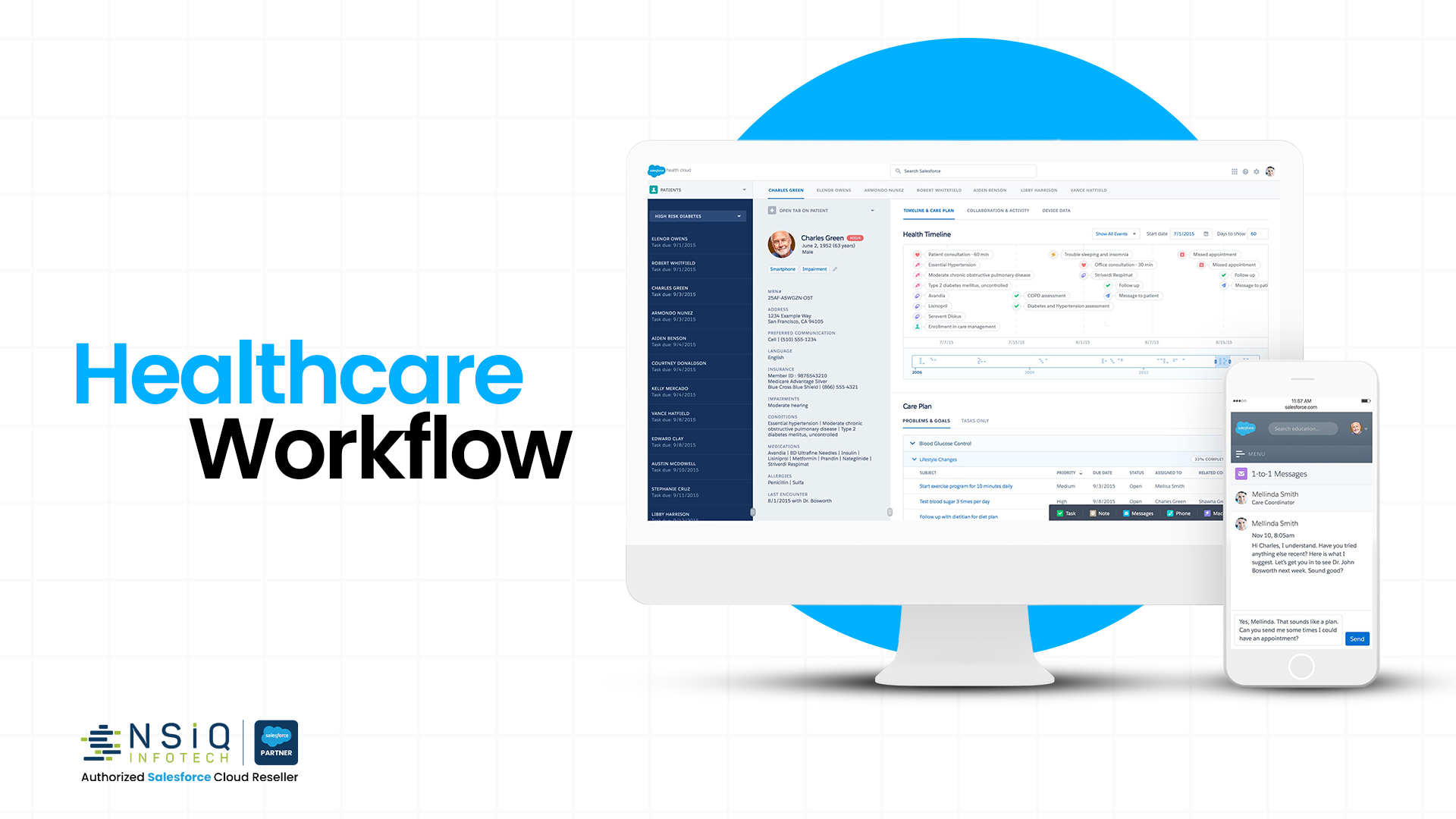
What is Service Cloud for Healthcare?
Service Cloud is a customer service and support platform adapted for healthcare use.
When implemented as salesforce for healthcare, it becomes a powerful tool to manage:
• Patient inquiries
• Complaints and escalations
• Appointment follow-ups
• Care coordination
In Simple Terms
It acts as a central brain for all patient interactions.
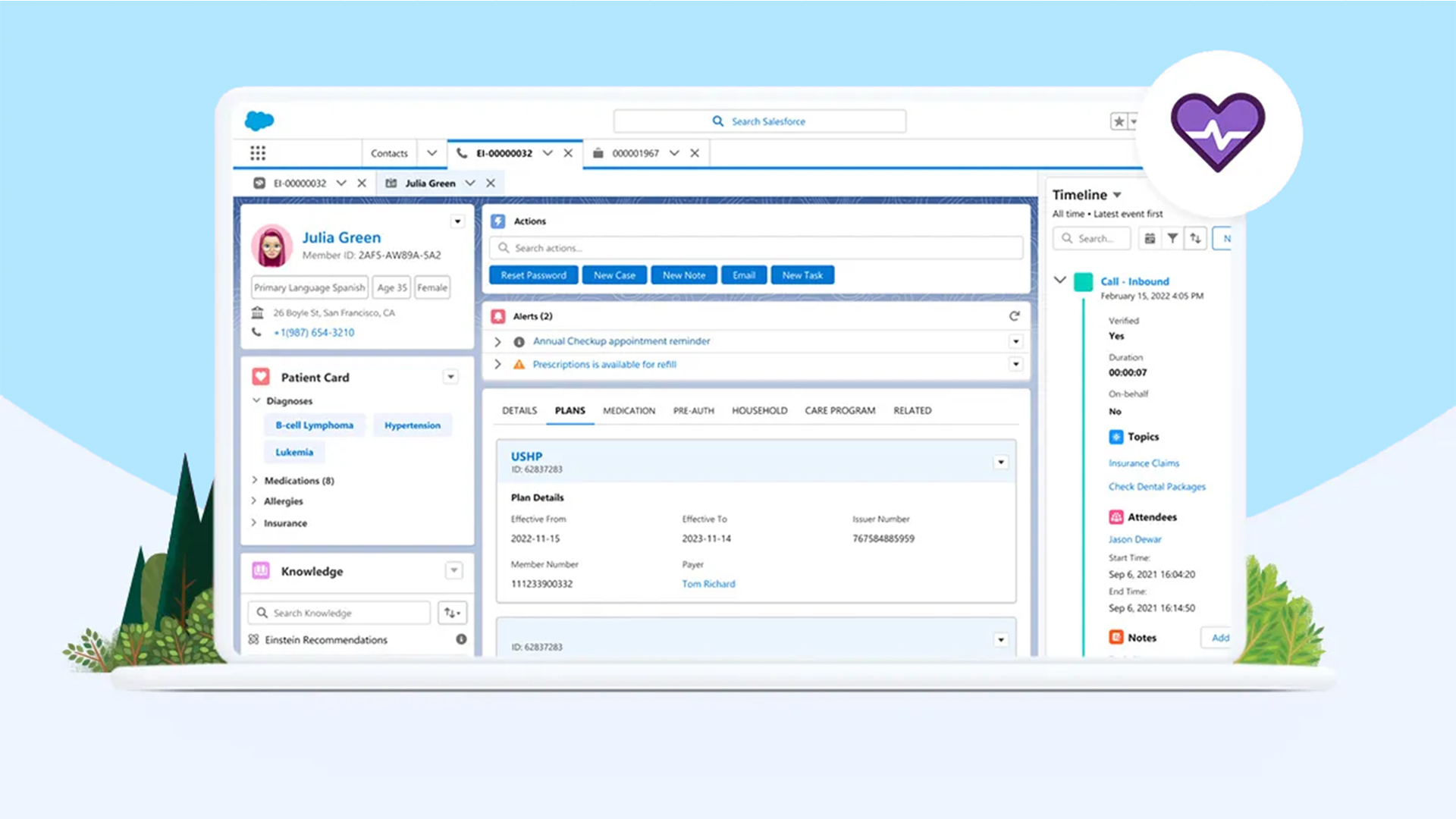
How It Works in a Hospital Environment
Instead of scattered systems, everything is handled through one platform:
Core Capabilities
• Case management for patient requests
• Automated follow-up reminders
• Omni-channel communication (call, email, chat)
• Real-time patient data access
• Workflow automation
This transforms traditional hospital information system into a more patient-centric ecosystem.
Managing Patient Support Efficiently
Patient support is often the first touchpoint — and it defines the entire experience.
Challenges Without CRM
• Long response times
• Repeated patient queries
• No context of previous interactions
With healthcare crm software
• Every patient request becomes a “case”
• All history is visible in one screen
• Agents can respond faster and more accurately
Mini Example
A patient calls regarding lab results:
Without CRM → Staff checks multiple systems → delay
With Service Cloud → All data visible instantly → issue resolved in minutes
Handling Patient Complaints the Right Way
Complaints are inevitable — but poor handling can damage trust.
Common Issues
• Complaints get lost in emails
• No accountability
• No tracking of resolution time
With salesforce crm for healthcare industry
• Complaints are logged as cases
• Assigned automatically to the right department
• Escalated if not resolved within SLA
Stat Insight
According to HubSpot, 93% of customers are likely to return if their complaints are handled quickly and effectively.
What this means:
Efficient complaint management directly impacts patient retention and reputation.
Ensuring Timely Follow-Ups
Follow-ups are critical in healthcare — missed follow-ups can lead to serious consequences.
Challenges
• Manual tracking leads to missed reminders
• Staff overload causes delays
• No visibility into pending follow-ups
With healthcare workflow automation software
• Automated reminders for staff
• Notifications sent to patients
• Follow-up tasks assigned and tracked
Mini Case Scenario
A hospital implemented automated follow-ups:
• Reduced missed follow-ups by 40%
• Improved patient satisfaction scores significantly
End-to-End Workflow: From Patient Query to Resolution
This section can be directly converted into an infographic.
Step-by-Step Process
- Patient raises a query (call/email/chat)
- System creates a case automatically
- Case is categorized (support, complaint, follow-up)
- Assigned to the relevant team
- Automated workflows trigger actions
- SLA tracking ensures timely resolution
- Patient receives updates
- Case is closed with complete history stored
Why this matters:
This structured approach ensures no request is lost, delayed, or ignored.
Key Benefits of Using Service Cloud in Hospitals
Operational Benefits
• Centralized patient communication
• Reduced manual work
• Faster response time
Patient Experience Benefits
• Personalized communication
• Faster issue resolution
• Better trust and satisfaction
Management Benefits
• Real-time dashboards
• Performance tracking
• SLA monitoring
Real-Life Use Case
Mid-Sized Hospital Transformation
Problem:
• 200+ daily patient queries
• Complaints resolved in 48+ hours
• Frequent missed follow-ups
Solution:
Implemented salesforce for hospitals with Service Cloud.
Results:
• Complaint resolution time reduced to 12 hours
• Follow-up compliance improved by 50%
• Patient satisfaction increased significantly
Actionable Tips for Hospital Admins
If you’re planning to implement a CRM, start here:
Practical Steps
• Map your current patient interaction process
• Identify gaps (delays, missed follow-ups, etc.)
• Start with one department (pilot approach)
• Automate repetitive tasks first
• Train staff on using the system effectively
How This Connects with Hospital Management Software
Service Cloud does not replace your system — it enhances it.
Integration Possibilities
• Connect with hospital information system
• Sync patient data in real time
• Enable unified patient profiles
This creates a complete healthcare software solutions combining:
• Clinical data
• Communication data
• Operational workflows
How NSIQ Helps You Implement This
At NSIQ, we help healthcare organizations:
• Implement salesforce crm for healthcare industry
• Customize workflows based on hospital needs
• Integrate with existing systems
• Train teams for smooth adoption
Our Approach
• Understand your process
• Design scalable workflows
• Ensure seamless implementation
Call-To-Action
If you’re looking to improve patient experience, reduce delays, and streamline operations:
Book a consultation with our experts today and see how Service Cloud can transform your hospital operations.
1. What is healthcare CRM software?
It is a system that helps hospitals manage patient interactions, support requests, and communication in one place.
2. How is Salesforce used in healthcare?
Salesforce helps manage patient support, automate workflows, and improve communication across departments.
3. What is hospital management software?
It is a system used to manage hospital operations like billing, appointments, and records.
4. How is CRM different from hospital information systems?
CRM focuses on patient interaction and communication, while HIS focuses on clinical and operational data.
5. Why do hospitals need CRM software?
To improve patient experience, track interactions, and ensure timely follow-ups.
6. What is healthcare workflow automation software?
It automates repetitive tasks like follow-ups, case assignments, and notifications.
7. Can Salesforce integrate with hospital systems?
Yes, it can integrate with existing hospital management and information systems.
8. How does CRM improve patient satisfaction?
By providing faster responses, personalized communication, and better service tracking.
9. Is Salesforce suitable for hospitals?
Yes, especially when customized for healthcare workflows and patient management.
10. What are the benefits of Salesforce for hospitals?
Improved efficiency, better communication, and enhanced patient experience.
11. How does CRM help in complaint management?
It tracks complaints, assigns them automatically, and ensures timely resolution.
12. Can CRM reduce missed follow-ups?
Yes, through automated reminders and task tracking.
13. What is Salesforce CRM for healthcare industry?
It is a customized CRM solution designed specifically for healthcare organizations.
14. How long does CRM implementation take?
It depends on the complexity, but typically ranges from a few weeks to a few months.
15. Is CRM useful for small hospitals?
Yes, it helps streamline operations regardless of hospital size.
Conclusion
Managing patient support, complaints, and follow-ups is no longer optional it’s essential.
With the right healthcare crm software, hospitals can:
• Deliver faster responses
• Improve patient satisfaction
• Reduce operational inefficiencies
Service Cloud enables hospitals to move from reactive support to proactive care.
And that’s what truly defines modern healthcare.