If you run field operations for an energy or utility company, you already know the real challenge isn’t finding good technicians. It’s coordinating hundreds of them, across hundreds of miles, while keeping the grid running, the SLAs met, and the safety record clean.
Spreadsheets and phone calls don’t scale to that. Neither does generic scheduling software built for plumbers and HVAC techs. Energy and utilities work is different — it involves regulated assets, hazardous environments, multi-day projects, and crews that need very specific certifications before they can even step onto a site.
This is exactly where Salesforce Field Service Lightning (FSL) earns its place. Built for managing field service energy utilities work at scale, FSL gives grid managers and energy ops heads a single system to schedule, dispatch, track, and report on large, distributed field teams — without losing visibility the moment a crew leaves the yard.
In this guide, we’ll walk through how FSL large field teams field service management actually works in practice for construction companies, infrastructure service providers, solar panel companies, and wind turbine operators. We’ll also cover the mistakes that derail most rollouts, the metrics worth tracking, and a few real scenarios that show what good looks like.
Why Energy and Utilities Teams Need More Than a Basic FSL Setup
Most field service tools assume a simple job: one technician, one site, one visit. Energy and utilities work rarely fits that mold.
A single wind turbine inspection might need a two-person crew with fall-protection certification, a crane operator on standby, and a weather window that can shift the entire week’s schedule. A substation repair might require an electrical safety clearance, a permit-to-work sign-off, and coordination with three different internal teams before a technician is even allowed near the equipment.
This is why a basic, out-of-the-box FSL configuration usually isn’t enough.
Salesforce FSL utility management needs to account for:
- Skill-based and certification-based scheduling (not just “who’s free nearby”)
- Asset hierarchies — substations, transformers, turbines, panels — with full service history attached
- Safety and compliance checklists built into every work order
- Crew-based scheduling instead of single-technician assignments
- Weather and outage windows that affect when work can actually happen
Get this configuration right, and dispatchers stop playing phone tag. Get it wrong, and you’ve just bought an expensive version of the spreadsheet you were trying to replace.
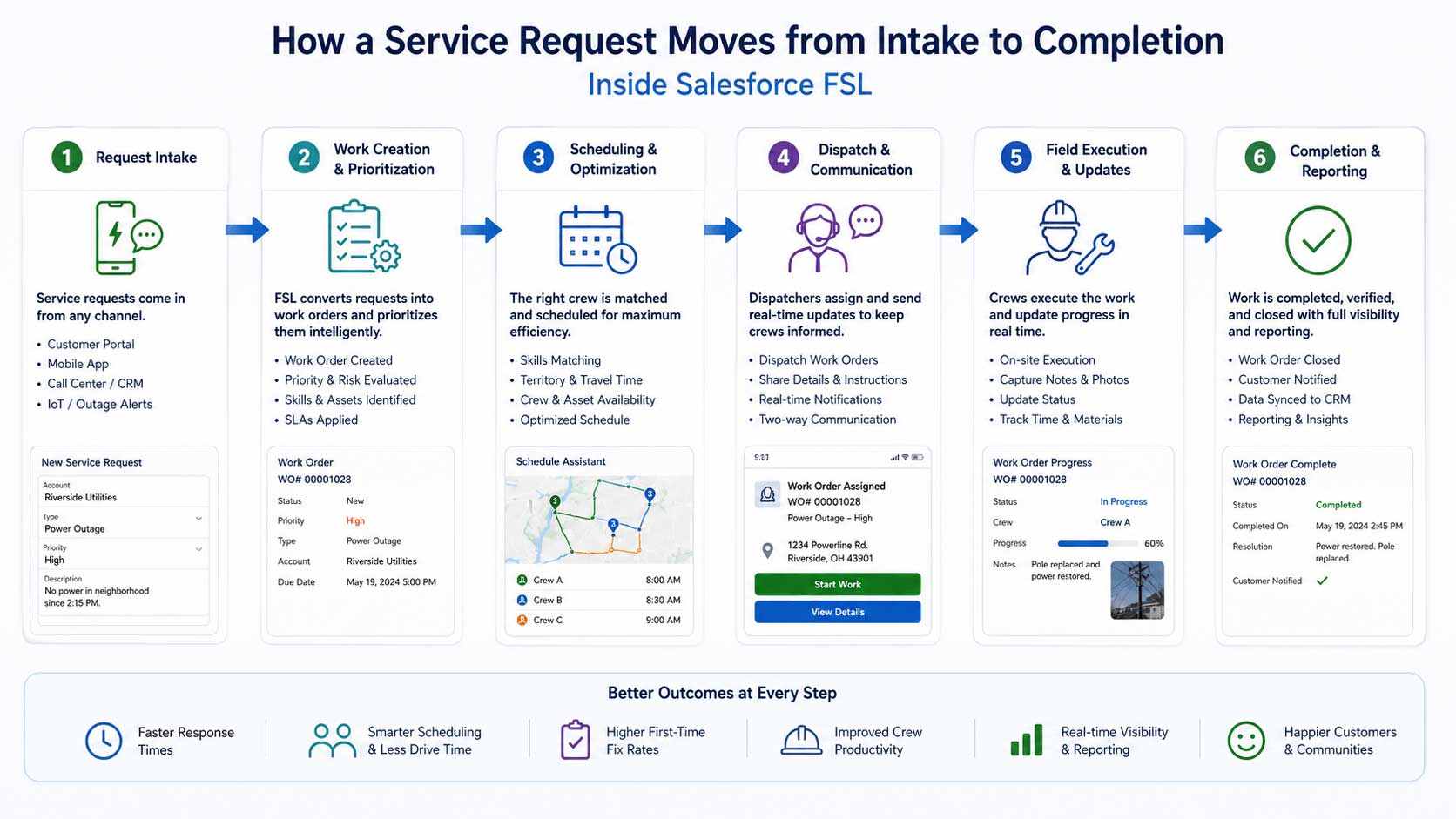
How Salesforce FSL Actually Helps Manage Large Field Teams
Let’s break down the core capabilities that matter most when you’re coordinating dozens or hundreds of field staff across a wide service territory.
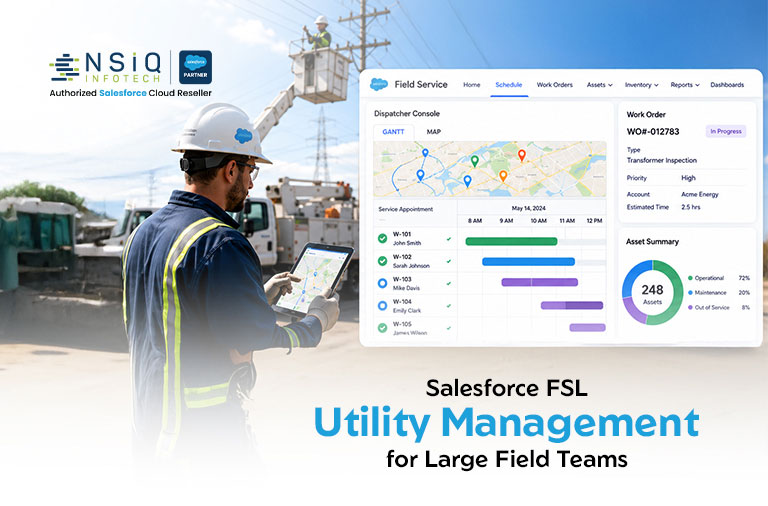
1. Centralized Dispatcher Console
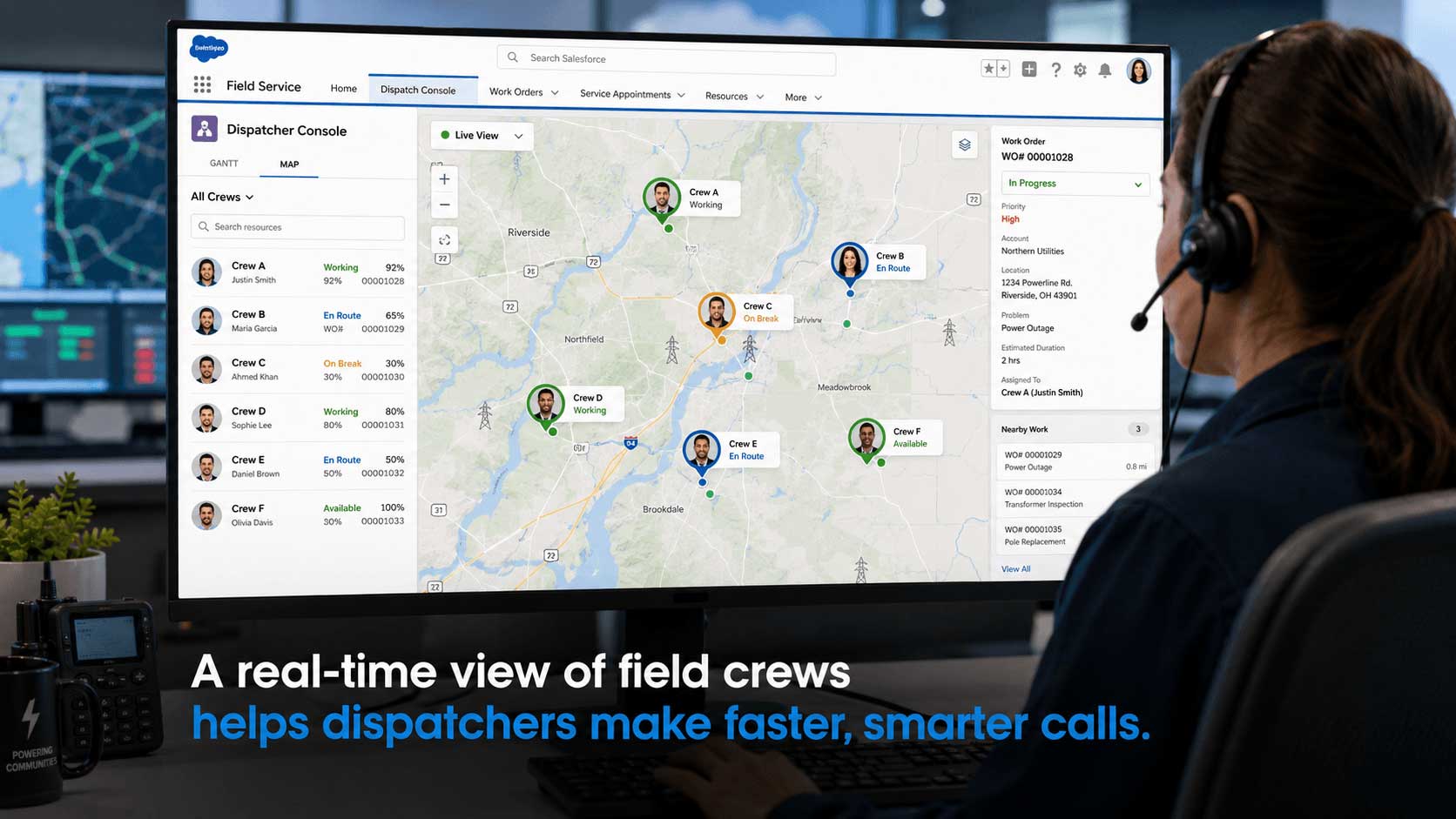
The dispatcher console gives your team a live, map-based view of every technician, crew, and vehicle in the field.
Instead of calling around to check who’s available, a dispatcher can see open slots, current locations, and skill matches in one screen, then drag and drop work orders to the right crew.
For energy and utility operators managing crews across multiple counties or states, this single view is often the single biggest time-saver in the entire system.
2. Skill and Certification-Based Scheduling
FSL’s scheduling engine doesn’t just look at who’s geographically closest.
It can be configured to match jobs based on:
- Certifications
- Equipment access
- Safety training
- Skill level
This matters enormously in regulated environments — you don’t want a technician without high-voltage clearance getting auto-assigned to a substation job because they happened to be nearby.
3. Mobile App for Remote and Field-Heavy Work
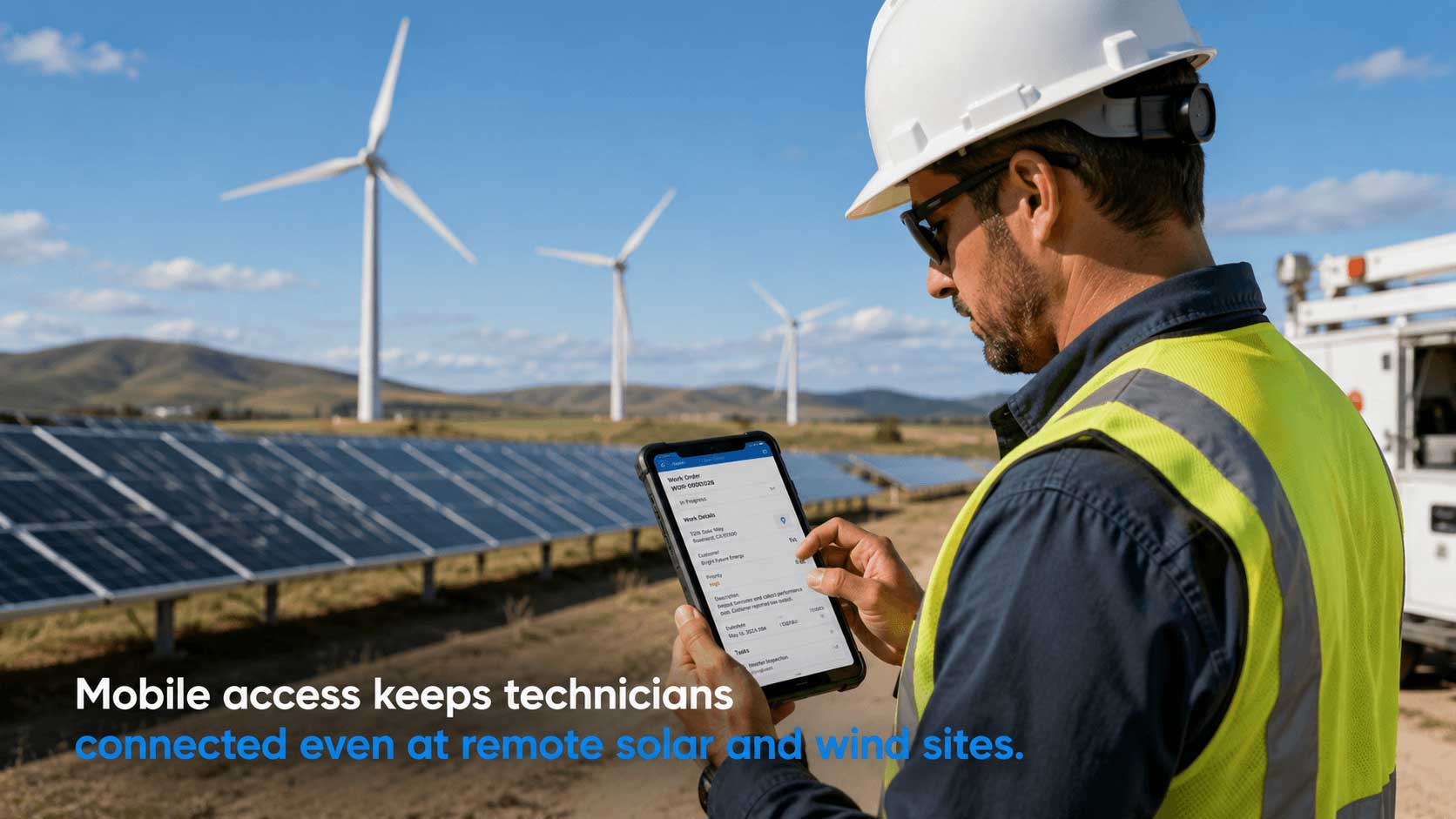
Solar farms and wind installations are often in locations with patchy connectivity.
FSL’s mobile app supports offline access, so technicians can pull up work orders, asset history, and safety documents even without a signal, then sync once they’re back in range.
4. Asset and Maintenance History Tracking
Every transformer, panel array, or turbine component can be tracked as an asset inside Salesforce, with full maintenance history attached.
When a technician arrives on-site, they’re not guessing — they can see exactly what was done last time, by whom, and what parts were used.
5. Real-Time Reporting for Ops Leadership
Energy ops heads need to see the big picture:
- How many work orders are open
- Where bottlenecks are forming
- Which regions are falling behind SLA
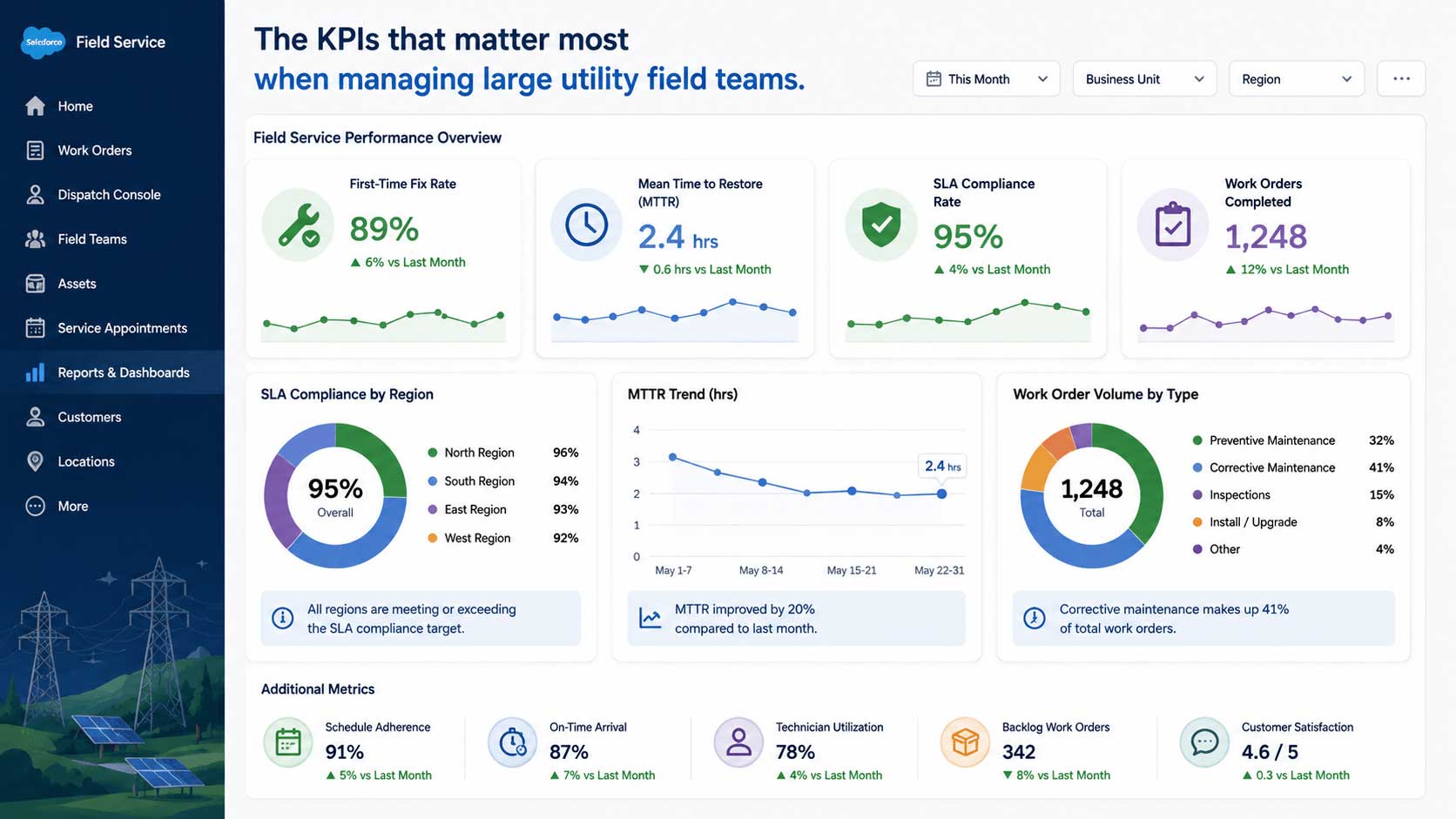
FSL’s reporting and dashboard tools surface this without anyone needing to build a manual report each week.
Real-World Example: A Multi-Region Solar Maintenance Provider
Here’s a realistic scenario that mirrors what many solar and infrastructure service providers experience.
A solar maintenance company managing panel inspections across three states was running dispatch through a mix of spreadsheets and group texts.
Crews were often double-booked, and dispatchers had no visibility into which technicians had the right ladder safety certification for steep-pitch roof work.
After implementing Salesforce FSL with skill-based scheduling rules and a certification field on every technician record:
- Double-bookings dropped because the system blocked overlapping assignments automatically.
- Dispatchers could filter by certification before assigning a job, cutting assignment errors.
- Travel time between sites was reduced because the optimization engine grouped nearby jobs into single-day routes.
This mirrors a broader pattern seen across FSL utility deployments — providers implementing AI-driven scheduling for utility field crews have reported notable reductions in scheduling-related costs after optimization rules were properly configured.
Common Mistakes Energy Companies Make With FSL Rollouts
Most failed or underwhelming FSL implementations in this sector trace back to one of these issues:
- Treating it like a generic field service tool.
- Skipping data cleanup before go-live.
- Underestimating change management.
- Ignoring mobile connectivity planning.
- Not defining KPIs upfront.
Without agreed-upon metrics, it’s hard to tell six months later whether the rollout actually worked.
Tracking the Right Metrics
Once FSL is live, the real value comes from watching the numbers that tell you whether field operations are actually improving.
The metrics worth watching most closely include:
- First-time fix rate
- Mean time to repair (MTTR)
- SLA compliance rate
- Travel time per technician per day
- Schedule utilization
Reducing MTTR in particular has a compounding effect — it improves customer satisfaction, frees up crew capacity, and reduces the operational strain that comes from a backlog of open work orders.
Why the Talent Shortage Makes This More Urgent
It’s worth connecting this to a bigger industry trend.
According to the International Energy Agency, roughly 36% of the global energy workforce works in high-skilled roles, compared to about 27% across the broader economy.
That matters directly for field team management.
When skilled crews are harder to replace, every hour of inefficient scheduling, unnecessary travel, or duplicated site visits costs more than it used to.
A well-configured FSL setup helps stretch a limited skilled workforce further by making sure the right person is assigned to the right job the first time.
The broader field service management market reflects this shift toward smarter tooling.
Industry analysis from MarketsandMarkets projected the global field service management market growing from $4.0 billion in 2023 to $7.3 billion by 2028.
Companies using AI-assisted scheduling within Salesforce’s field service platform have also reported double-digit improvements in technician response times and meaningful reductions in inbound scheduling calls after deployment.
How a Guided FSL Implementation Reduces Risk
A lot of energy and utility companies attempt FSL configuration in-house, then run into trouble when territory rules, skill matrices, or asset hierarchies don’t scale the way they expected.
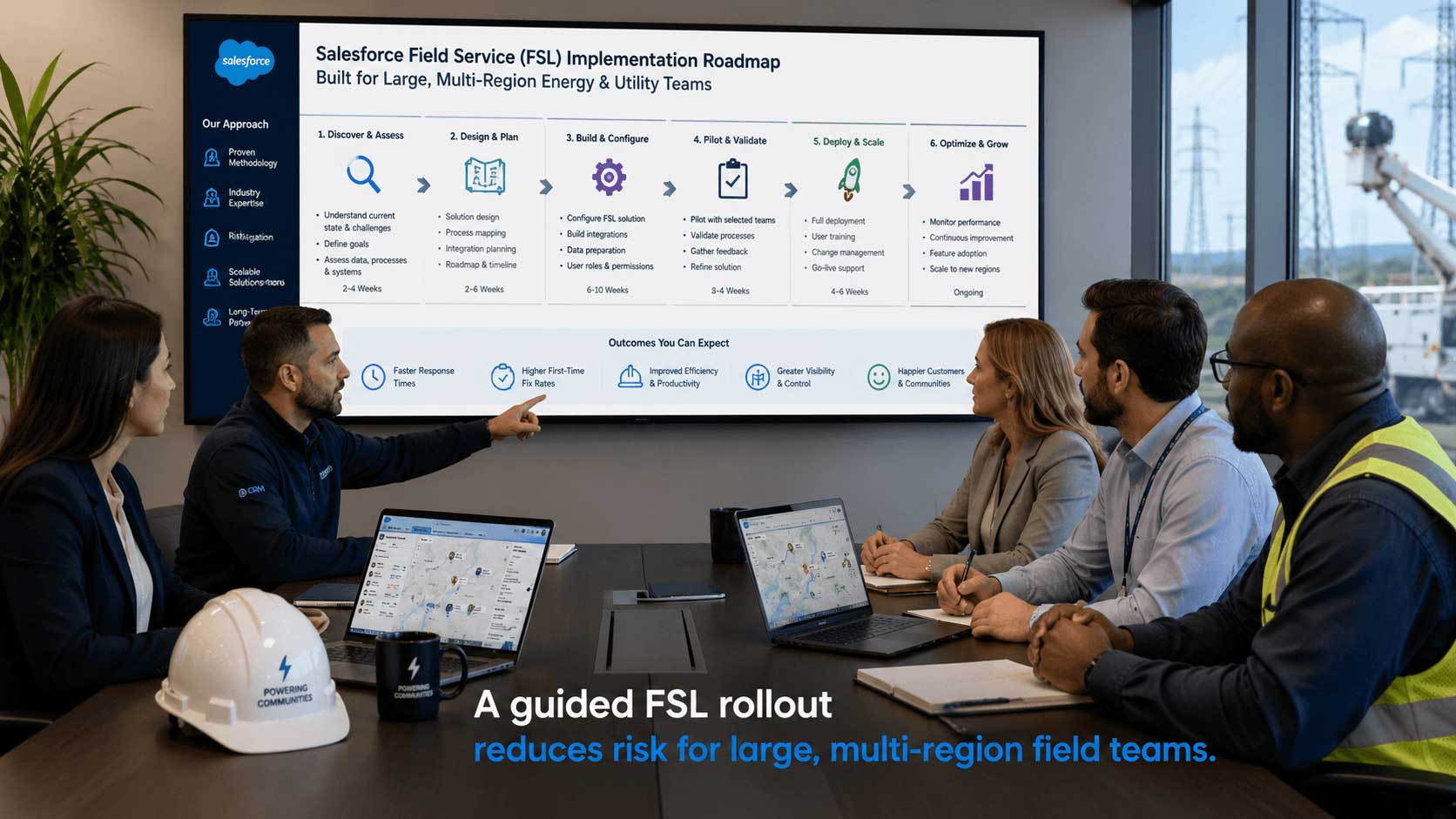
A properly scoped implementation typically includes:
- Mapping your existing service territories and crew structures into FSL correctly from day one
- Building certification and skill-matching rules specific to your compliance requirements
- Setting up asset hierarchies for substations, turbines, or panel arrays with historical data migrated in
- Configuring mobile offline access for remote sites
- Training dispatchers and field staff with role-specific walkthroughs
The goal isn’t just getting FSL turned on — it’s making sure it actually reflects how your field teams really work, so adoption sticks instead of fading out after the first busy week.
At NSIQ INFOTECH, this is the kind of FSL implementation work we focus on for construction companies, infrastructure service providers, solar panel companies, and wind turbine operators — building configurations that hold up under the complexity of large, distributed field teams rather than generic, one-size-fits-all setups.