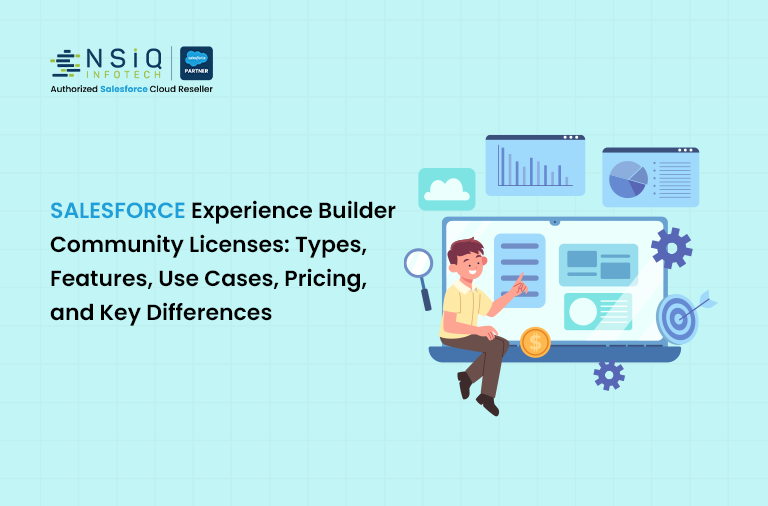
Salesforce Experience Builder Community Licenses: Types, Features, Use Cases, Pricing, and Key Differences

Introduction
Salesforce Experience Cloud (formerly Community Cloud) enables organizations to build secure, branded digital experiences for external users such as customers, partners, and vendors. Using Experience Builder, organizations can design these portals with minimal code, while community licenses define what external users can access and how they interact with Salesforce data.
This document provides a beginner-friendly overview of Salesforce Experience Builder community licenses, including license types, features, real-world use cases, pricing models, and key differences.
What Are Salesforce Experience Builder Community Licenses?
Community licenses are Salesforce licenses created specifically for external users. These users do not require full internal Salesforce access but still need controlled interaction with data and processes through an Experience Cloud site.
Common use cases include:
- Customer self-service portals
- Partner relationship management (PRM)
- Vendor and supplier portals
- Custom external business applications
Types of Salesforce Community Licenses
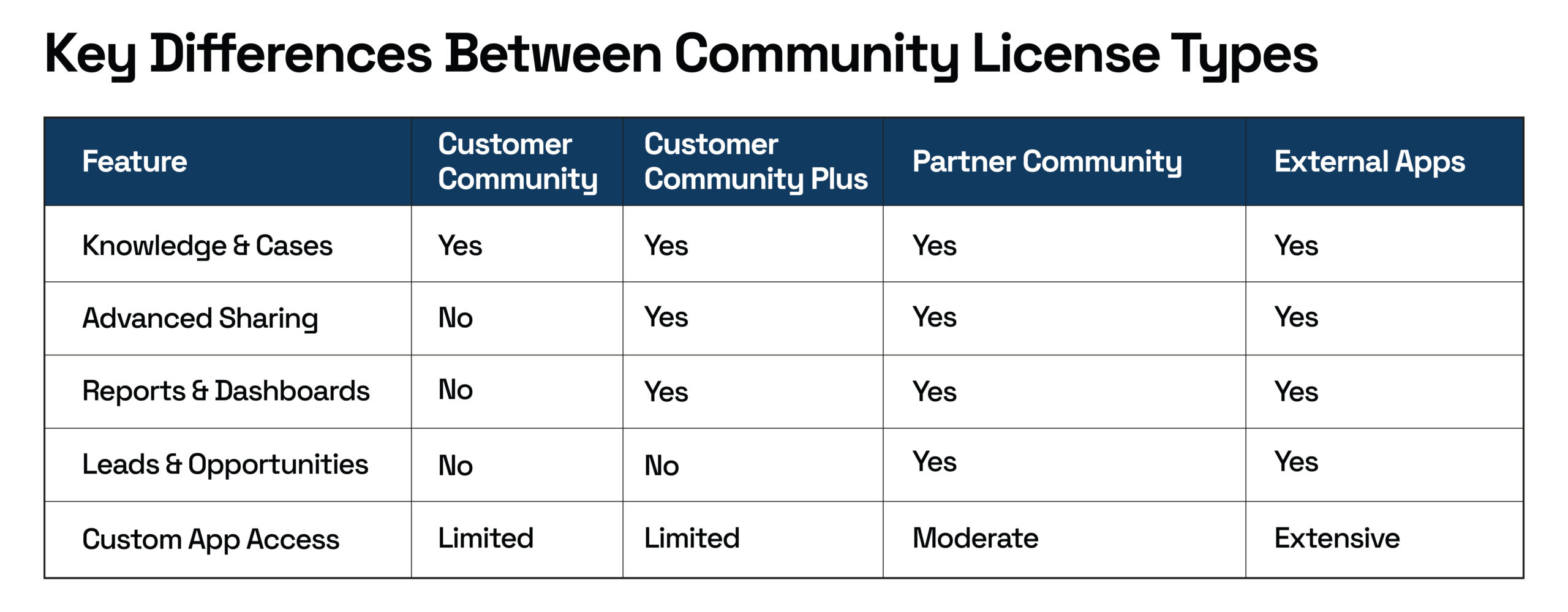
1. Customer Community License
The Customer Community license is designed for basic self-service experiences.
Key Features
- Access to Knowledge articles
- Case creation and tracking
- Read access to Account and Contact data
- Standard sharing model
Real-World Example
A telecommunications company builds a customer portal where users can raise support tickets, track case status, and read troubleshooting articles. This reduces support calls and improves resolution time.
2. Customer Community Plus License
Customer Community Plus extends the Customer Community license with additional access and visibility controls.
Key Features
- All Customer Community features
- Advanced sharing and role-based access
- Reports and dashboards
- Delegated administration
Real-World Example
A financial services company provides customers with dashboards showing service request history, application status, and personalized insights, while ensuring customers can view only their own data.
3. Partner Community License
The Partner Community license is intended for partner relationship management scenarios.
Key Features
- Access to Leads and Opportunities
- Deal registration
- Sales reports and dashboards
- Partner role hierarchy
Real-World Example
A software company enables resellers to register deals, update opportunity stages, and track performance metrics through a partner portal.
4. External Apps License
External Apps licenses are used when external users need access to custom Salesforce applications and deeper functionality.
Key Features
- Access to custom objects
- Advanced automation and integrations
- Greater flexibility compared to standard community licenses
Real-World Example
A manufacturing organization creates a vendor portal where suppliers upload compliance documents, update delivery status, and interact with custom workflows built on Salesforce.
5. Channel Account (Partner Variant)
Channel Account licenses allow multiple partner users to be associated with a single partner account.
Real-World Example
A global distributor provides access to multiple employees from a partner organization under one account, simplifying license management.
Pricing Models in Salesforce Experience Cloud
Salesforce offers two pricing models for community users:
Member-Based Pricing
- Charged per user per month
- Suitable for users who log in frequently
Login-Based Pricing
- Charged per login
- Suitable for users who access the portal occasionally
Best Practice
If users log in more than three to four times per month, member-based pricing is typically more cost-effective.
Conclusion
Salesforce Experience Builder community licenses enable organizations to securely extend Salesforce to external audiences while maintaining control over access and costs. Selecting the appropriate license depends on the user type, required functionality, and login frequency. Choosing the right community license often requires expert guidance from experienced Salesforce consulting services to ensure scalability and cost efficiency. A clear understanding of these licenses helps organizations design scalable, cost-effective Experience Cloud Solutions.

Seasoned Senior Salesforce Developer with deep expertise in Apex, Lightning Web Components (LWC), and complex integrations. Proven track record of delivering scalable, high-performance solutions and optimizing business processes to drive efficiency and growth.
related blog