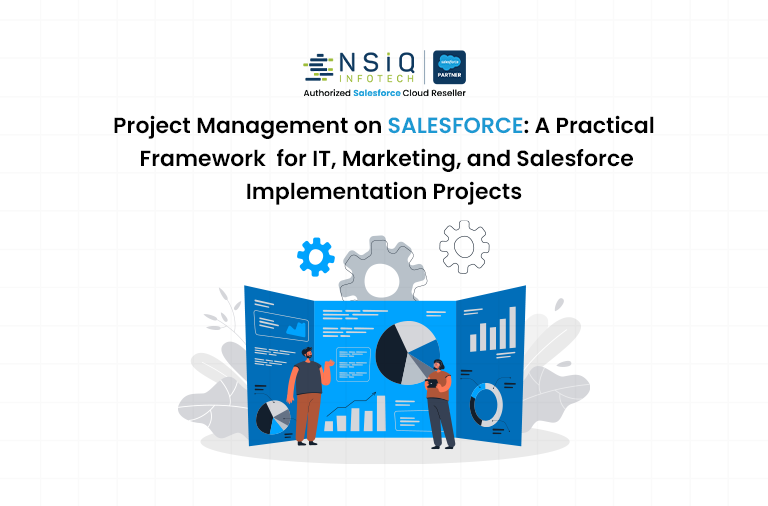
Project Management on Salesforce: A Practical Framework for IT, Marketing, and Salesforce Implementation Projects

Project management today is no longer about maintaining a task list or sending weekly status emails. It’s about orchestrating people, technology, timelines, and outcomes – while keeping visibility high and confusion low.
As organizations scale, projects increasingly cut across departments. IT depends on business inputs,marketing relies on technology, and Salesforce implementations touch almost every team. Managing these initiatives using disconnected tools often leads to delays, missed expectations,
rework, and burnout.
This is where project management on Salesforce becomes a strategic advantage.
Salesforce is not a conventional project management tool and that’s exactly why it works so well. It manages projects within the business context, not outside it. This blog explains how Salesforce can be customized for IT projects, marketing execution, and Salesforce implementation programs, supported by real-world case-style examples and SEO-friendly best practices.
Why Salesforce Works for Modern Project Management
Most project management tools focus on tasks. Salesforce focuses on relationships – between people, data, customers, and outcomes. That difference matters.
When projects live inside Salesforce:
- Tasks are directly connected to business goals
- Decisions are supported by real-time data
- Accountability is visible, not assumed
- Progress is measurable at every stage
Instead of asking, “What is the status?”, teams can simply see it.
This shift alone transforms how organizations plan, execute, and deliver projects.
Core Project Management Foundation on Salesforce
Before customizing Salesforce for different project types, it’s essential to establish a strong and scalable foundation.
Common Salesforce Project Data Model
Most successful Salesforce project management setups follow a simple, flexible structure:
- Project – Overall initiative (IT rollout, campaign, Salesforce implementation)
- Phase / Milestone – Logical stages of delivery
- Task – Actionable unit of work
- Dependencies – What must be completed first
- Risks & Issues – Proactive risk and blocker tracking
This structure avoids unnecessary complexity while supporting long-term scalability and reporting.
Case Study 1: IT System Upgrade Managed on Salesforce
Background
A mid-sized organization planned a company-wide IT system upgrade, including:
- Server migration
- Security enhancements
- Integration with third-party tools
Previously, IT projects were tracked using spreadsheets and email threads. Leadership had limited visibility, and delays were usually discovered too late.
The Challenge
- No single view of project progress
- Business stakeholders unaware of technical dependencies
- Frequent last-minute escalations
- Manual status reporting every week
Salesforce Project Setup
The IT team configured Salesforce with:
- A Project record for each IT initiative
- Milestones for Design, Development, Testing, and Deployment
- Tasks linked to owners, priorities, and deadlines
- Risk records to log potential blockers
Automation was added to:
- Alert stakeholders when milestones slipped
- Escalate risks automatically
- Roll up task status into overall project health
The Outcome
- Leadership dashboards showed real-time project health
- Dependencies became visible much earlier
- Emergency escalations were reduced significantly
- The IT team spent less time reporting and more time delivering
Key takeaway: Salesforce turned IT project management from reactive to predictable.
Salesforce for IT Project Management
The Reality of IT Projects
IT projects are often complex, long-running, and dependent on multiple stakeholders. Common challenges include:
- Changing requirements
- Hidden dependencies
- Limited business visibility
- Delayed approvals
Salesforce addresses these challenges by making IT projects transparent, traceable, and data-driven.
How Salesforce Supports IT Project Management
1. Centralized Project Visibility
All IT initiatives—system upgrades, security enhancements, integrations, and infrastructure changes—are tracked in one system. Leadership can instantly see:
- What’s in progress
- What’s delayed
- What’s blocked
No manual reporting is required.
2. Requirement-to-Delivery Traceability
Requirements are logged as records and linked to:
- Tasks
- Development work
- Testing activities
- Deployment milestones
Nothing gets lost between discussion and execution.
3. Risk and Issue Management
Salesforce enables proactive tracking of:
- Technical risks
- Resource constraints
- Dependency delays
Automated alerts ensure teams act before issues escalate.
4. Automation for Governance
Approvals, change requests, and status updates are automated—reducing reliance on emails and follow-ups.
Result for IT Teams
- Better planning accuracy
- Fewer surprises
- Clear accountability
- Improved stakeholder trust
IT shifts from being perceived as a bottleneck to becoming a delivery partner.
Case Study 2: Marketing Campaign Execution on Salesforce
Background
A marketing team running multi-channel campaigns struggled to align:
- Content creation
- Design approvals
- Launch schedules
- Performance tracking
Campaigns often launched late, and post-campaign analysis was disconnected from execution.
The Challenge
- Creative work scattered across tools
- Approval delays due to unclear ownership
- No direct link between tasks and campaign ROI
Salesforce Project Setup
Each campaign was managed as a project with:
- Planning, Execution, and Launch phases
- Tasks for content, design, review, and publishing
- Automated approvals within Salesforce
- Campaign performance metrics linked directly to execution tasks
All discussions and feedback remained attached to Salesforce records.
The Outcome
- Faster campaign launches
- Clear accountability for approvals
- Real-time visibility into campaign readiness
- Stronger connection between execution and results
Key takeaway: Salesforce brought structure to marketing without slowing creativity.
Salesforce for Marketing Project Management
The Nature of Marketing Projects
Marketing projects move fast and involve creativity, coordination, and timing. Campaigns usually fail not because of ideas—but because of execution gaps.
Typical challenges include:
- Missed deadlines
- Unclear ownership
- Approval delays
- Poor performance tracking
Salesforce provides structure without killing creativity.
How Salesforce Powers Marketing Execution
- Campaign-Centric Project Management
Campaigns are managed as projects with planning, execution, and launch activities tracked in one place. - Real-Time Collaboration
Creative discussions, feedback, and approvals stay attached to campaign records. - Performance-Driven Project Tracking
Execution tasks are directly tied to campaign results such as leads, conversions, and ROI. - Cross-Team Alignment
Sales, marketing, and leadership see the same data, reducing friction and misalignment.
Result for Marketing Teams
- Faster go-to-market
- Clear execution ownership
- Stronger ROI tracking
- Reduced rework
Marketing becomes predictable, measurable, and scalable.
Case Study 3: Salesforce Implementation for a Growing Business
Background
A growing organization implemented Salesforce for:
- Sales Cloud
- Service workflows
- Basic automation
The biggest risk wasn’t technology—it was scope creep and unclear expectations.
The Challenge
- Requirements changing mid-project
- Clients frequently asking, “Where are we?”
- Difficulty tracking what was sold versus what was delivered
Salesforce Project Setup
The implementation itself was managed inside Salesforce:
- Project linked directly to the sales opportunity
- Requirements logged with acceptance criteria
- Sprints tracked using Kanban views
- Change requests logged and approved formally
Clients were given controlled access to milestones through Experience Cloud.
The Outcome
- Strong alignment between sales and delivery
- Transparent scope management
- Fewer misunderstandings with clients
- On-time project completion
Key takeaway: Using Salesforce to implement Salesforce created trust and clarity on both sides.
Salesforce for Salesforce Implementation Projects
Managing Salesforce implementations inside Salesforce changes everything.
Key Capabilities
- Opportunity-to-Delivery Alignment
Projects link directly to sales opportunities, contracts, and scope definitions. - Requirement and Change Control
Each requirement includes priority, acceptance criteria, and change history—making scope creep visible. - Sprint and Milestone Management
Agile and hybrid delivery models are supported using Kanban boards, sprints, and release milestones. - Client Transparency
Clients can track milestones, review deliverables, and see progress updates—reducing status calls.
Result for Salesforce Projects
- Cleaner implementations
- Happier clients
- Controlled scope
- Predictable delivery
Salesforce becomes both the product and the delivery engine.
Reporting and Dashboards: The Real Power Layer
Across IT, marketing, and implementation projects, Salesforce dashboards provide:
- Project health indicators
- Delayed task analysis
- Resource utilization
- Executive summaries
Decision-making moves from opinion-based to data-backed.
Automation That Supports People (Not Replaces Them)
Salesforce automation helps teams focus on thinking, not tracking:
- Task auto-creation
- Deadline reminders
- Status roll-ups
- Risk escalation
The system handles the noise—people handle judgment and strategy.
Best Practices for Project Management on Salesforce
- Design for simplicity first
- Define ownership clearly
- Automate only what adds value
- Review dashboards daily
- Train teams on purpose, not just process
Salesforce works best when people trust the system, and trust comes from clarity.
Frequently Asked Questions (FAQs)
1. Can Salesforce manage IT, marketing, and implementation projects together?
Yes. Salesforce supports multiple project types using a unified structure with role-based views.
2. Does this require heavy customization?
No. Many solutions rely on standard objects and low-code tools.
3. Is Salesforce suitable for agile project management?
Absolutely. Kanban boards, sprints, and milestones are well supported.
4. Can leadership track projects without manual reports?
Yes. Dashboards provide real-time visibility.
5. Is Salesforce project management secure?
Yes. Role-based access ensures data security and compliance.
Final Thoughts
Project management on Salesforce is not about forcing work into a tool — it’s about aligning work with outcomes. Organizations looking to implement project management on Salesforce often partner with experienced Salesforce consultants who understand both technology and execution.
Whether you’re managing:
- An IT transformation
- A marketing launch
- A Salesforce implementation
Salesforce creates a shared reality where everyone knows:
- What’s happening
- Who owns it
- Why it matters
That clarity is what ultimately turns plans into progress.

related blog