Managing Multi-Country Campaigns with a Single Dynamic CloudPage

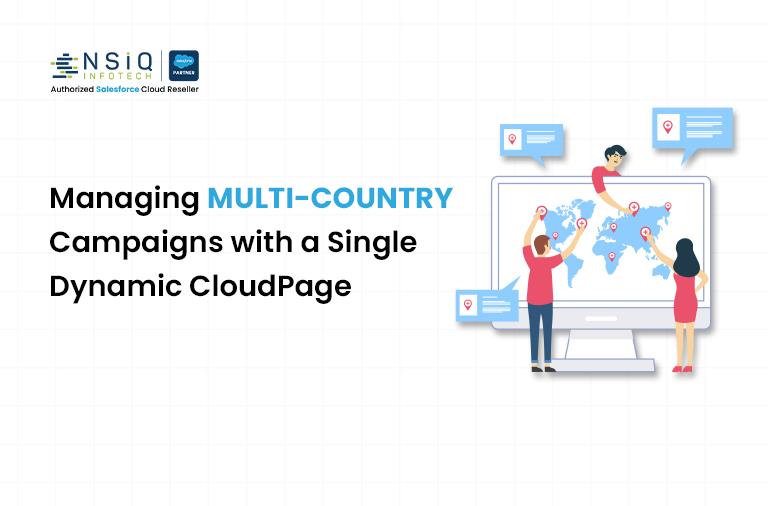
If your business runs campaigns in more than one country, you already know the pain. Same campaign. Same offer. Same brand message. But suddenly everything splits.
Different languages. Different currencies. Different legal text. Sometimes even different images.
What often happens next is predictable. Separate landing pages are created for each country. Each language gets its own CloudPage. Each version needs testing, tracking, updates, and approvals. Very quickly, one campaign turns into ten or twenty landing pages that all do roughly the same thing.
This is where dynamic CloudPages in Salesforce Marketing Cloud can make a real difference. Instead of building multiple landing pages for the same campaign, you build one flexible page that adapts based on the visitor. Language, content, and even layout can change dynamically without duplicating work.
In this blog, we’ll walk through what a dynamic CloudPage is, how it works in real terms, and why it’s often the smarter option for businesses operating across regions.
The Common Problem with Global Landing Pages
Let’s start with a scenario that many marketing teams face.
You’re launching a global campaign for a new product. The core message is the same everywhere, but the details vary:
- English for the US and UK
- Spanish for Spain and parts of Latin America
- French for France and Canada
- German for Germany
- Local terms and compliance text for each region
The traditional approach is simple but messy. Create one CloudPage per country or language. That means:
- Multiple CloudPages with nearly identical structure
- Repeating the same updates across pages
- Higher risk of errors or missed changes
- Longer QA cycles
- More assets to manage long-term
Over time, these pages pile up. Someone changes the CTA text on the US page but forgets to update Germany. A legal line is corrected in one version but not the others. Reporting becomes fragmented because traffic is spread across multiple URLs.
None of this adds value for the business or the customer. It just adds overhead.
What is a Dynamic CloudPage?
A dynamic CloudPage is a single landing page that changes its content based on data.
Instead of hardcoding text, images, and links directly into the page, you use logic to decide what a visitor should see. That logic can be based on:
- Country or region
- Preferred language
- Subscriber attributes
- Data Extension values
- URL parameters
Salesforce Marketing Cloud supports this through AMPscript, Server-Side JavaScript (SSJS), and data stored in Data Extensions.
In simple terms, the page asks a question when it loads.
Who is this visitor?
Based on the answer, it displays the right language, the right copy, and the right details.
How Dynamic CloudPages help Global Businesses
One Page Instead of Many
The biggest benefit is obvious. You maintain one CloudPage instead of ten.
The layout, structure, and logic live in a single place. When you need to make a design change, you do it once. When the campaign ends, you archive one page instead of a folder full of duplicates.
This alone saves time, but the real value shows up as campaigns scale.
Language Switching Without Duplication
Language is usually the first reason teams create multiple landing pages.
With a dynamic CloudPage, language becomes a variable, not a page.
For example:
- A visitor from Spain sees Spanish content
- A visitor from Germany sees German content
- A visitor from Canada sees English or French based on their profile
This can be driven by:
- Subscriber language preference stored in Contact Builder
- Country code from the send
- A language parameter passed in the URL
All the translations can live in a Data Extension, mapped by language code. The CloudPage simply pulls the right version when it loads.
The structure stays the same. Only the words change.
Consistent Brand Experience Across Regions
When you manage many static landing pages, consistency is hard to maintain.
Dynamic CloudPages solve this by enforcing a single structure and design system. Every visitor sees the same layout, typography, and visual hierarchy. Only the localized elements change.
This matters more than it sounds.
Brand teams care about consistency. Legal teams care about accuracy. Marketing teams care about speed. A dynamic approach supports all three.
Easier Updates and Faster Campaigns
Imagine you need to update the headline of a campaign halfway through.
With static pages, that could mean updating ten CloudPages, testing each one, and republishing.
With a dynamic CloudPage, you update one content record or one block of logic. The change applies everywhere instantly.
This makes mid-campaign optimization realistic. Teams are more willing to test and refine because the effort is lower.
Better reporting and tracking
One dynamic CloudPage usually means one main URL.
That simplifies analytics.
- All traffic rolls up into one place
- Conversion tracking is consistent
- A/B testing is easier to manage
You can still break down performance by country or language using parameters or data captured on submit. But you don’t lose the big picture.
A Simple Example of How it Works
Let’s keep this practical.
Suppose you have a campaign running in three countries: US, France, and Germany.
You store your content in a Data Extension with columns like:
- LanguageCode
- Headline
- BodyText
- CTA
- LegalText
When someone lands on the CloudPage, the page checks their language preference.
If the language is EN, it pulls the English row. If it’s FR, it pulls French. If it’s DE, it pulls German.
From the visitor’s point of view, it feels like a fully localized page. From your point of view, it’s one page pulling different data.
When Dynamic CloudPages are Especially Useful
Dynamic CloudPages are not only for huge enterprises. They make sense whenever:
- You run the same campaign in multiple countries
- Your core message is consistent
- You want to reduce asset sprawl in Marketing Cloud
- You need faster turnaround times
They are especially powerful for:
- Product launches
- Event registrations
- Lead generation campaigns
- Preference centers
- Always-on landing pages
Things to Plan Before you Build
Dynamic pages work best when there is structure behind them.
Before building, think about:
- How you will store translations
- Who owns content updates
- How fallback language should work
- What happens if data is missing
For example, if a visitor’s language is not available, should the page default to English? These decisions should be made upfront.
Final thoughts
For businesses operating across regions, dynamic CloudPages are not just a technical trick. They are a smarter way to scale.
Instead of multiplying assets, you centralize them. Instead of copying and pasting, you reuse and adapt. Instead of slowing down campaigns, you make them more flexible.
Salesforce Marketing Cloud already gives you the tools. AMPscript, Data Extensions, and CloudPages are designed for this kind of use case.
If your team is still creating separate landing pages for every country and language, it may be time to rethink the approach. One dynamic CloudPage can often do the job of many, and do it better.

A Salesforce Marketing Cloud Developer specializes in designing and implementing personalized marketing solutions using tools like Journey Builder, Email Studio, and Automation Studio to enhance customer engagement and campaign performance.
related blog