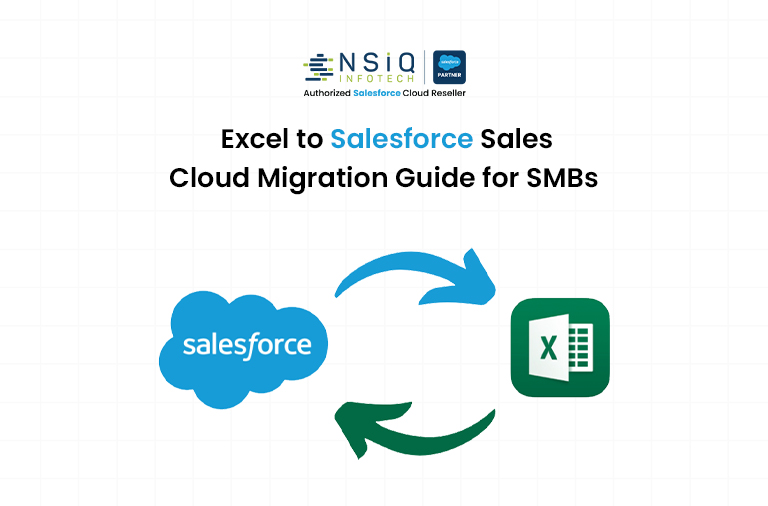
From Excel Sheets to Sales Cloud: A Step-by-Step Migration Guide for SMBs

Managing business data in Excel works—until it doesn’t. Most SMBs start with spreadsheets because they’re simple, cheap, and familiar. But as your business grows, Excel becomes a bottleneck: data gets messy, teams lose visibility, and decisions slow down.
This guide walks you through a practical, beginner-friendly process to move from Excel to Salesforce Sales Cloud, helping SMBs transition into a scalable smb crm system—without overwhelming your team or disrupting your operations.
Why SMBs Outgrow Excel
Excel is not designed for managing dynamic customer relationships, especially for growing salesforce smb businesses. Here’s where it breaks:
- Lack of real-time collaboration
Multiple versions of the same file lead to confusion and errors. - No centralized customer view
Sales, marketing, and support data stay scattered. - Manual processes slow you down
No automation means repetitive work and missed follow-ups. - Limited scalability
As data grows, performance and usability decline.
Stat Insight:
According to HubSpot, 65% of sales teams using CRM tools achieve higher quota attainment compared to those relying on manual systems.
What is Salesforce Sales Cloud for SMBs?
Salesforce Sales Cloud is a leading smb crm platform designed to manage leads, opportunities, contacts, and sales pipelines in one place. It is widely adopted by salesforce smb businesses looking for scalable growth.
For SMBs, it offers:
- Centralized customer data
- Automated workflows
- Real-time reporting
- Scalable infrastructure
Excel vs CRM: Quick Comparison (Infographic-Friendly Section)
Excel vs Salesforce Sales Cloud
- Data Storage
- Excel: Scattered files
- CRM: Centralized database
- Collaboration
- Excel: Manual sharing
- CRM: Real-time updates
- Automation
- Excel: None
- CRM: Built-in workflows
- Reporting
- Excel: Manual reports
- CRM: Live dashboards
- Scalability
- Excel: Limited
- CRM: High
Step-by-Step Migration Process
Step 1: Define Your CRM Goals
Before starting your salesforce migration, clarify what you want to achieve:
- Better lead tracking
- Improved sales forecasting
- Automated follow-ups
- Team visibility
Example:
A small logistics company moved to salesforce sales cloud to reduce lead response time. Result: 40% faster conversions within 3 months.
Step 2: Audit Your Excel Data
Review your existing spreadsheets before starting excel to crm migration:
- Remove duplicate entries
- Fix inconsistent formats
- Identify required fields (Name, Email, Phone, etc.)
Tip:
Messy data leads to poor CRM adoption. Clean data is critical for successful salesforce migration.
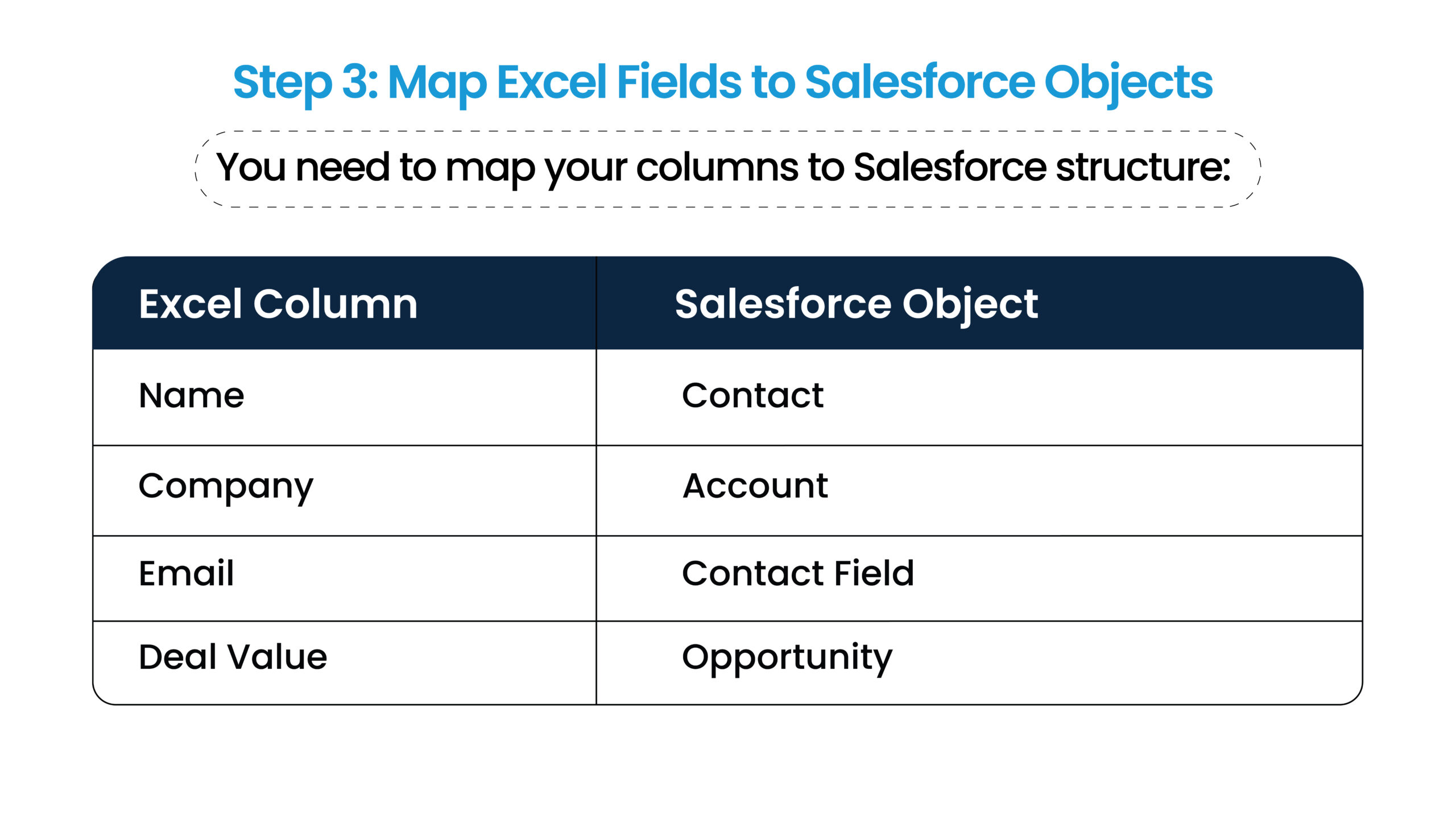
Step 4: Prepare Data for Import
Convert files to CSV format
Ensure proper formatting (dates, numbers)
Remove unnecessary columns
This step is critical for smooth salesforce migration.
Step 5: Import Data into Salesforce
Use Salesforce tools like:
- Data Import Wizard (beginner-friendly)
- Data Loader (advanced)
Start with:
- Accounts
- Contacts
- Leads
- Opportunities
Step 6: Set Up Basic CRM Structure
After import into salesforce sales cloud:
- Create pipelines
- Define stages (Lead → Qualified → Closed)
- Set user roles and permissions
Step 7: Automate Key Processes
Automation is where a modern smb crm like Salesforce adds real value:
- Lead assignment rules
- Email notifications
- Follow-up reminders
Stat Insight:
According to McKinsey, automation can increase sales productivity by up to 15%.
Step 8: Train Your Team
Adoption matters more than setup for any salesforce smb implementation:
- Conduct short training sessions
- Use real examples
- Keep workflows simple initially
Step 9: Test and Optimize
Validate data accuracy
Run test scenarios
Adjust workflows based on feedback
Common Migration Mistakes to Avoid
- Migrating unnecessary data
Only move what you need. - Skipping data cleaning
Leads to poor reporting. - Overcomplicating setup
Start simple. Scale later. - Ignoring user adoption
Even the best smb crm fails without usage.
Real-Life Mini Case Study
Scenario:
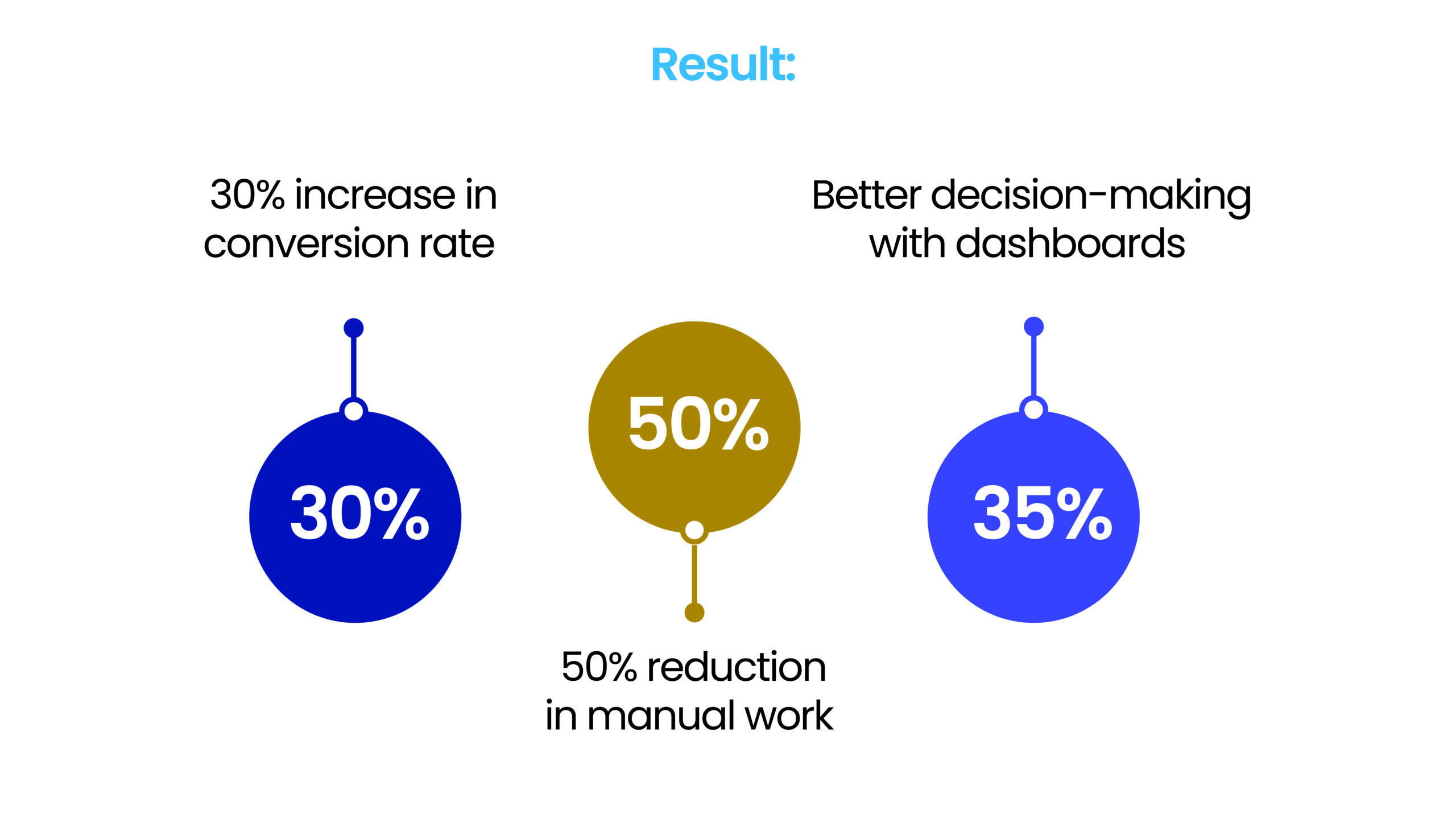
An SMB in e-commerce used Excel to manage 2,000+ leads before moving to salesforce sales cloud.
Problem:
- Missed follow-ups
- Duplicate entries
- No visibility into pipeline
Solution:
Migrated through a structured salesforce migration process with:
- Cleaned data
- Automated lead assignment
- Pipeline tracking
How NSIQ INFOTECH Can Help
Migrating from Excel to Salesforce may seem simple—but doing it right requires expertise in salesforce migration and excel to crm transformation.
NSIQ INFOTECH helps salesforce smb businesses with:
- Data cleaning and preparation
- Salesforce setup tailored to your business
- Custom workflows and automation
- Team training and onboarding

- What is Salesforce Sales Cloud?
A CRM platform to manage leads, contacts, and sales processes. - Is Salesforce suitable for SMBs?
Yes, it is one of the best smb crm solutions for growing businesses. - How long does migration from Excel take?
Typically 1–4 weeks depending on data complexity. - Do I need technical knowledge to migrate?
Basic setups are simple, but expert help improves results. - Can I import Excel data directly?
Yes, using CSV files in an excel to crm process. - What data should I migrate?
Only relevant and clean data—contacts, leads, and deals. - Will my team need training?
Yes, especially for salesforce smb adoption. - Is Salesforce expensive for SMBs?
It offers flexible pricing plans. - What are common migration challenges?
Data quality issues, mapping errors, and low adoption. - Can I automate tasks in Salesforce?
Yes, automation is a core benefit of Salesforce Sales Cloud. - Is Excel completely replaced?
Mostly yes, but Excel can still be used for analysis. - What is data mapping in CRM migration?
It’s matching Excel columns to CRM fields. - How secure is Salesforce?
Highly secure with enterprise-level data protection.
Conclusion
Moving from Excel to salesforce sales cloud is not just a technical upgrade—it’s a shift toward structured growth using a modern smb crm.
If you approach your salesforce migration correctly:
- Your data becomes reliable
- Your team becomes efficient
- Your sales process becomes predictable
Start simple. Focus on clean data and team adoption. Once the foundation is strong, you can scale with automation and advanced features in salesforce smb environments.
If you want a smoother transition without costly mistakes, working with an experienced partner like NSIQ INFOTECH can accelerate your CRM success.

Motivated Salesforce Developer with hands-on experience in Apex, Lightning Web Components (LWC), and Salesforce customization. Passionate about building efficient CRM solutions, enhancing user experience, and continuously learning new technologies to drive business innovation.
related blog